

Rendering clogs Memory, bricks machine
Hey Adobe Community,
I have some abstract compositions that I need to render in 4K. Most of them consist of some simple 3D shape layers (3 points, connected to 3D Nulls). These are pre-comped, and these pre-comps have colour and blur effects applied to them (Camera Lens Blur, Gaussian Blur, Colorama, CC Toner, these kinds of effects). They’re about a minute long.
When trying to render these out (using mostly the H.264 - Match Render Settings - 15Mbps preset) the Memory seems to blow out of proportion, completely clogging up my machine. This also happens with the effects disabled.
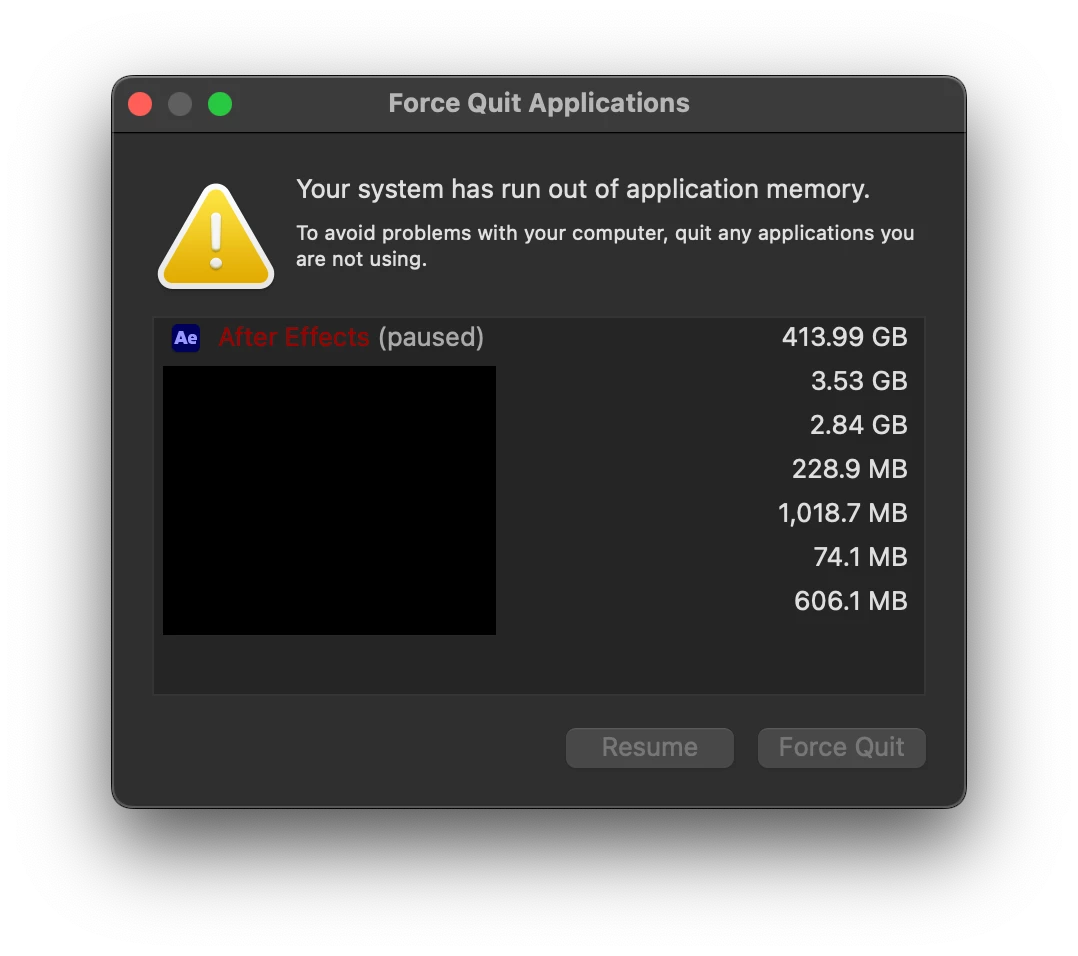
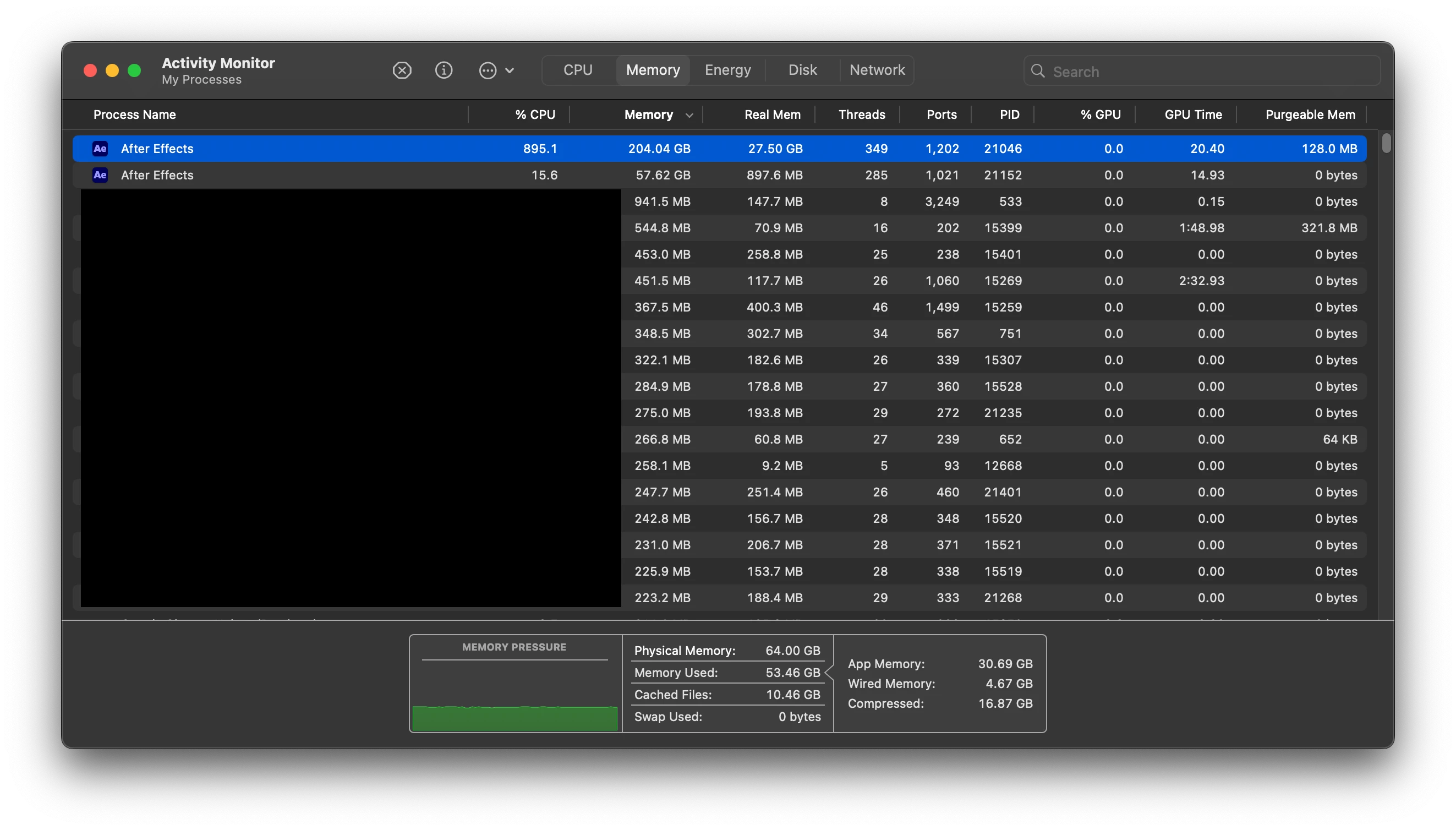
I’ve tried using my Mac’s internal SSD, and an external SSD as cache. The Maximum Disk Cache Size is set at 150GB. With the 64GB installed, 12GB is set as reserved for other applications. I’ve purged the caches, and restarted the Mac multiple times, but to no avail – it clogs up like this every single time, and I’m stuck not being able to render them.
Is there anything I’m doing wrong here? To me it seems like After Effects should be free to take its time rendering the frames, I’m in no rush, but it should not take all the application memory my machine has, to the point that it can’t function anymore.
Am I missing something obvious? I’m no expert on how After Effects uses Memory, or the Memory usage of my Macbook in general. Do I simply have to settle for reducing size of my project and the intensity of the effects used?
I’m using an Apple M4 Max, 64GB Macbook Pro (16-inch / November 2024), running Sequoia 15.7.3.
Thanks in advance!
ABDB


 AdChoices