


Participant
May 23, 2021
Answered

rendering plugin instance verification failed. (26::400)

  • May 23, 2021
  • 9 replies
  • 12561 views

this has suddenly started happening and I do not understand why. Projects that used to open just fine now show this popup message, which cannot be removed from the screen without force quitting after effects. 
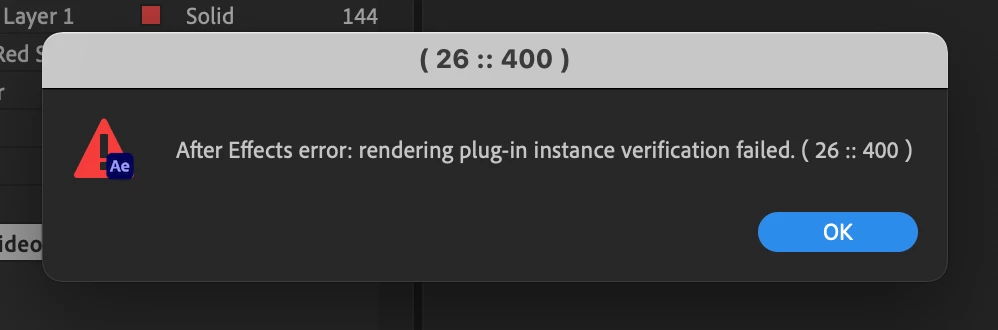
 

I have uninstalled after effects and reinstalled to no avail. I have not installed any third party plugins. 


This topic has been closed for replies.
Correct answer Exa Networks

Nishu (support - has commented below) has fixed my problem...

Opening AE, selecting a comp layer > Got to COmposition > Composition Settings > 3D renderer and change it to Classic 3D.

I  did this for all layers, saved and quit AE.


Reopened - bingo!

9 replies

Azita Sepahi
Participant
August 26, 2021

I had the same problem. It solved.

Go to composition---> Composition settings---> Render

then change option to classic 3d


Participant
August 2, 2021

Evans24536460,

Thank you for initiating awareness of this code!

Exa Networks
Exa NetworksCorrect answer
Participant
June 2, 2021

Nishu (support - has commented below) has fixed my problem...

Opening AE, selecting a comp layer > Got to COmposition > Composition Settings > 3D renderer and change it to Classic 3D.

I  did this for all layers, saved and quit AE.


Reopened - bingo!

Community Expert
June 2, 2021

Thank you, Edd! I just did it and there was no message at all. So, I guess if one chooses to use C4D it would be best to switch the renderer back to Classic before exiting to avoid the message/glitch. I don't know enough about Ae and the two choices to say what are the differences in regards to outcome anyway. But right now, I don't think it makes much of a difference.

nishu_kush
Community Manager
Community Manager
May 28, 2021

Hi all,


I reached out to the engineers regarding this. They are looking for the following details so that we can get to the root cause:

  1. Is there anything specific that triggers the error or anything common in the projects that are having this issue? For example - any effect, plug-in, or does the projects contain 3d layers?
  2. A simple project that repeats the problem.
  3. After Effects log file. Here's how to collect it:
  • In After Effects, choose Help > Enable Logging
  • Restart After Effects and open your project that exhibits the problem
  • After you have successfully replicated the problem, choose Help > Reveal Logging File in After Effects. A bunch of folders will open revealing different kinds of After Effects logs
  • Look for the latest After Effects Log and share. Feel free to use any cloud service and share the download link.

Looking forward to your response.


Thanks,

Nishu

mg12202884
Participant
May 30, 2021

Where do we send the error log?

nishu_kush
Community Manager
Community Manager
May 31, 2021

Share them here or feel free to DM me.


Thanks,

Nishu

default-cat
Participant
May 28, 2021

I get this prompt every time I open a project file. Never happened before, showed up right after updating to the newest version.

julial48423438
Participant
May 28, 2021

Same here. (26 :: 400). I do have plugins installed but since OP doesn't, that's probably not the cause.

maleramirezrom
Participant
May 27, 2021

Same here!

Exa Networks
Participant
May 27, 2021

Gah, me too.

But only on one of my Macs, I've rolled back AE version, uninstalled, reinstalled. 

Any idea why it would work on my MBP but not the Mini?

Participant
August 2, 2021

Edd.G.,

Thank you for reaching out to support regarding this code!

Participant
May 27, 2021

I have run into the same issue

Participant
May 26, 2021

I would love to second this! I am getting it more and more frequently.