
Answered
Replace Footage
"Cup-Ball" file link has been broken. How to delink it? because Replace Footage is grayed out.
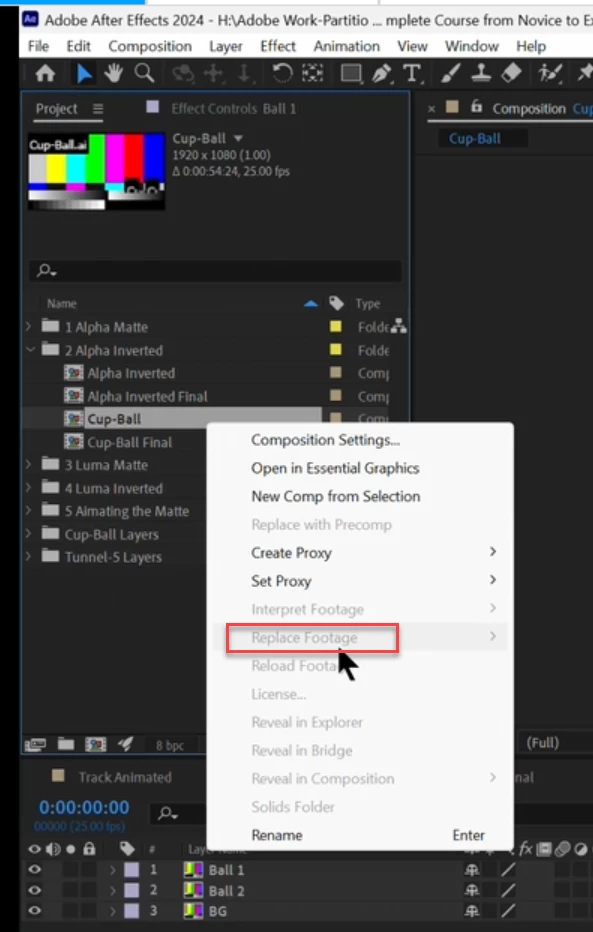

"Cup-Ball" file link has been broken. How to delink it? because Replace Footage is grayed out.
Already have an account? Login
Enter your E-mail address. We'll send you an e-mail with instructions to reset your password.



 AdChoices