

Answered
Replacing a layer with a comp
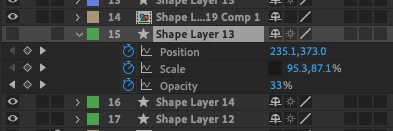
I have a layer in my timeline that has a bunch of keyframes applied to it:
A while back, I found a handy tip on how to replace layers with images etc by dragging them from the Project panel whilst holding the 'alt' key, and then onto the layer that you'd like to replace.
However I'm trying now to replace a layer with my comp, and getting the following error:
After Effects error : layer does not have a source.
(26::335)
Am I doing something wrong? do I need to drag the comp into my timeline and then copy / paste the keyframes onto it from the other layer?
 AdChoices