

Question
Replacing premiere film with AE not working...colored bars replace file!
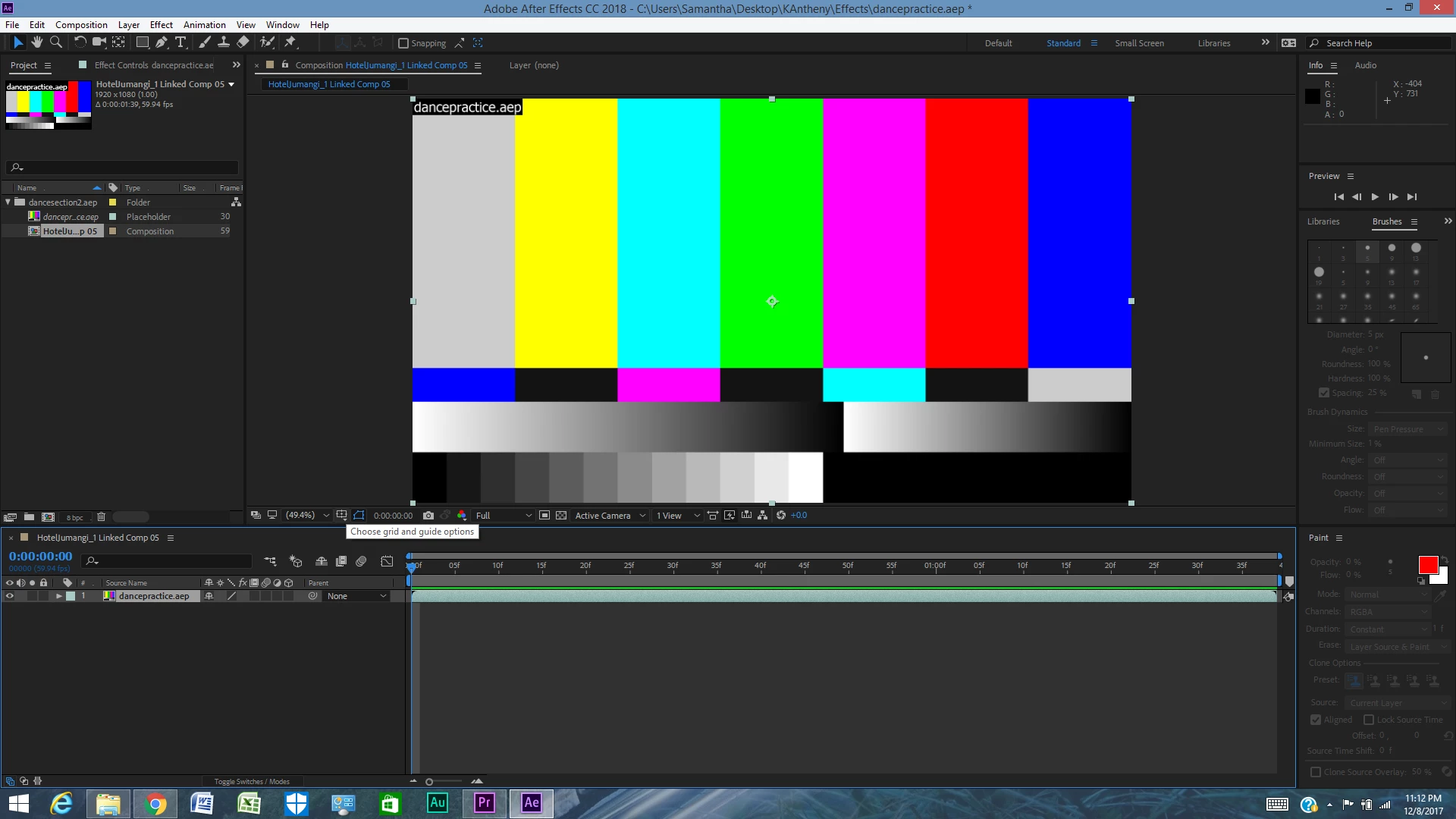
When I click on a video clip on my timeline in my Premiere Pro project, then click to replace it with an AE composition, AE opens and prompts me to save a new composition file. I create a new file, and it clearly reads the video file named is on here. But, it replaces the video with these colored bars in AE AND my original premiere video. How can I get my video project to pull up in AE without these problems? I did it just like the tutorials told me to. I have the new 2018 version or all the products.


 AdChoices