


Answered
Reset Paragraph through scripting
Hi,
How can I use Reset Paragraph option from Paragraph panel through scripting?
I have this simple code:
function resetParagraphStylesInProject() {
    var project = app.project;

        for (var i = 1; i <= project.numItems; i++) {
            var item = project.item(i);

            if (item instanceof CompItem) {

                for (var j = 1; j <= item.numLayers; j++) {
                    var layer = item.layer(j);

                    if (layer instanceof TextLayer) {
                        layer.property("Source Text").value.resetParagraphStyle();
                    }
                }
            }
        }
}


resetParagraphStylesInProject();
But this does nothing for me. Or, atleast it does not do the same thing as when I click Reset Paragraph manually. Is something wrong in my code? Are "Reset Paragraph" and "resetParagraphStyle()" different things?
My problem is I have big projects with lot of Hindi/Arabic texts which are occasionally displayed incorrectly. Hitting "Reset Paragraph" fixes this issue. But I would like to fix this automatically with script but I am not sure what is wrong here.
I attached a simple aep test file with one text layer which displays the the inccorectly like this
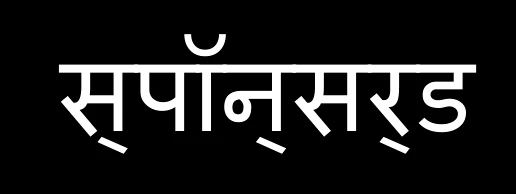
After Reset Paragraph it should look like this:
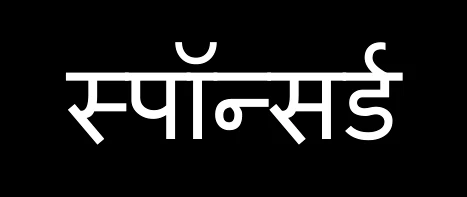
Thanks in advance,
Martin

 AdChoices