
Participating Frequently
April 20, 2022
Question

Responsive Design - Time not working when converted to a mogrt for Premier Pro

  • April 20, 2022
  • 3 replies
  • 287 views

Hi Community, 


I am looking for some help around mogrt's and responsive Design Time. I have applied the Protected regions as per needs be but they are not working when I try and use them as a template in Premier Pro. If I put the comp and change the length in AE it works fine so it seems like something is not working when I am exporting as a mogrt.
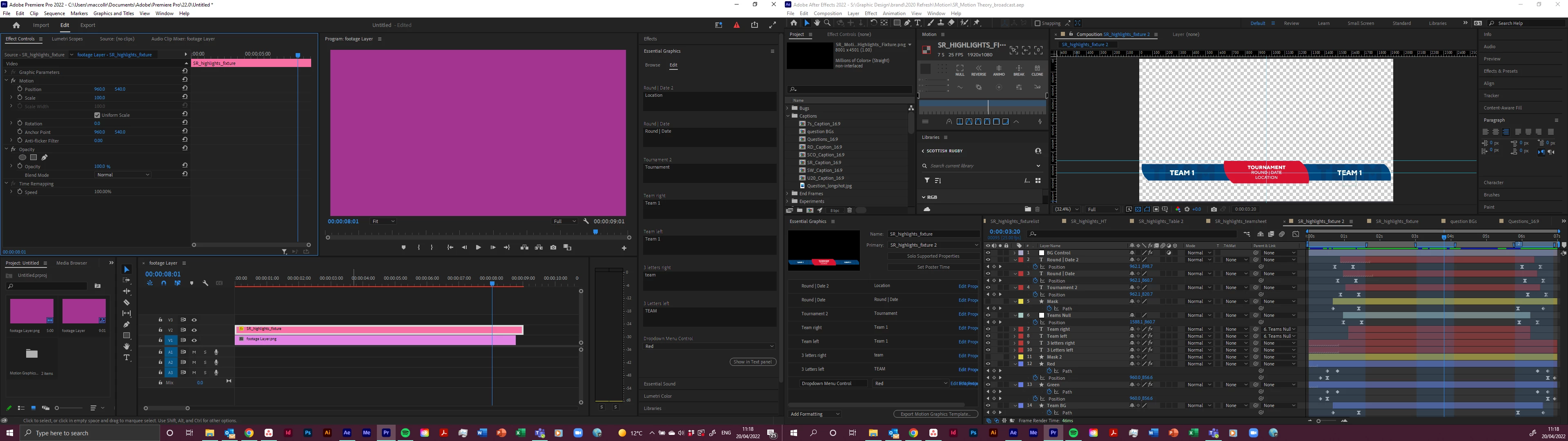


All my software is upto date and I happy to supply more images and info to help try and sort this. I have a suite of assets I am looking to apply this too and this is the least complicated of them.

This topic has been closed for replies.

3 replies

Mylenium
Legend
April 20, 2022

Here's the help article after some digging:


https://helpx.adobe.com/after-effects/using/responsive-design.html


Multiple regions only work in AE, a MOGRT can only have intro/ outro.


Mylenium

Participating Frequently
April 20, 2022

Having reread this article have I think I have miss understood the purpose of this feature within PP?


It makes the file extendable but if my outro happens at 7secs it won't then move to 20secs, if I stretch it out it will stay at the 7secs. Compared to if I didnt have protected regions you wouldnt be able to extend the file without manipulating the intro /outro animations.


But what I am looking to do is have it so the mogrt file can be extended or shorterned and the outro moves with it. i.e.if the outro happens at 7secs and I need it to happen at 20secs I could extend the mogrt file and the outro moves to 20secs.

Is there a way I can do this using a different method? No animation is happening between the intro and outro.


I am trying to hand these files over to other team members (who have little/no experience of AE) to make it easy and flexible for them to use these assets in PP.

Mylenium
Legend
April 20, 2022

Any expressions used somewhere that may throw things off?


Mylenium

Participating Frequently
April 20, 2022

there are two expressions used for the drop down menu control

if (thisComp.layer("BG Control").effect("Dropdown Menu Control")("Menu")==1) {
100
} else {
0
}

if (thisComp.layer("BG Control").effect("Dropdown Menu Control")("Menu")==2) {
100
} else {
0
}

Mylenium
Legend
April 20, 2022

You cannot use three protected regions in the same clip. This causes a logic problem and the behavior reverts to regular time-stretching. It's explained in the online help somewhere...


Mylenium

Participating Frequently
April 20, 2022

Thnak you for responding. Didn't realise about the 3 protected regions, I saw a tutorial that used it. I took them all off and reapplied with just two (intro and outro) and it is still not working.


Any other suggestions?