
Answered
Resume tracking stabilize motion in After Effects CC 2017
I was using Stabilize Motion. I closed the Tracking Panel by accident. When I reopened it, the option to analyze frames disappeared. I can't get it back. How do I resume tracking?
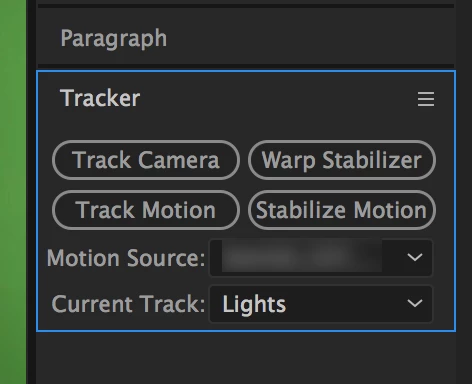

I was using Stabilize Motion. I closed the Tracking Panel by accident. When I reopened it, the option to analyze frames disappeared. I can't get it back. How do I resume tracking?
Enable the "Show Options" setting in the flyout menu.
I am not sure what you mean exactly, where is "show options". care to demonstrate?
I closed the Tracking Panel by accident. When I reopened it, the option to analyze frames disappeared. I can't get it back. How do I resume tracking?
it's not your fault but the interface's faulty U.I design which has made many users puzzle over "where's the rest of my panel" question. Motion Tracker in AE CC 2017
where's the rest?
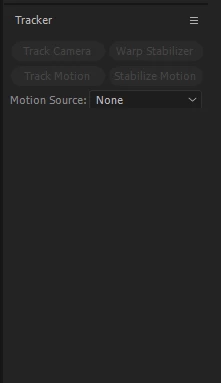
click on the panel to see the borders (your case is easier because you already saw the borders)
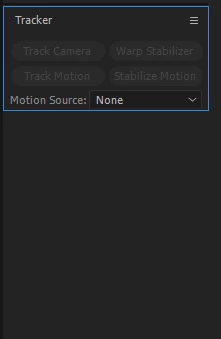
now drag the lower border down like this
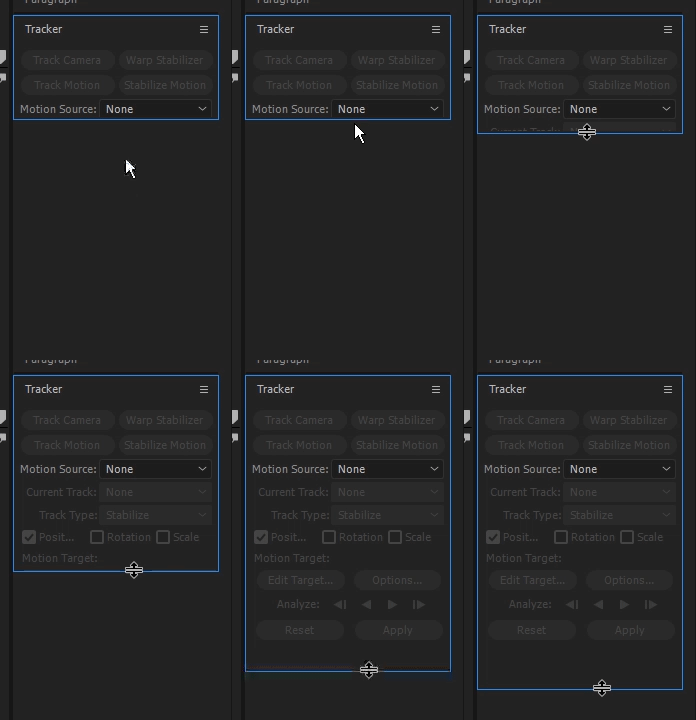
to avoid this type of scenarios you can:
1. right click on any panel you want to see in the classic U.I and uncheck stacked panels group under panel group settings
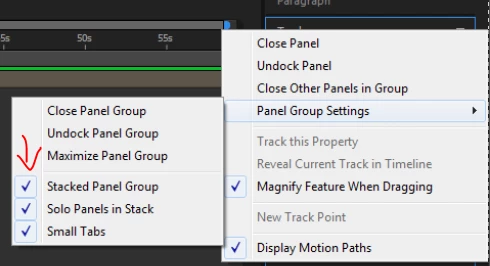
2. work in the standard workspace (like I do)
3. when tracking, work in the motion tracking workspace (the panel will have a lot of room there and won't be narrowed down)
Already have an account? Login
Enter your E-mail address. We'll send you an e-mail with instructions to reset your password.
 AdChoices