
Participating Frequently
September 21, 2022
Question

Retiming All Animation Keyframes with An Expression

  • September 21, 2022
  • 2 replies
  • 169 views

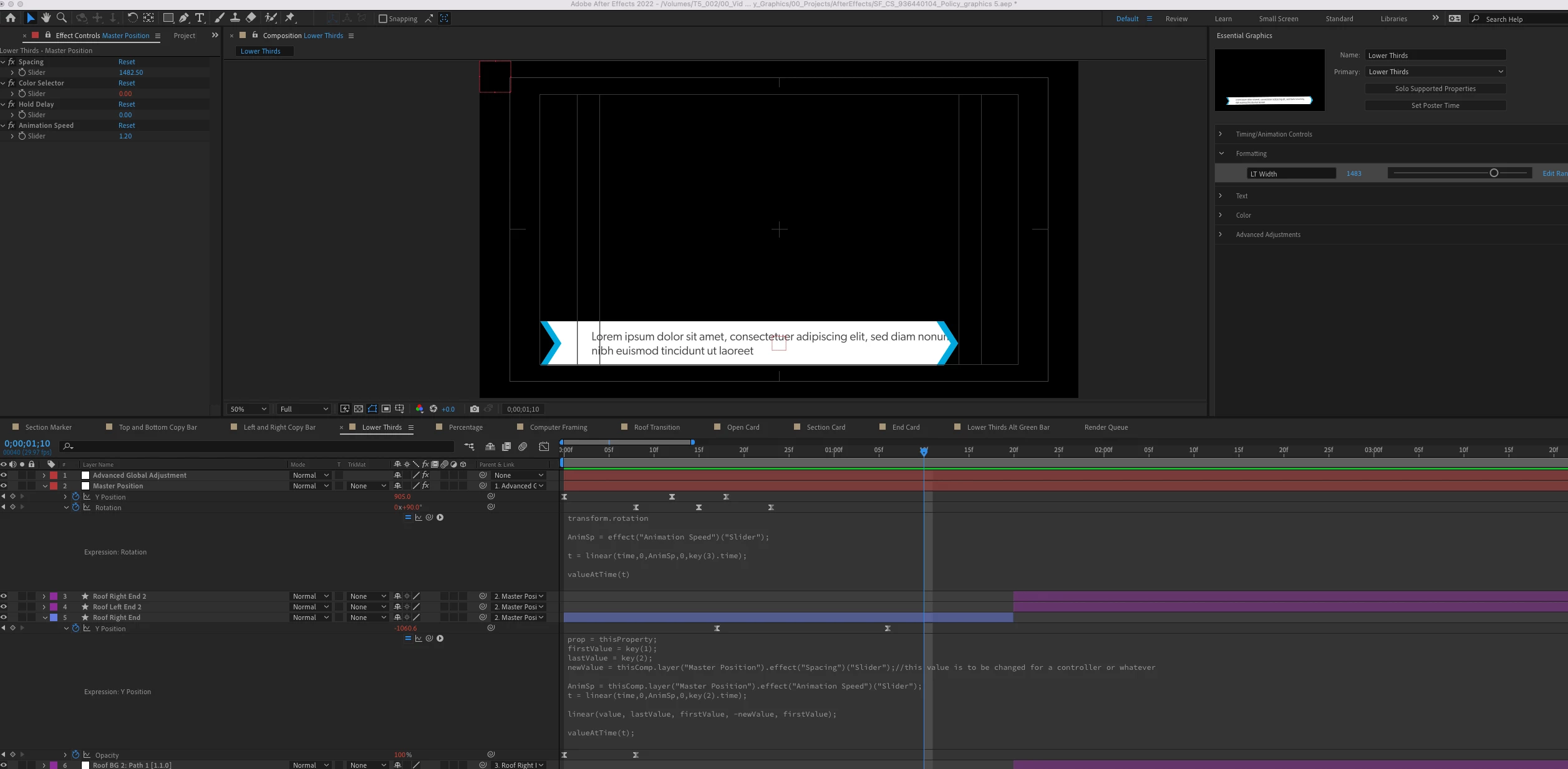
I am working on a graphics package and after building everything out, realized the vendor may want to retime the animations in addition to the other settings in the mograph template. I got an expression working for most of the layers but am running into issues on a specific layer that I fully awknoloedge is because I am misundertanding some core functionality. This is a lower thirds bar that animates out and I use a linear expression with a slider to adjust how wide the bar is without impacting the animation motion. The problem is I am also using a linear expression to control the retiming of the frames, and I realized (as far as I can gather) I can't have two linear epxressiosn used back to back like this causing in issue in what value I am actually returning. I would love to hear any suggestions to how I can keep my width expression while incorporating my slider to adjust the anim speed.
This topic has been closed for replies.

2 replies

Lukeman07Author
Participating Frequently
September 21, 2022

I FIGURED IT OUT! It took me longer than it should of to realize my initial solution worked, but that the issue was each layer had its final keyframe at a different position resulting in the scales across layers not being proportional. My solution was to add a single keyframe after all the other keyframes on each layer at the same time. This was the code I ended up using on the problem layer after this fix

prop = thisProperty;

firstValue = key(1);

lastValue = key(2);

newValue = thisComp.layer("Master Position").effect("Spacing")("Slider");//this value is to be changed for a controller or whatever

AnimSp = thisComp.layer("Master Position").effect("Animate On Speed")("Slider");

t = linear(time,0,AnimSp,0,key(2).time);

linear(valueAtTime(t), lastValue, firstValue, -newValue, firstValue);

Lukeman07Author
Participating Frequently
September 21, 2022

For added context the layer giving me the issues is "Roof Right End"

The retiming code I had been copying to each layerhas been this (with adjustments to the final key depending on how many total keys there are) 


AnimSp = effect("Animation Speed")("Slider");

t = linear(time,0,AnimSp,0,key(3).time);

valueAtTime(t);


The code that was already on the "Roof Right End" before this addition was this


prop = thisProperty;

firstValue = key(1);

lastValue = key(2);

newValue = thisComp.layer("Master Position").effect("Spacing")("Slider");

linear(value, lastValue, firstValue, -newValue, firstValue);


So essentially I want to merge these two groups of code