
rigid motion keyframes??
i know there's a term for this, because i took an after effects class a couple years ago, and i remember this being discussed, but honestly i don't use after effects enough for anything to stay muscle memory, and i couldnt think of anything better than "rigid keyframe" to search for.
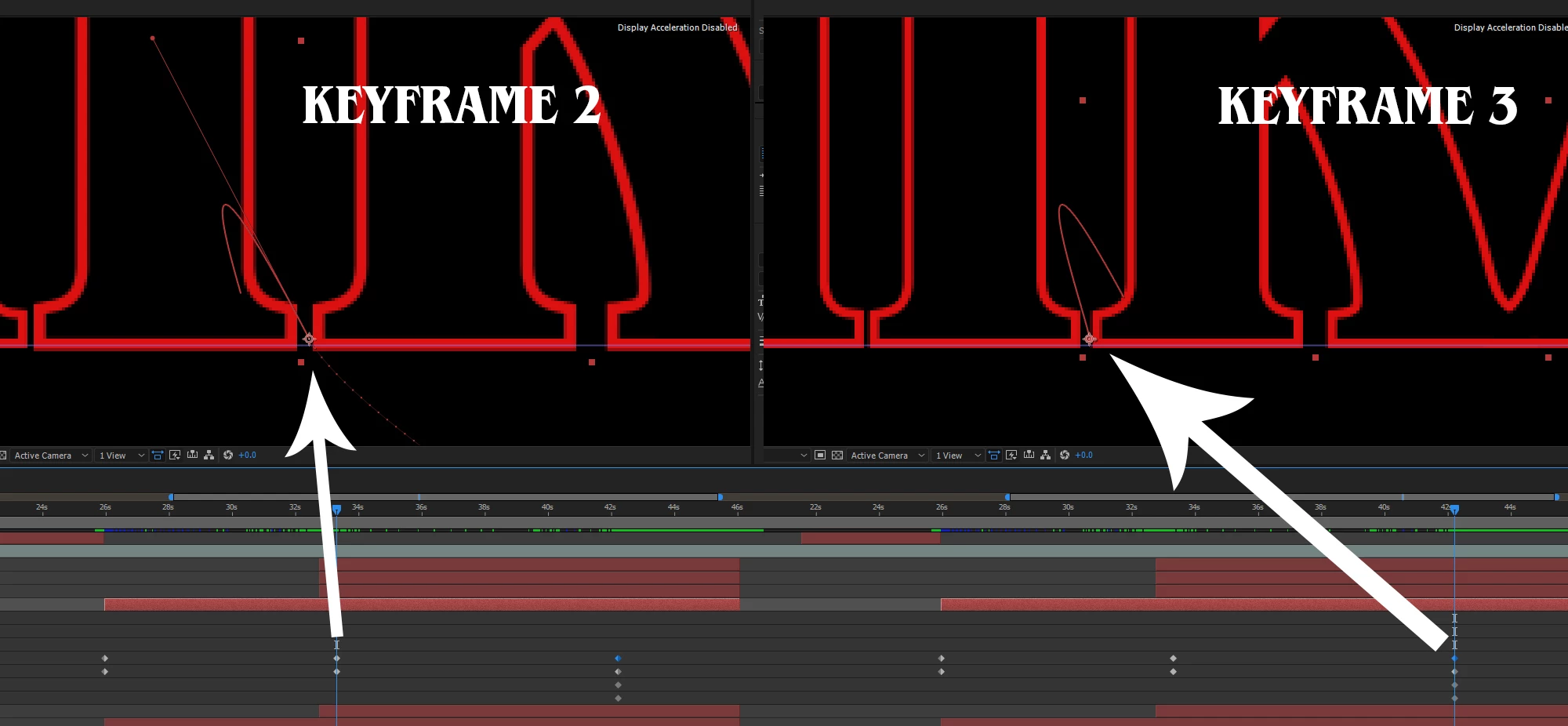
so i am trying to animate some text layers, and i have an establishing keyframe, and intermediary keyframe, and an ending keyframe. the first 2 keyframes behave just fine, but the third one adds a loop to the motion. so instead of it coming in diagonally to the 2nd keyframe, then easing into position for the 3rd, it comes in, then does a loop, then eases into position. how do i get rid of the ridiculous loop? you can see it in the image i'll attach on the keyframe path. i deleted it, then just typed in a number value, and it still adds the loop. 😕😕 thanks.
 AdChoices