
Inspiring
March 12, 2021
Answered

Rotate/Swivel object from 2 moving points?

  • March 12, 2021
  • 4 replies
  • 1367 views

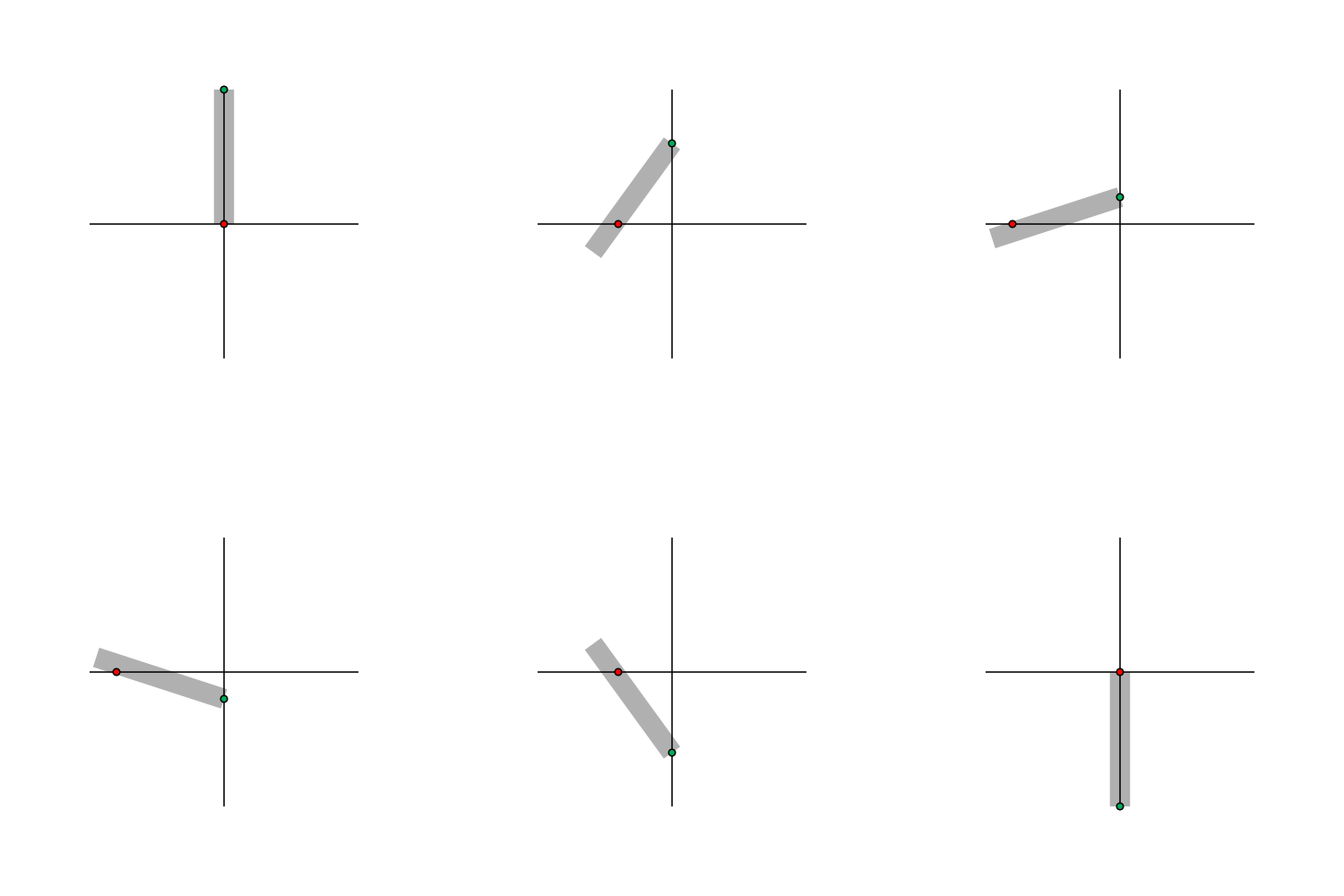
The gif below is sort of what I'm going for. The green and red points need to move along their respective axis, but I need each point to be fixed at either end of the rectangle. Essentially, the points are moving along the axis and the rectangle keeps the distance between them exactly the same at all times. The rectangle would swivel and rotate along each point simultaneously as they move.
I tried following this tutorial, but it didn't seem to work for what I'm doing.

https://www.youtube.com/watch?v=E3utKyifwLA&ab_channel=VisionaryFire
This topic has been closed for replies.
Correct answer Rick Gerard

If you want a constant length connector you just have to use a little middle school geometry. Remember Pythagoras a2=b2+c2;

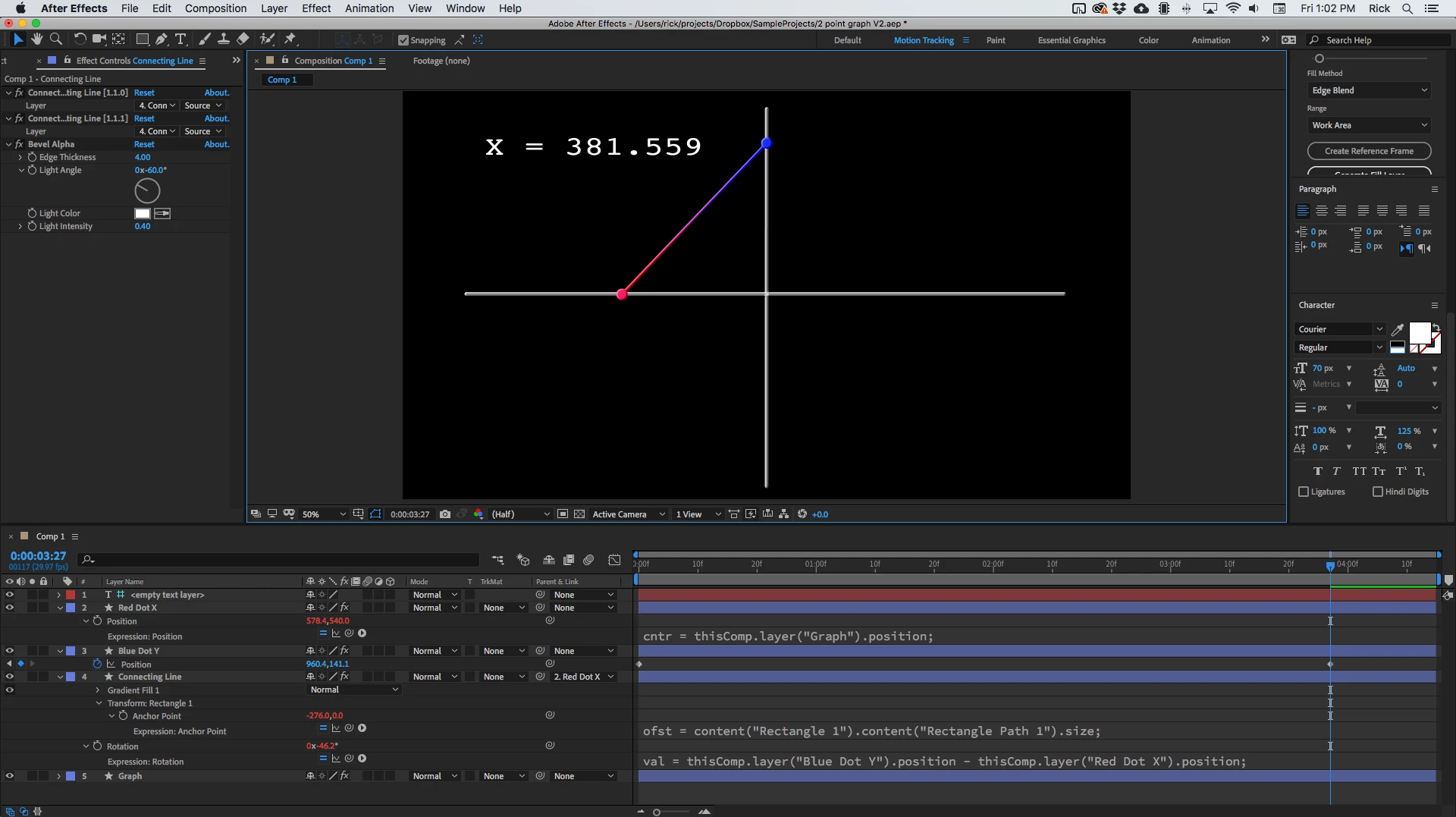
Here's the comp:

Here's the expression:

// for Red Dot position
cntr = thisComp.layer("Graph").position;
trgt = thisComp.layer("Blue Dot Y").position;
len = thisComp.layer("Connecting Line").content("Rectangle 1").content("Rectangle Path 1");
adjLen = len.size[0] - len.size[1];
c = Math.pow(adjLen, 2);
b = Math.pow(cntr[1] - trgt[1], 2);
a = (c - b);
x = Math.sqrt(a);

[cntr[0] - x, cntr[1]]

//For connecting line anchor point
ofst = content("Rectangle 1").content("Rectangle Path 1").size;
[4-ofst[0]/2, 0]

// For connecting line rotation
val = thisComp.layer("Blue Dot Y").position - thisComp.layer("Red Dot X").position;
radians = Math.atan2(val[1], val[0]);
radiansToDegrees(radians)

Here's the project file.


If you want to get really fancy you could limit the movement of the blue dot to the length of the connector. 


4 replies

Rick GerardCommunity ExpertCorrect answer
Community Expert
March 12, 2021

If you want a constant length connector you just have to use a little middle school geometry. Remember Pythagoras a2=b2+c2;

Here's the comp:

Here's the expression:

// for Red Dot position
cntr = thisComp.layer("Graph").position;
trgt = thisComp.layer("Blue Dot Y").position;
len = thisComp.layer("Connecting Line").content("Rectangle 1").content("Rectangle Path 1");
adjLen = len.size[0] - len.size[1];
c = Math.pow(adjLen, 2);
b = Math.pow(cntr[1] - trgt[1], 2);
a = (c - b);
x = Math.sqrt(a);

[cntr[0] - x, cntr[1]]

//For connecting line anchor point
ofst = content("Rectangle 1").content("Rectangle Path 1").size;
[4-ofst[0]/2, 0]

// For connecting line rotation
val = thisComp.layer("Blue Dot Y").position - thisComp.layer("Red Dot X").position;
radians = Math.atan2(val[1], val[0]);
radiansToDegrees(radians)

Here's the project file.


If you want to get really fancy you could limit the movement of the blue dot to the length of the connector. 


cbehbaAuthor
Inspiring
March 12, 2021

Wow, this is perfect. Thank you so much! I greatly appreciate it.

Community Expert
March 12, 2021

If you use the Create Nulls From Path script that now comes with all current versions of After Effects all you have to do is select the path for your connecting line, select Points follow nulls, then shift + parent each null to the moving dots on your graph. It took me about 3 minutes to create this project.

Here's the project file for you to look at.

cbehbaAuthor
Inspiring
March 12, 2021

Thanks for taking the time to help. Unfortunately the line's length needs to be fixed, so the distance between the two points is constant.

Mylenium
Legend
March 12, 2021

The basic math is simple enough, if you 're really just using a perpendicular coordinate system - you solve the Pythagoras theorem where the length of the layer is the hypothenuse and your input is the distance of dot A on one axis (simplified code):


Math.sqrt(Math.pow(length,2)-Math.pow(distance,2))


Just fill in the relevant references for distance and length and apply it to the second point's position.


Mylenium

cbehbaAuthor
Inspiring
March 12, 2021

Thank you for your help. I think your math is closer to what I need to get it to work, but I obviously did something wrong here.

I also don't know how the rotation of the rectangle will match the position of the pink dot.

Project File, Test 2 Composition

Martin_Ritter
Legend
March 12, 2021

If think you have to fake it.

Point 1 is anchor-point of the box. You need trigonometry to let the box point to point 2 (classic look-at) and point 2 movements must be limited by the length of the box.


*Martin