
Participant
August 11, 2023
Question

Roto Brush Not Propagating

  • August 11, 2023
  • 4 replies
  • 1274 views

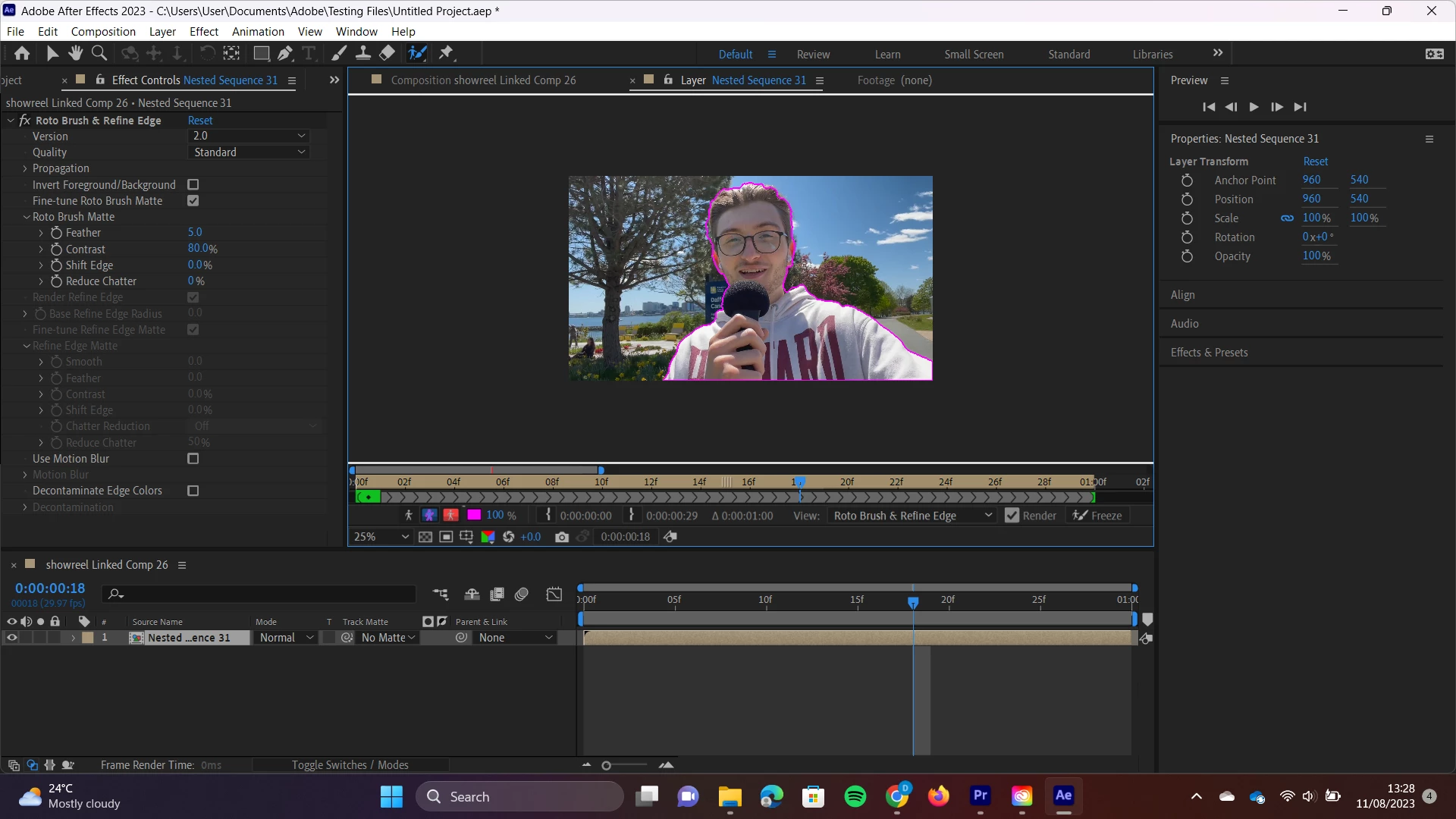
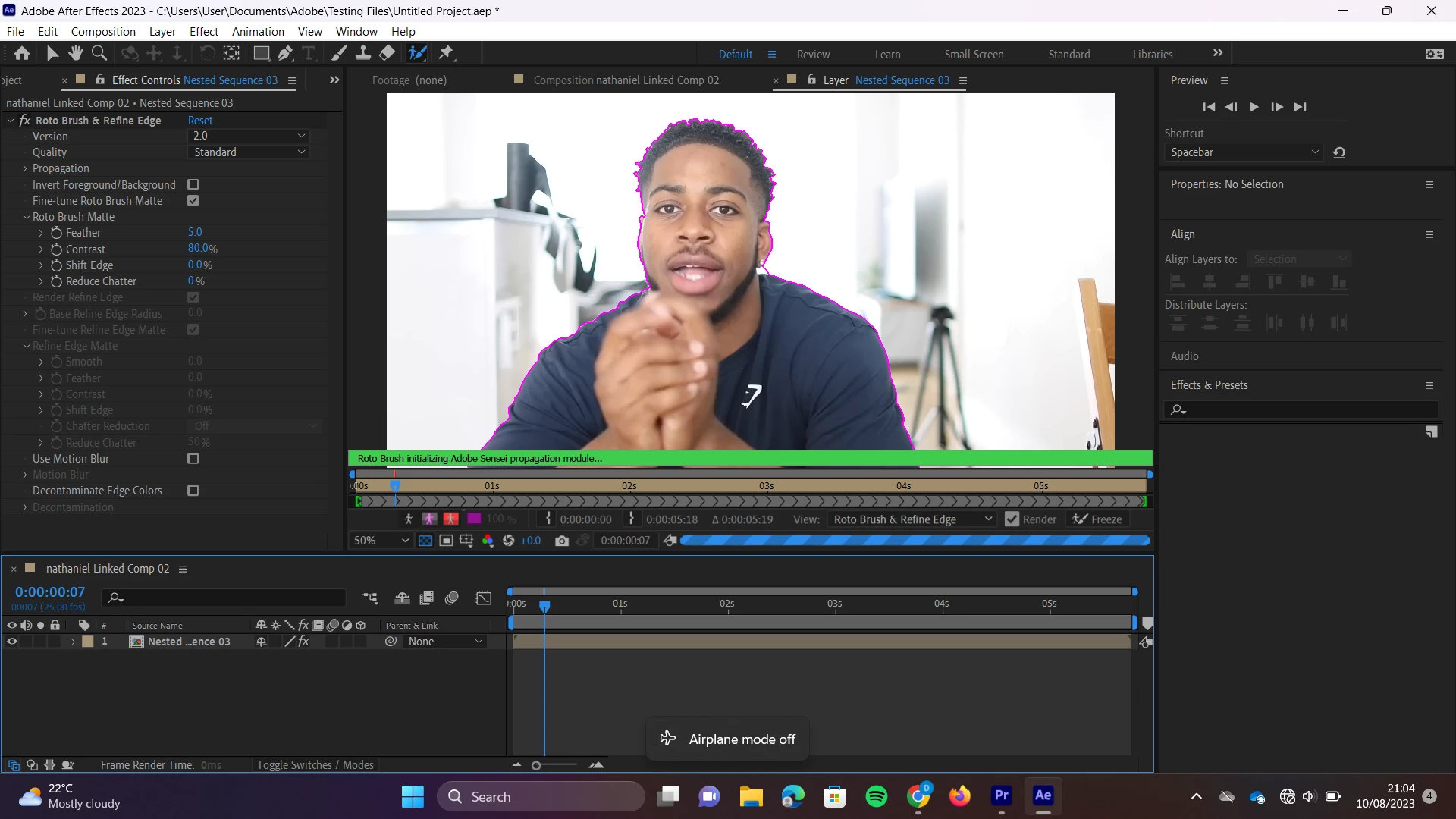
Once I use the Roto Brush to highlight an object, I am stuck with the error message: "Roto Brush 2 Initializing Adobe Sensei Propagation Module". The preview does not progress past the first frame and AE will usually crash if I try to click anywhere.


I have seen the same problem fixed by transcoding from MP4 to QuickTime, but this has not changed anything for me (unless I have misunderstood what this means).


I have previously used the Roto Brush without much difficulty and on MP4 files from Premiere Pro, so I don't know what has changed.


AE Version 23.6.0

Windows 11

Processor Intel(R) Core(TM) i5-8350U CPU @ 1.70GHz 1.90 GHz
Installed RAM 16.0 GB (15.9 GB usable)
4 replies

nishu_kush
Community Manager
Community Manager
May 25, 2024

I'll move your post to the Discussions board while we await your information.


Thanks,

Nishu

Participant
February 17, 2025

I have the same problem!

Participant
September 18, 2023

Any updates on this problem? I can't seem to figure it out!

Participant
August 31, 2023

i too face the same problem, is it your problem solved ? can you help me please

Adobe Employee
August 17, 2023

Firstly, thank you for providing such a detailed description of the issue you're facing with the Roto Brush 2. We understand how important it is to have tools functioning seamlessly for your projects, and we apologize for any inconvenience this might have caused you.

To help us better understand and troubleshoot this issue, would it be possible for you to send us your project file? It will allow us to reproduce the problem in a controlled environment and potentially find a solution faster. In addition, could you please specify which build of AE Version 23.6.0 you are using? This will help us pinpoint any version/build-specific issues.

For the security of your work and data, please send the project file to us via private message rather than posting it publicly. This ensures your content remains confidential.

Thank you for your cooperation and patience. We aim to resolve this issue for you as soon as possible.