


Participant
July 13, 2026
Question

Roto Brush & Refine Edge not available in layer view options!

  • July 13, 2026
  • 3 replies
  • 25 views

I’m a new adobe user, I am trying use the Roto tool in AE to select the star in the middle.

I must’ve hit some button because now the Roto Brush & Refine Edge is no longer available in layer view options. It now selects the whole image instead.
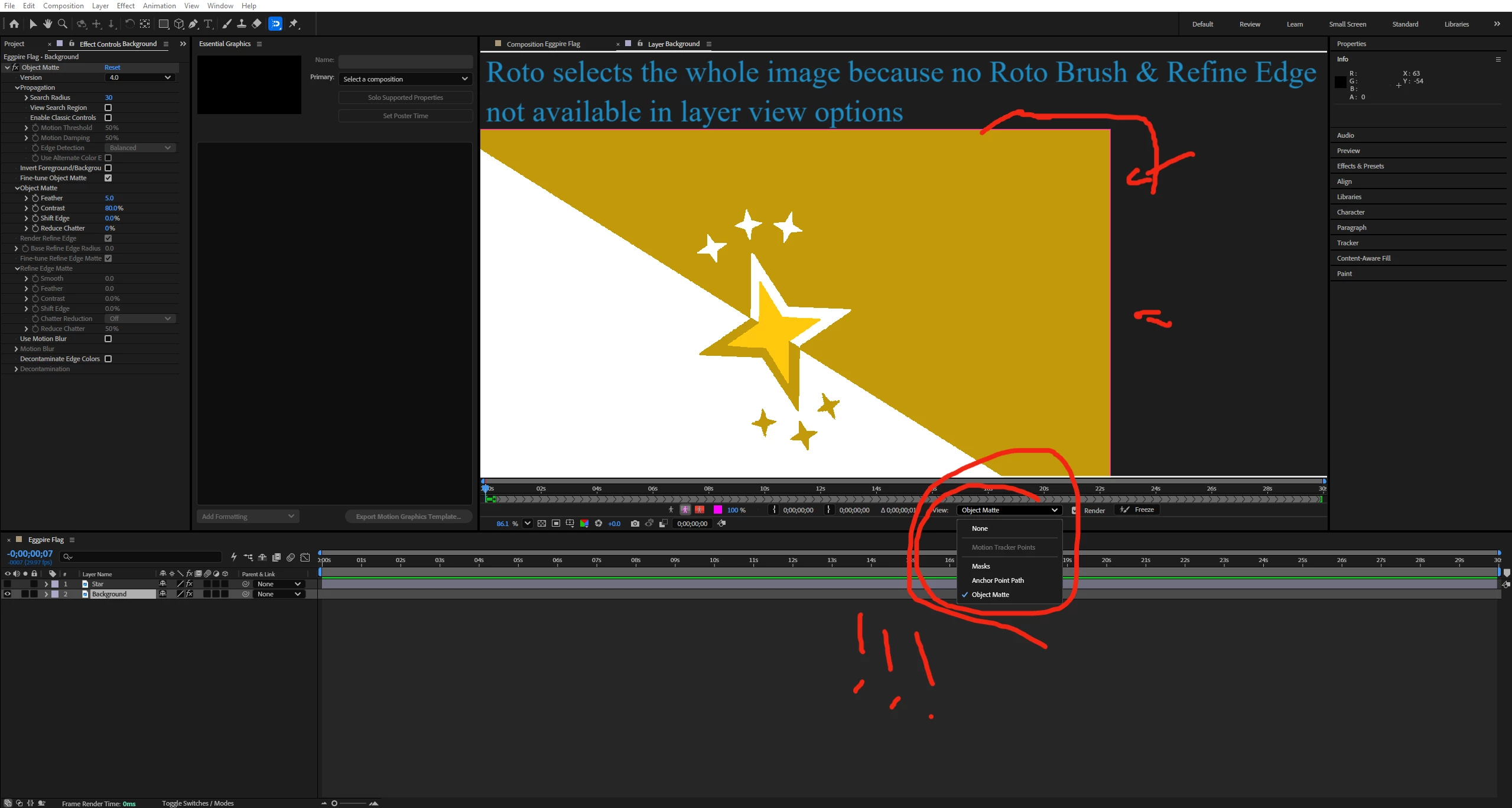
No roto tool variations work. I’m just trying to select the damn star for a project man :(
Please try to assist me!
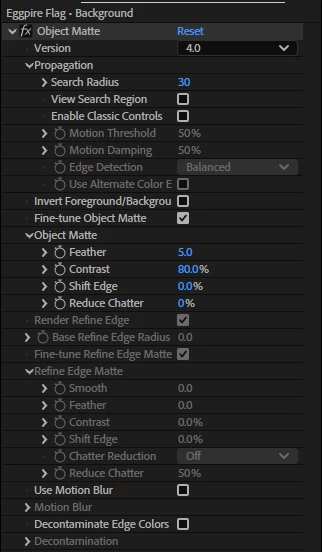
 

(These are the settings)

    3 replies

    Nishu Kushwaha
    Community Manager
    Community Manager
    July 13, 2026

    Hi there,


    Thanks for reaching out. Roto Brush is not Object Matte. It does the same thing that Roto Brush did, but faster and more accurately. Click and hold the Quick Selection Tool in the menu bar to see the rest of the tools (check out the screenshot). You can click and drag over the star to highlight it using the Object Matte tool. Also, you can use the Quick Selection tool as well.

    Let me know if it helps.


    Thanks,

    Nishu

    Mohammad.Harb
    Community Expert
    Community Expert
    July 13, 2026

    Which version of AE are you using? 


    Exot1k-MAuthor
    Participant
    July 13, 2026

    Roto tool was working fine before I hit some button. Can’t figure it out for the life of me