Participant
April 19, 2024
Answered

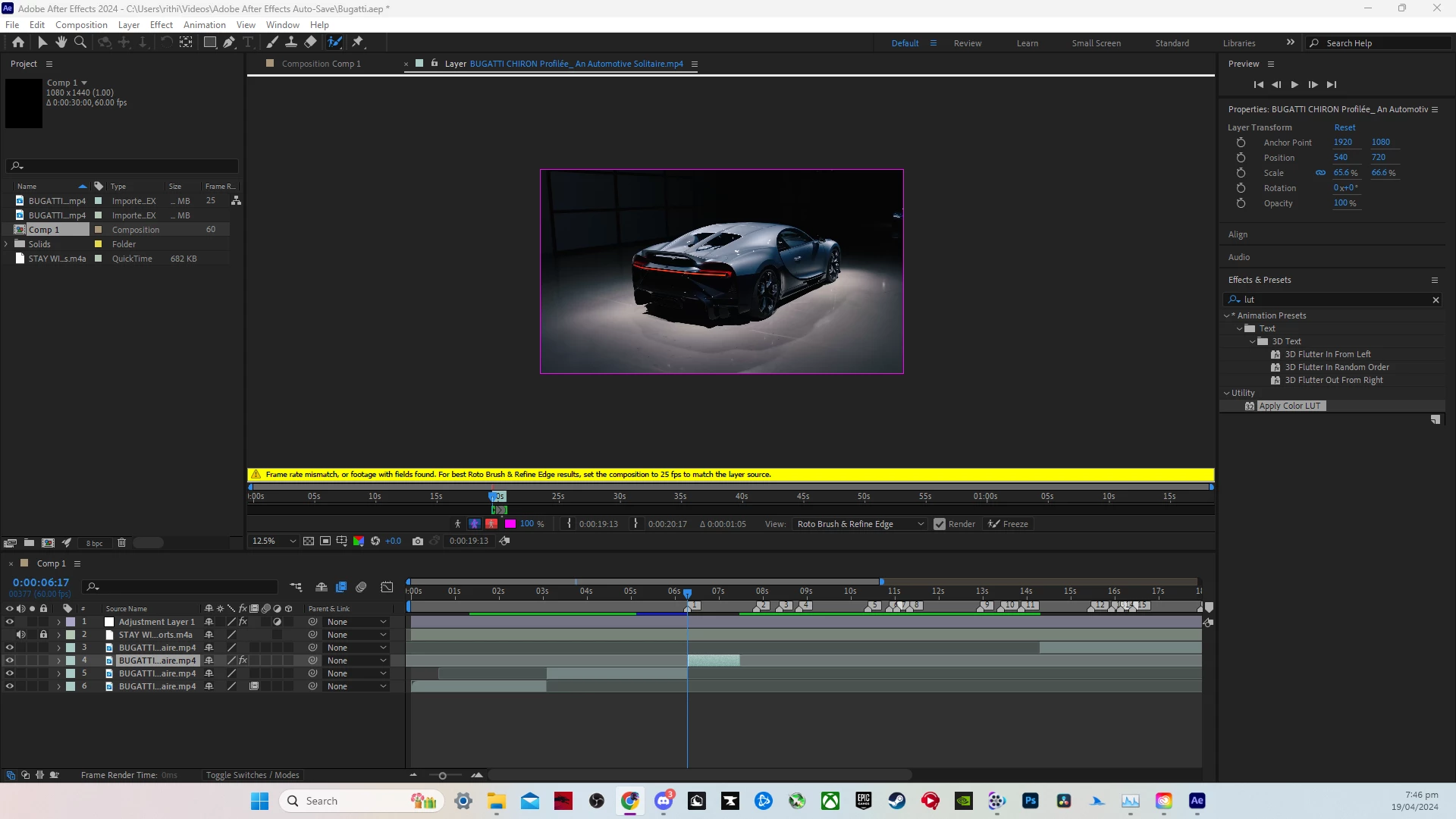
ROTO BRUSH TOOL doesn't work

  • April 19, 2024
  • 2 replies
  • 982 views

Ive loI've looked at the other posts about this and I've tried everything re-installing reseting everything and this video seems to have enough contrast. Idk if im doing something wrong cause im new to after effects or if its just something on my end.

This topic has been closed for replies.
Correct answer Rick Gerard

The footage's frame rate does not match the composition's frame rate. Try Pre-composing the trimmed footage layer and make sure that Move All Attributes and Trim Comp have been selected before you try to use Rotobrush. It is always a good idea to do that before using Rotobrush, Tracking a camera, Warp Stabilizing, AE's Feature Trackers, or using Boris FX/Mocha AE.


You may also want to try matching the composition frame rate to the footage frame rate by checking the interpretation in the Project Panel.

2 replies

Rick GerardCommunity ExpertCorrect answer
Community Expert
April 21, 2024

The footage's frame rate does not match the composition's frame rate. Try Pre-composing the trimmed footage layer and make sure that Move All Attributes and Trim Comp have been selected before you try to use Rotobrush. It is always a good idea to do that before using Rotobrush, Tracking a camera, Warp Stabilizing, AE's Feature Trackers, or using Boris FX/Mocha AE.


You may also want to try matching the composition frame rate to the footage frame rate by checking the interpretation in the Project Panel.

Participant
April 22, 2024

Thanks

Participant
April 20, 2024

same thing has happened to much more colorful and contrasty footage