
Participant
July 27, 2025
Question

Rotobrush drifts off mask path after first frame.

  • July 27, 2025
  • 1 reply
  • 67 views

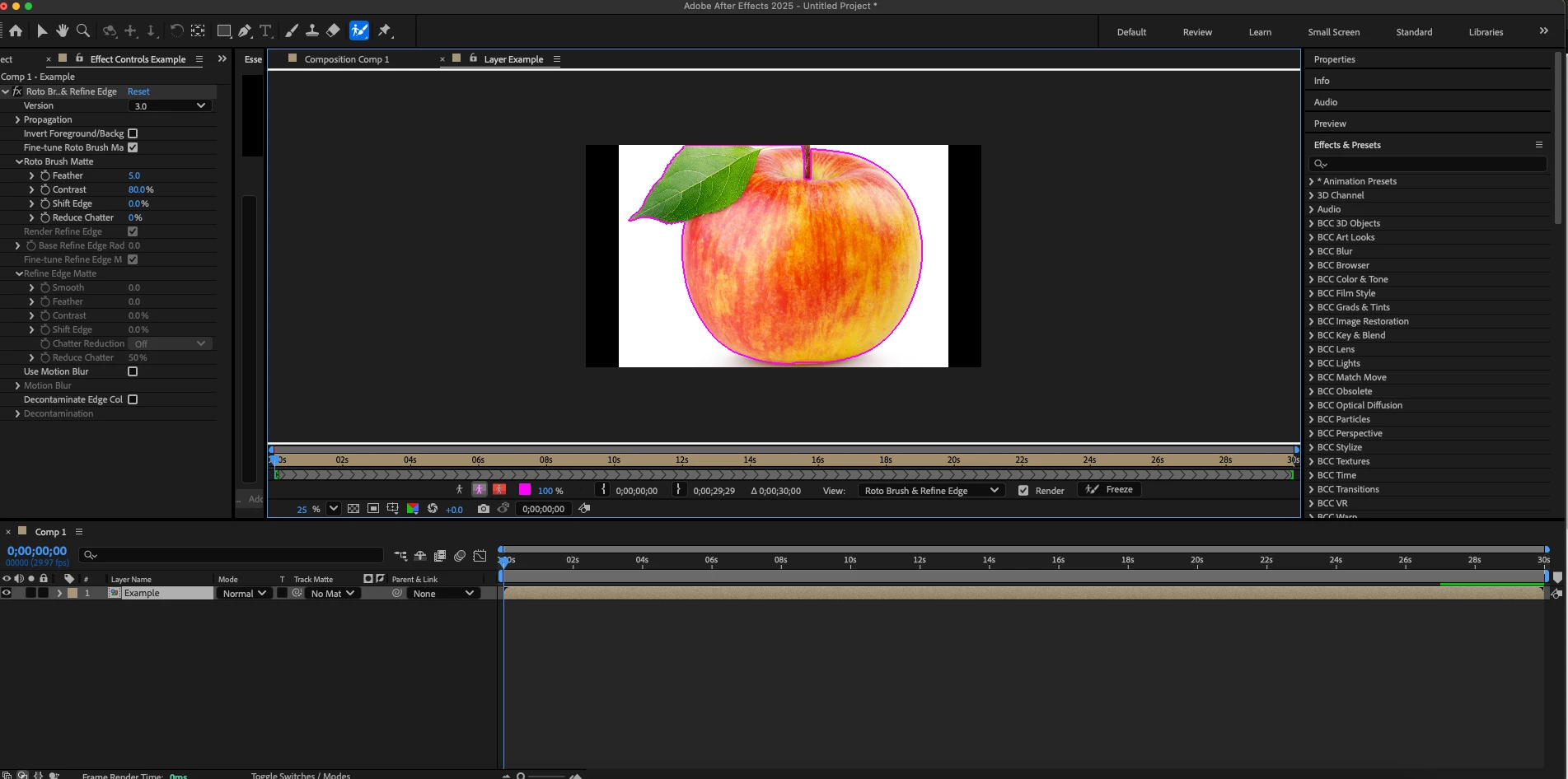
So in short everytime I use my rotobrush, the mask begins drift off its intended path after the first frame. 


Before:
After:
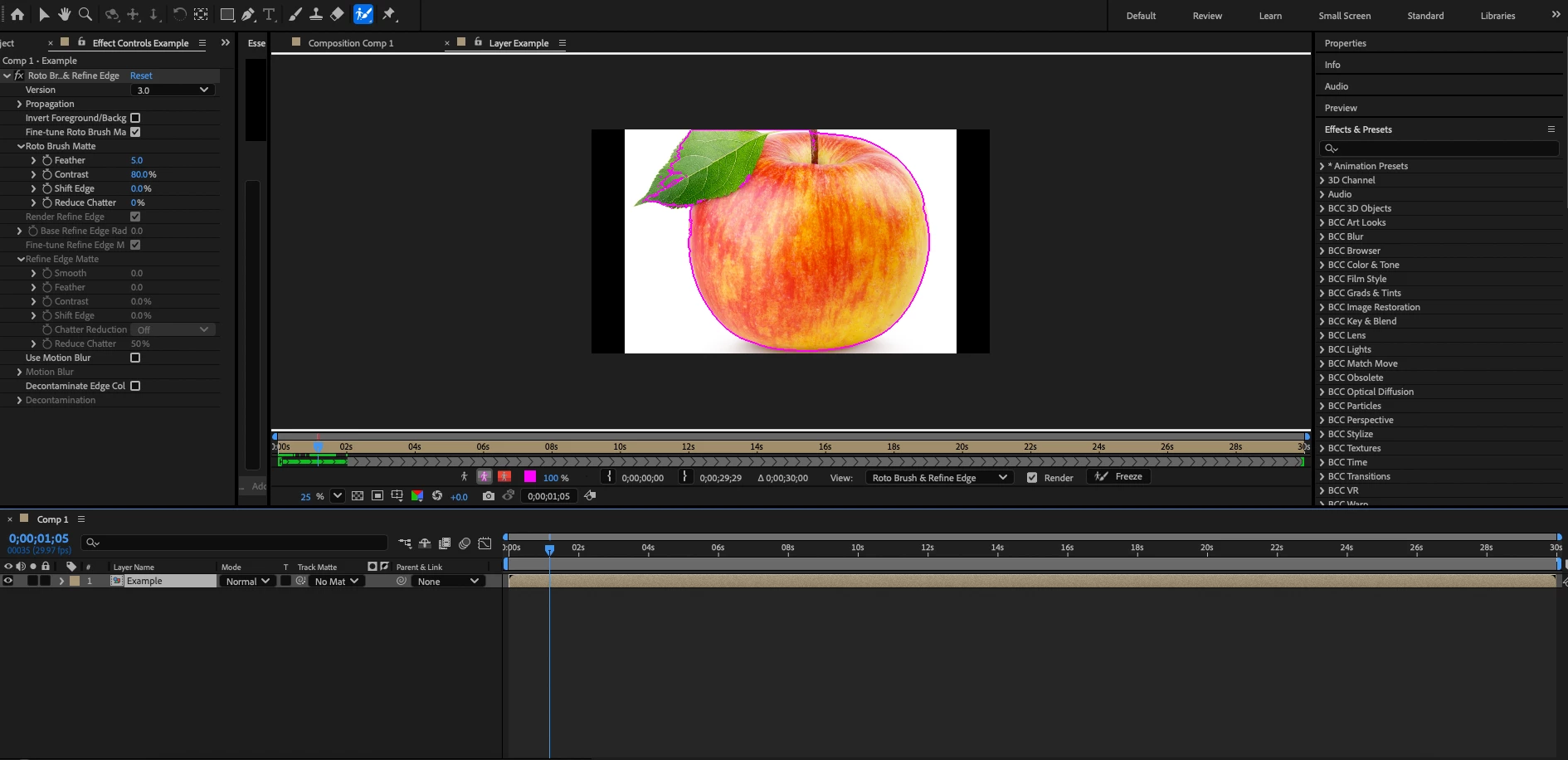
    

      This is a minor example of what happens, often it gets worse when involving people 


From what I've found:

       1. This applies for all clips, even ones that has little to no movement at all.

       2. Any version I downloaded struggled with the same issue

       3. Pre-Composing does not the fix issue at all. 


What really boggles my mind is rotobrush was working completely fine for over a year and it happens now for some reason. If anyone can help, please and thank you. (Also please note that english isn't my first language so I apologize if I have any grammar issues)

1 reply

nishu_kush
Legend
July 30, 2025

Hi Nathan,


Thanks for reaching out. I did a test on similar footage. Here's how it went: On the first frame, I selected the object. The selection wasn't perfect, so I had to refine it as much as I could. Pressed the space bar to see the preview and mask propagating. All goes fine except I had to refine the mask every few frames/seconds to keep it to the object. Sometimes Roto Brush can mask out the object perfectly in one go, but sometimes it needs to be refined. Could you share a screen recording that shows the Roto Brush propagating the preview? That'll help me understand the issue better. Also, please share your system specifications (CPU, GPU, RAM, OS version) and the exact version of After Effects you're using.

Moving this thread from Bugs to Discussions for troubleshooting.


Thanks,
Nishu