

Rotobrush reveals transparent area that it shouldn't
Okay so.
The other day I filmed a video in front of a green screen. I'm am trying to create the effect made in this video https://www.youtube.com/watch?v=vqW2PBcAHHU. To do this you use the roto brush, but for some reason the brush is exceptionally slow to the point of it being unusable. I have a fairly good PC and I'm very frustrated that after all these years it's still a big problem, but whatever.
I decide to change tactic.
Part of the problem with the roto brush is that I kept having to make adjustments that would exponentially slow the process down. I'm working with clips that are a few second long but it still wasn't working. So my solution was to key out the greenscreen first, export it as a png sequence, then use the rotobrush on these fresh new png's with a higher accuracy, less changes and faster workflow.
HERE'S THE WEIRD THING!
When I use the rotobrush on the png's that have transparency, THE GREENSCREEN REAPPEARS!!! HUH?????
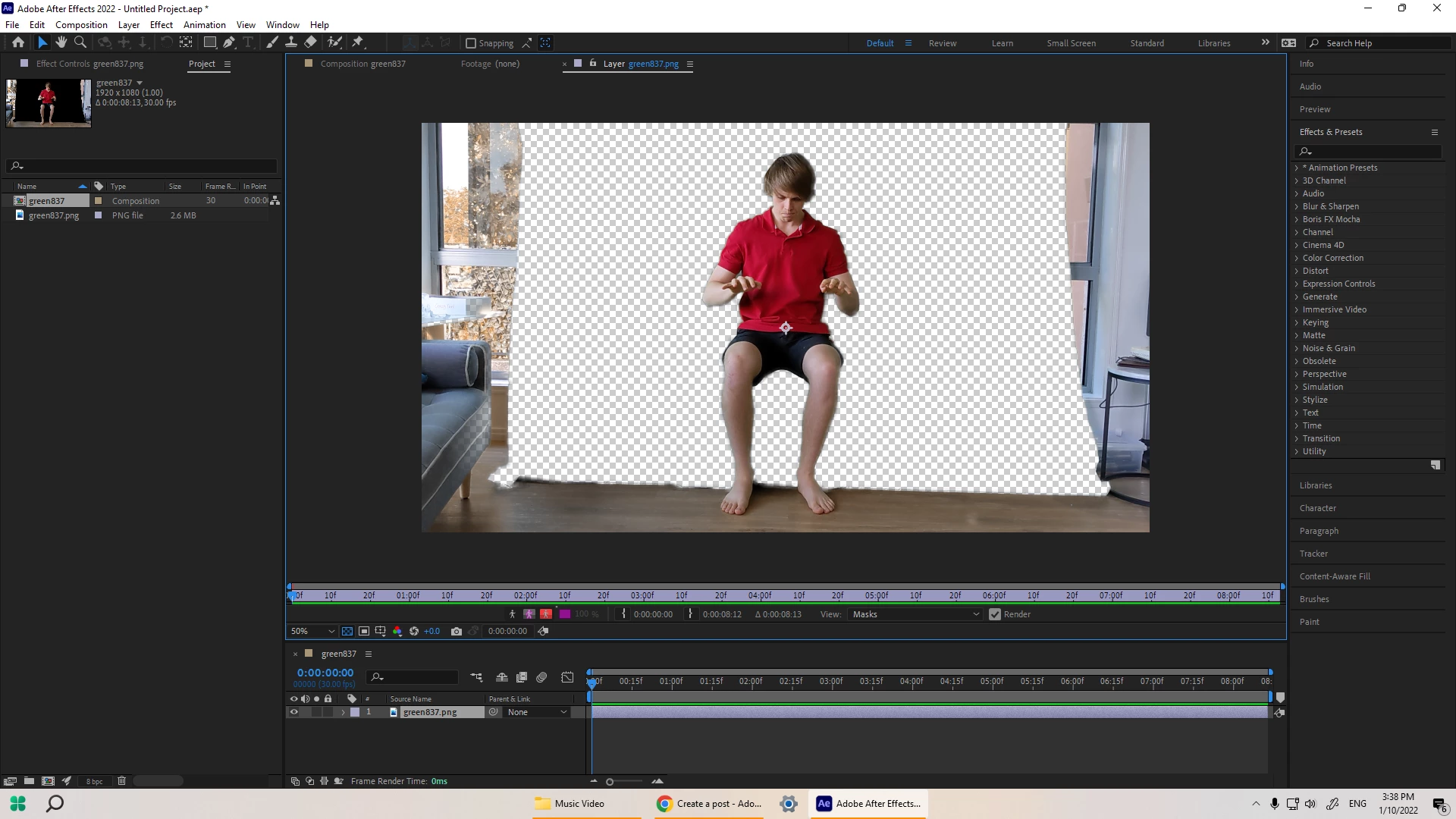
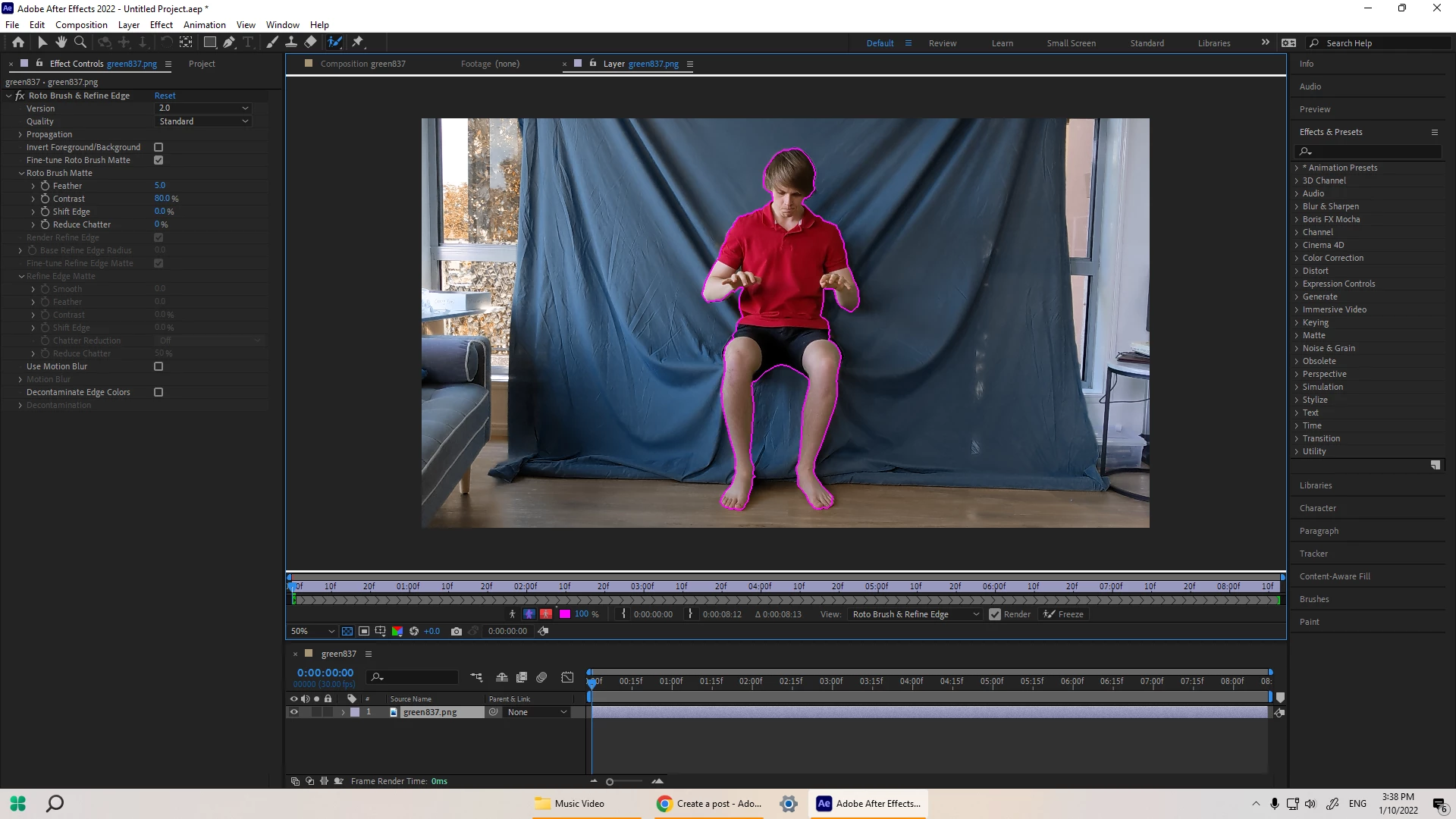
Now I'm back to square one and it's very frustrating
My only guess is that the png file saves everything and then tells the file where transparency should be such that the keyed out area is still in the png and After Effects can still pick it up. Does anyone have a solution to the bizarre occurence?
 AdChoices