
Rotoscope Only Lasting One Frame
I am new to the rotoscope tool and I am finding such a simple tool extremely frustrating. I had a framerate mismatch error but resolved it so my composition is in the proper framerate, but this had quite literally zero positive effect whatsoever.
My issue is that when I apply my rotoscope, nothing happens until the next frame. This makes rotoscoping extremely difficult because I need to adjust, move to the next frame to check, then go back a frame to adjust, move to the next frame to check, and so on until it is perfect.
Here are the steps I am making after importing my footage into after effects from premiere pro using "Replace with after effects composition".
Step 1:
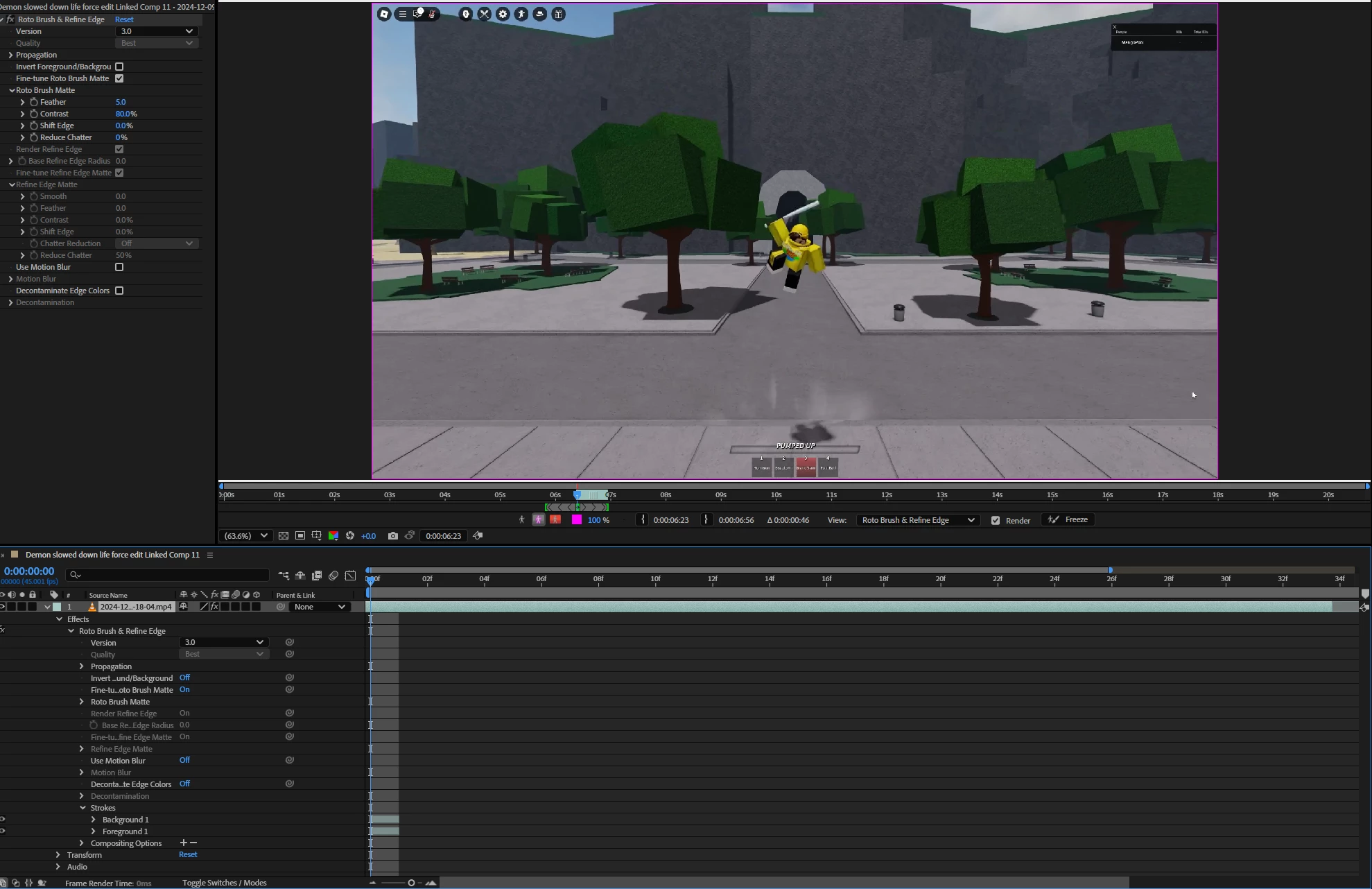
Double click my layer and then click on the rotoscope tool. I then rotoscope my character but instead of properly rotoscoping, it just puts a pink box around the entire frame and does not change no matter what.
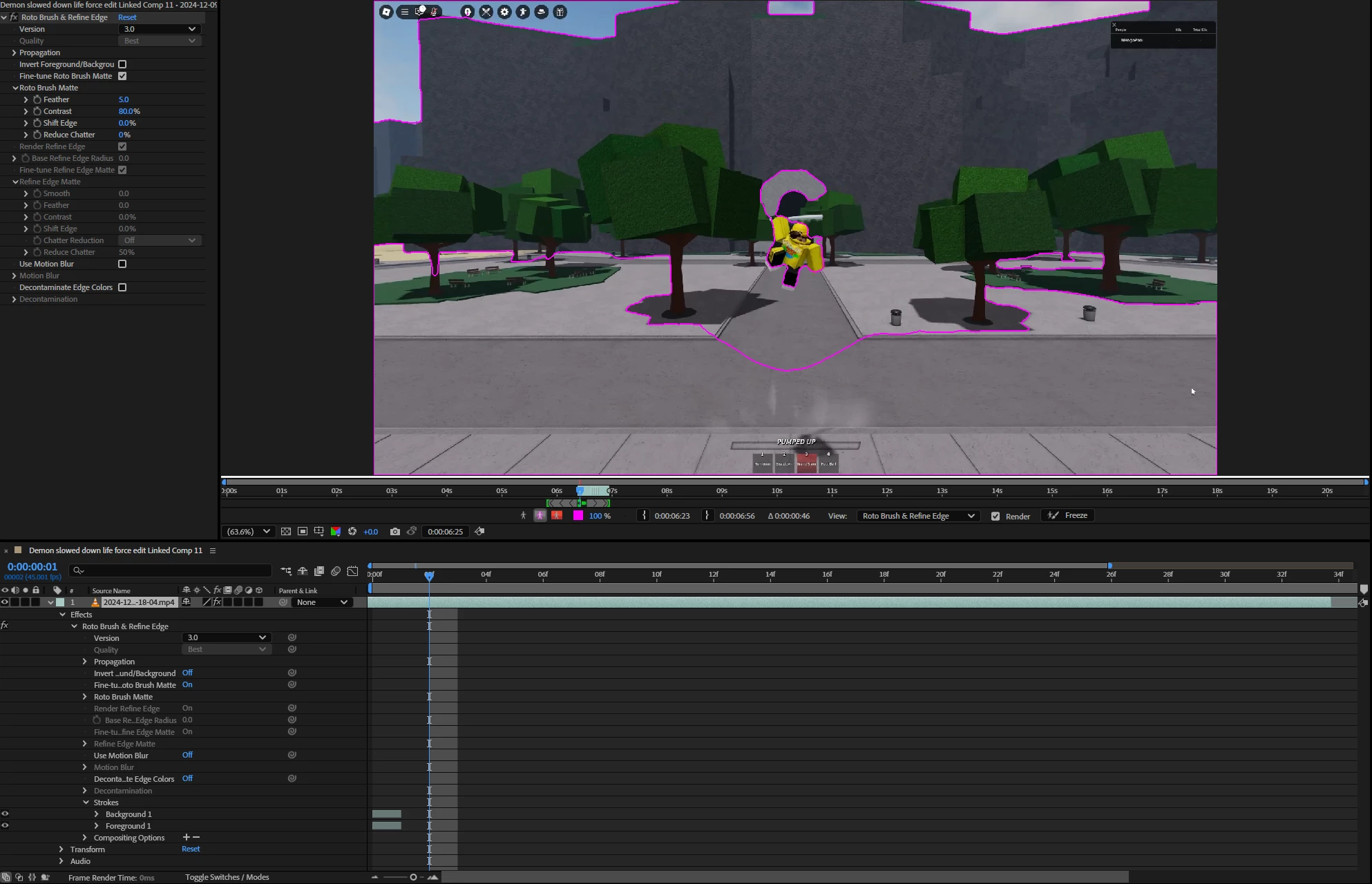
Then if I move forward a few frames, it actually takes effect.
But on this frame if I add more strokes, nothing happens until the next frame and beyond. After making my stroke changes, this is waht the current frame still looks like vs what the next frame looks like:
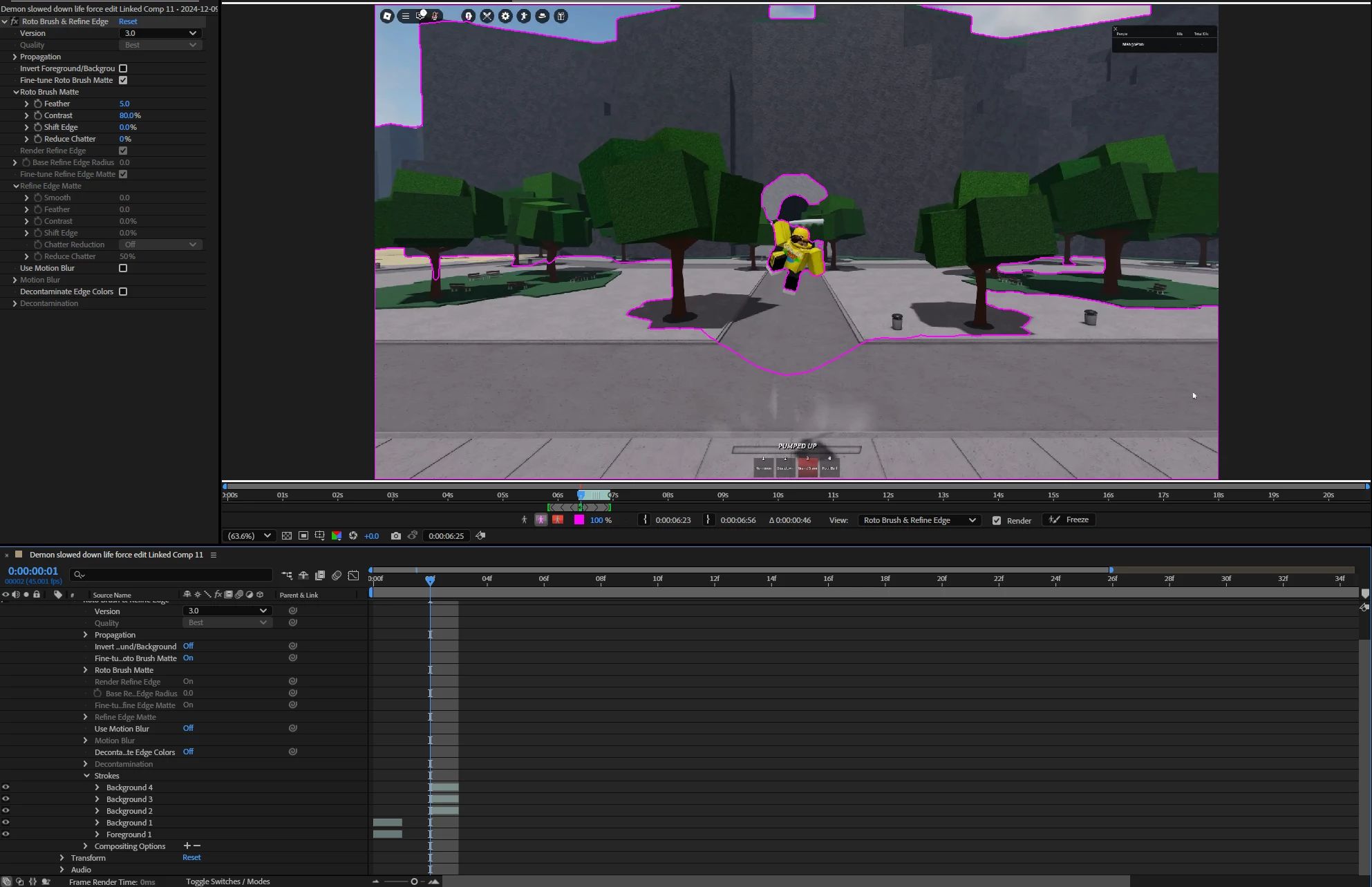
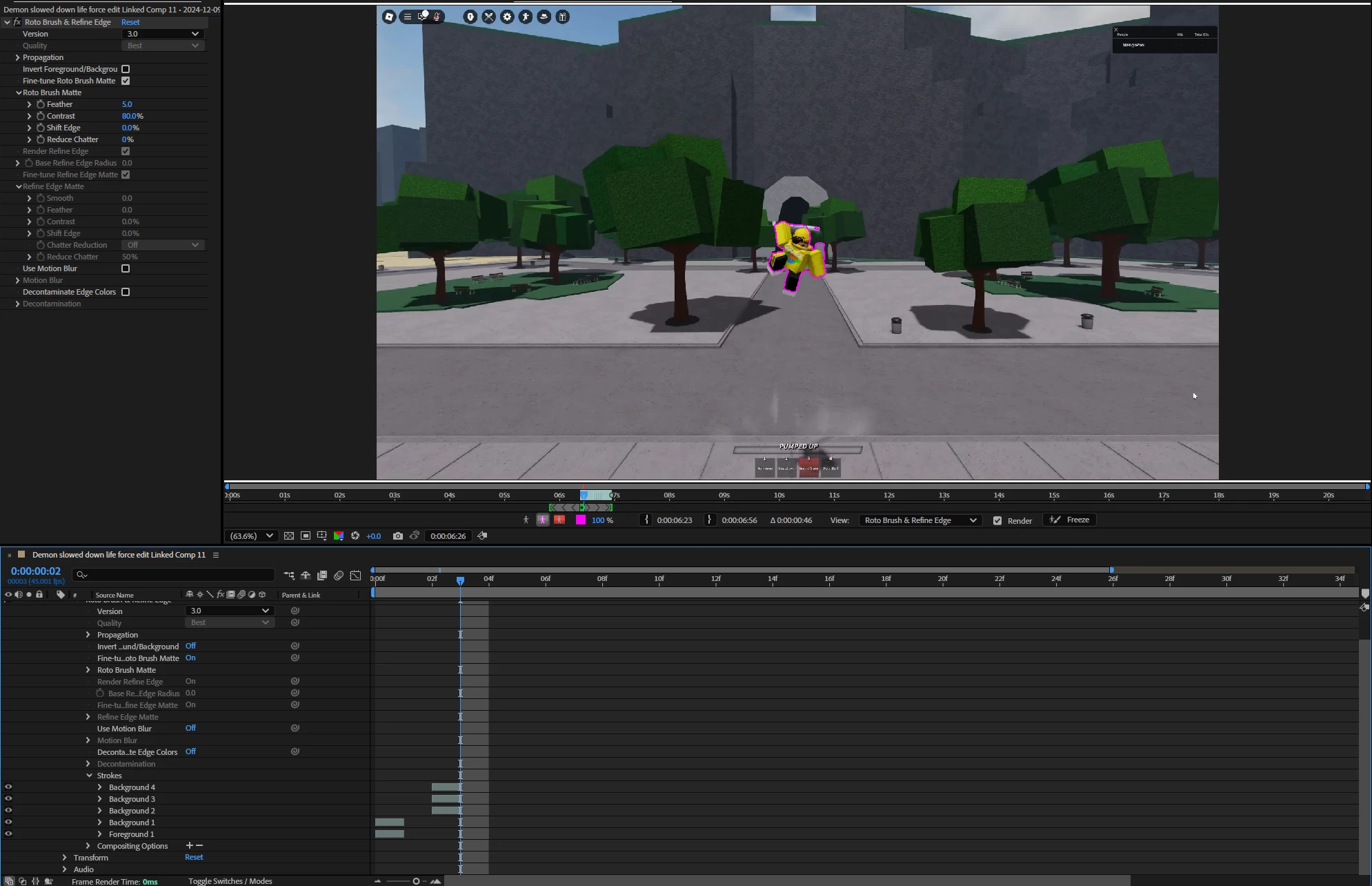
I don't understand what could possibly be happening where my strokes arent visible on my current frame, but it does this with all clips so it has to be an issue with After Effects.


 AdChoices