Participant
May 24, 2021
Answered

ROtoscoping a complex grid

  • May 24, 2021
  • 3 replies
  • 709 views

Hi,


I've been trying to separate a complex moving grid from a white background. I tried rotoscoping, keylight... Everything! But nothing seems to work. 

Imagine, you're moving a manhole grid in front of a white background. Don't ask me why they haven't used a green background, I don't know; 

I need to use that grid for another project; Keylight doesn't seem to work with white. And I can't turn that white into green..


THank you so much!!
This topic has been closed for replies.
Correct answer Rick Gerard

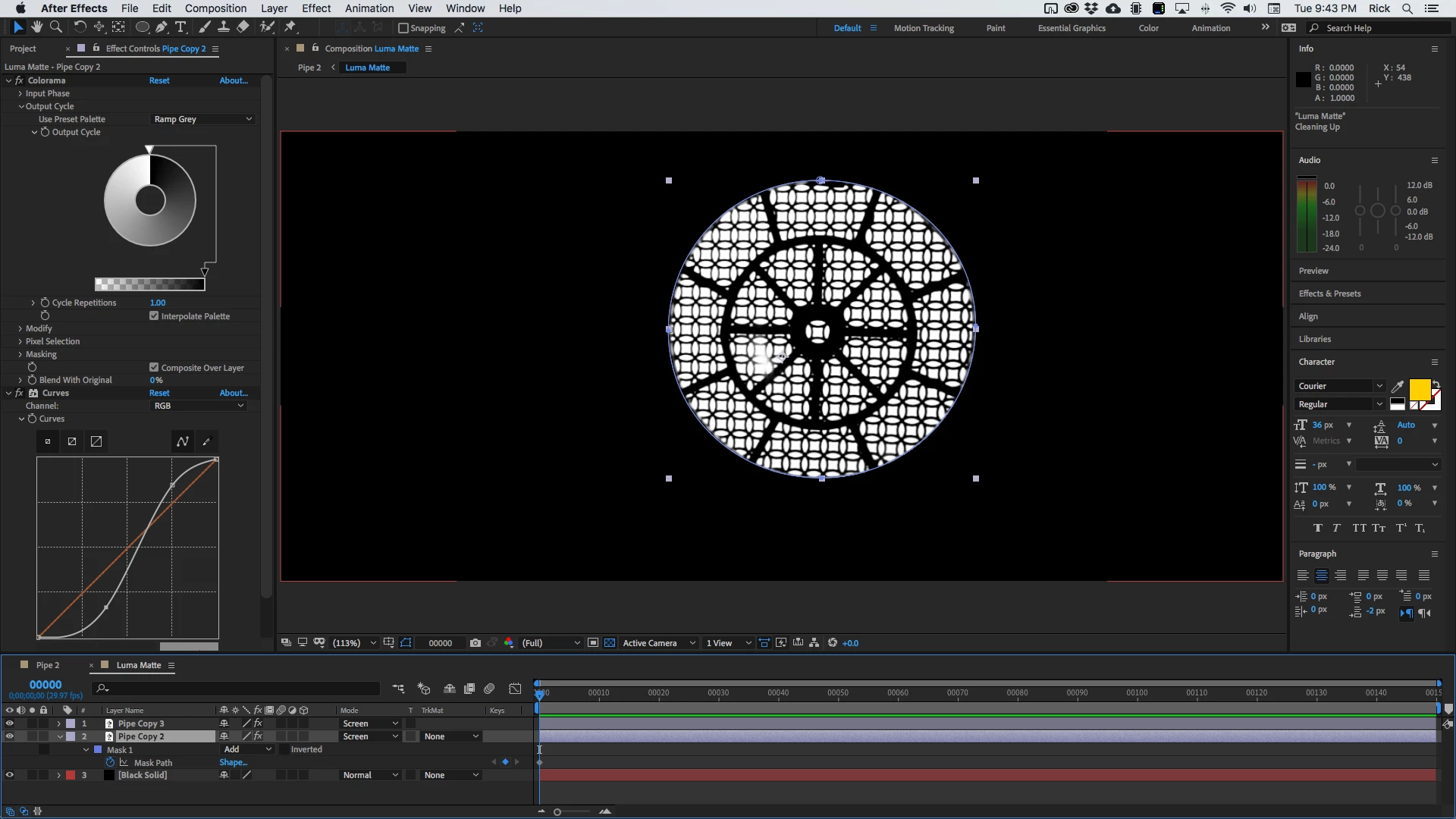
I would copy the layer then add Colorama with Ramp Gray. Then add Curves to darken the black. That would give you this if you added a black background below and did a little fiddling.

Now all you have to do pre-compose the two layers and set the pre-comp to inverted luma matte for the footage. Put your new background below and make some color corrections and you have it.

There are more than 20 different workflows that I use all the time to create procedural mattes. The Colorama/curves/Luma Matte workflow is only one of them. 


3 replies

Rick GerardCommunity ExpertCorrect answer
Community Expert
May 26, 2021

I would copy the layer then add Colorama with Ramp Gray. Then add Curves to darken the black. That would give you this if you added a black background below and did a little fiddling.

Now all you have to do pre-compose the two layers and set the pre-comp to inverted luma matte for the footage. Put your new background below and make some color corrections and you have it.

There are more than 20 different workflows that I use all the time to create procedural mattes. The Colorama/curves/Luma Matte workflow is only one of them. 


Arin5C77Author
Participant
June 3, 2021

Thank you so much!

Community Expert
May 25, 2021

Without a screenshot of the footage, it is going to be impossible to point you to an effective workflow. I have about 40 different workflows that I use all the time to generate mattes. Rotoscope is at the bottom of the list. Rotobrush is just up one from the bottom. An awful lot of the keys I create use more than one copy of the source footage stacked on top of each other and pre-composed to create the track matte. 


Show me the shot and I'll run through my approach to the problem.

Arin5C77Author
Participant
May 25, 2021

Hi Rick,


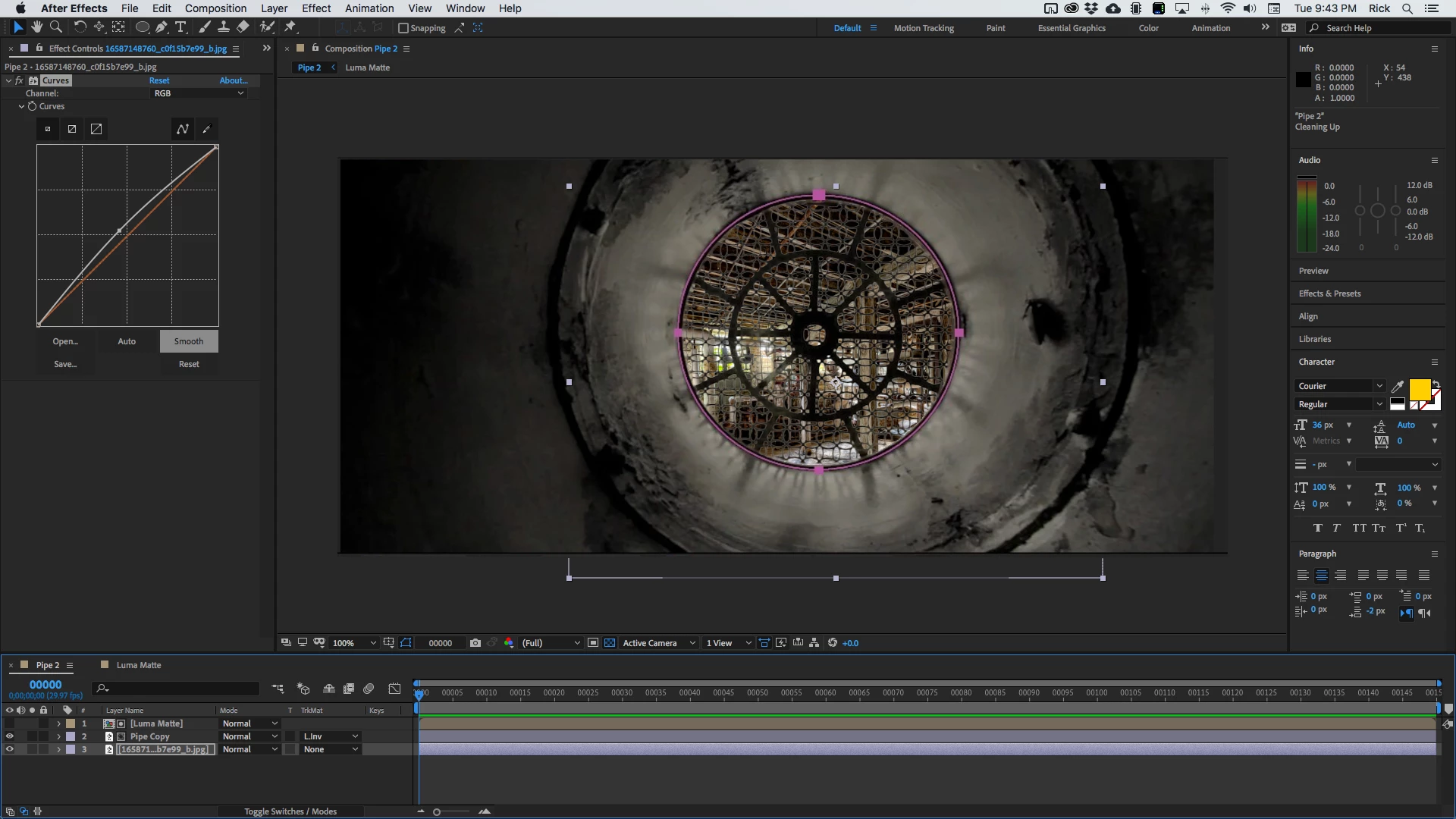
Here's the shot. The camera glides through the pipe, passes through the grid showing the room on the other side. 


Thanks a lot. 

Participating Frequently
May 24, 2021

Hi, have you tried using a copy of the footage as a track matte?