Hi! I'm working on a project in which all the footage will be Black and White with the exception of fire that was shot practically. I've been trying to find a way around Masking the flames frame by frame but I'm not achieving passable results. In a number of shots the flames cross over similar colored objects in the background: an example of this can be found in the video attached to this post. The flame from the lighter and the subsequent flame in the glass lay on top of lamps in the background that are basically the same color.
I've tried stacked Keying effects both Luma and Color but I can't quite seem to make it look right. Any suggestions would be helpful - thanks!
Thank you Rick for the response. I think I might be out of luck. Here is the color shot
I think I can get you about 90% there using Stabilize Motion, Corner Pin track in Mocha, a couple of my favorite animation presets, Colorama to create a procedural matte and some basic layering.
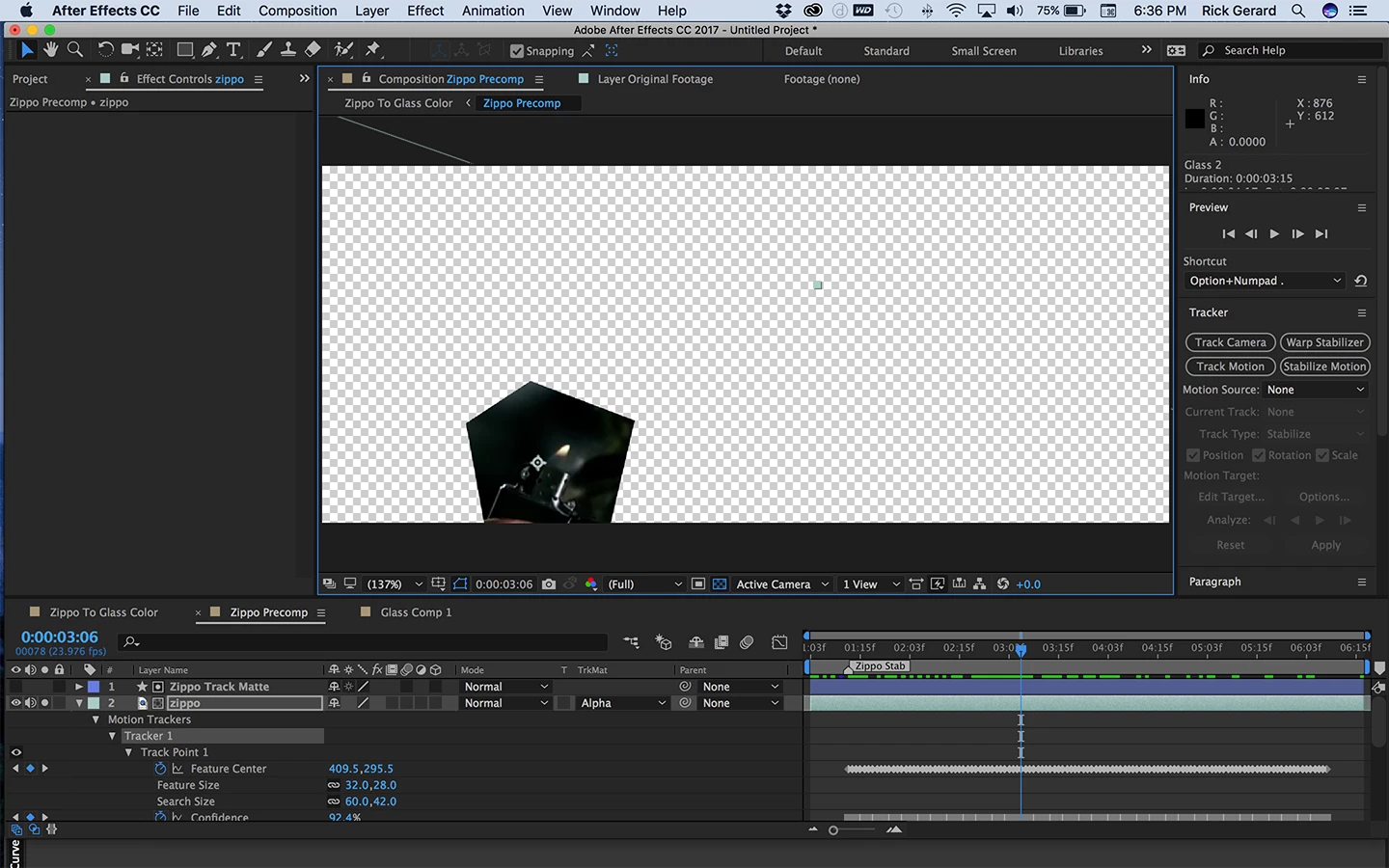
To start off I'd duplicate the footage a couple of times, name one bottom copy Original Footage, the next copy Glass and the top copy Zippo. Then I'd trim the glass and zippo copies so that just the frames that needed the matte were visible. I would then use Stabilize Motion including rotation and scale to stabilize the top part of the zippo. You want the lighter to stay pretty still so it's easier to work on the footage. Solo the layer so it's the only thing you see. You then duplicate the stabilized zippo layer and pre-compose the top copy. Open up the pre-comp and use a shape layer as a track matte so you only see the top of the lighter and the area where the flame will be.
That pre-comp would look like this:
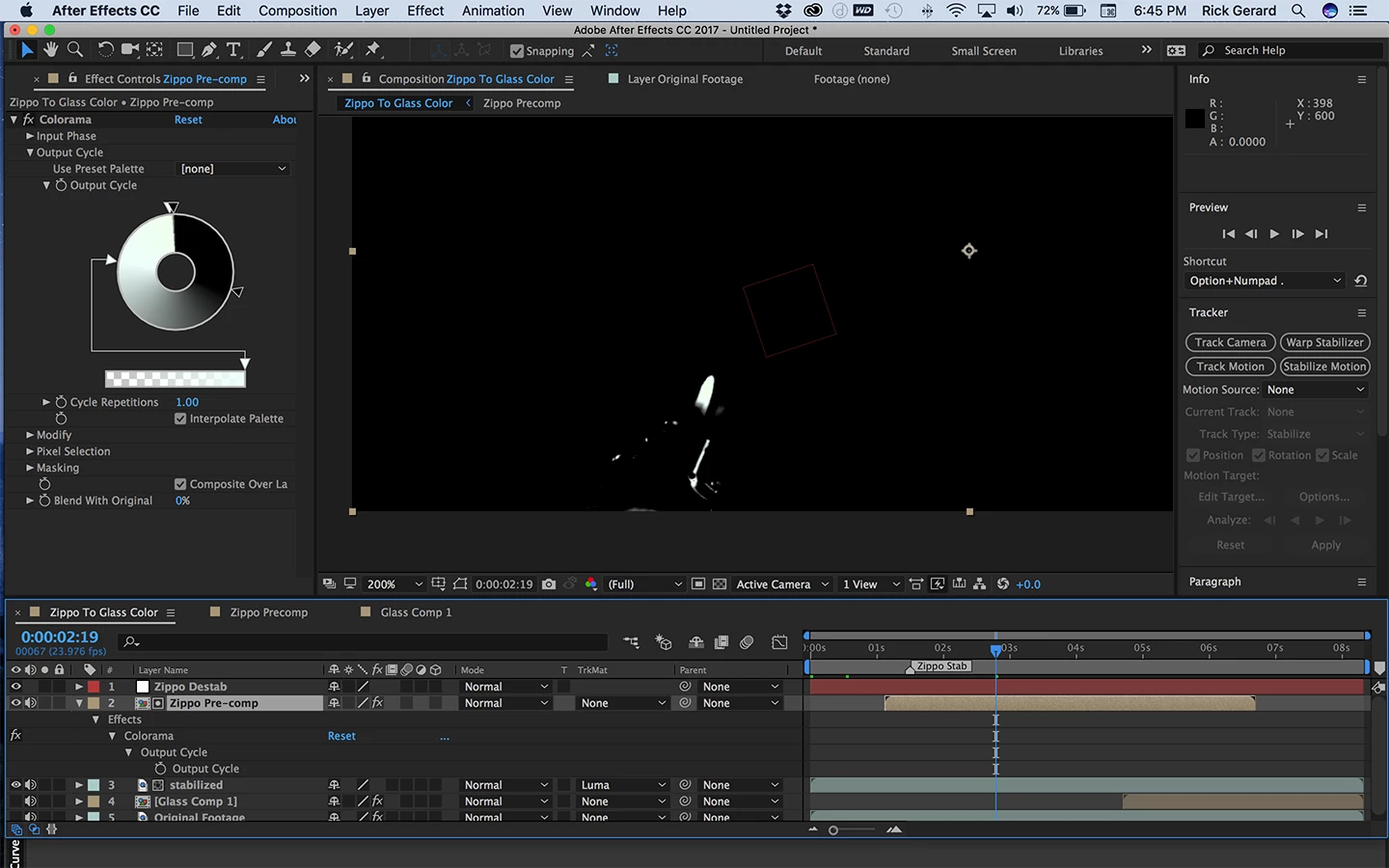
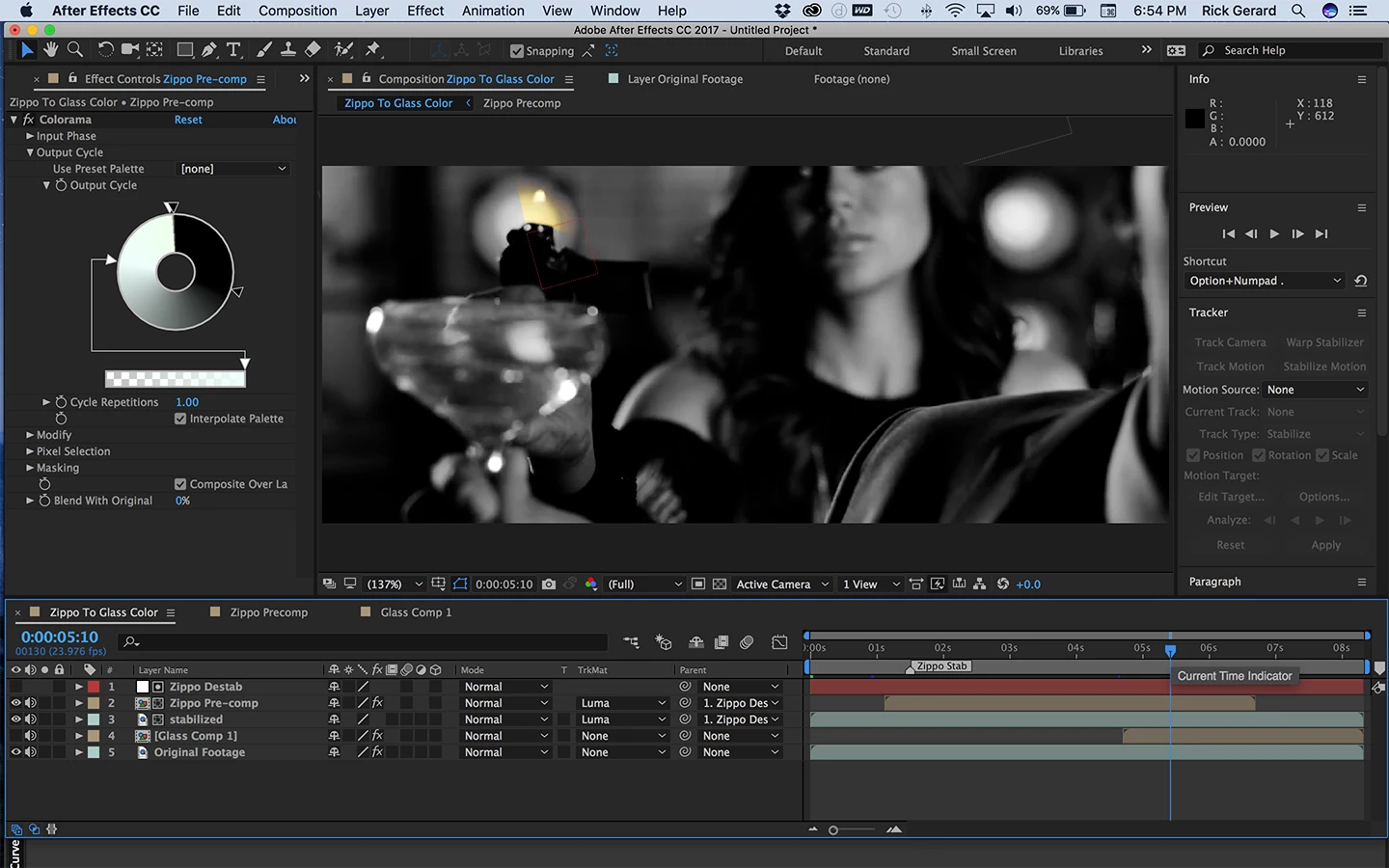
Back in the main comp want to add a null, I call it zippo destabilize, which you will use later and then you add Colorama to the Zippo pre-comp and start messing with the output cycle to create a matte that looks like this:
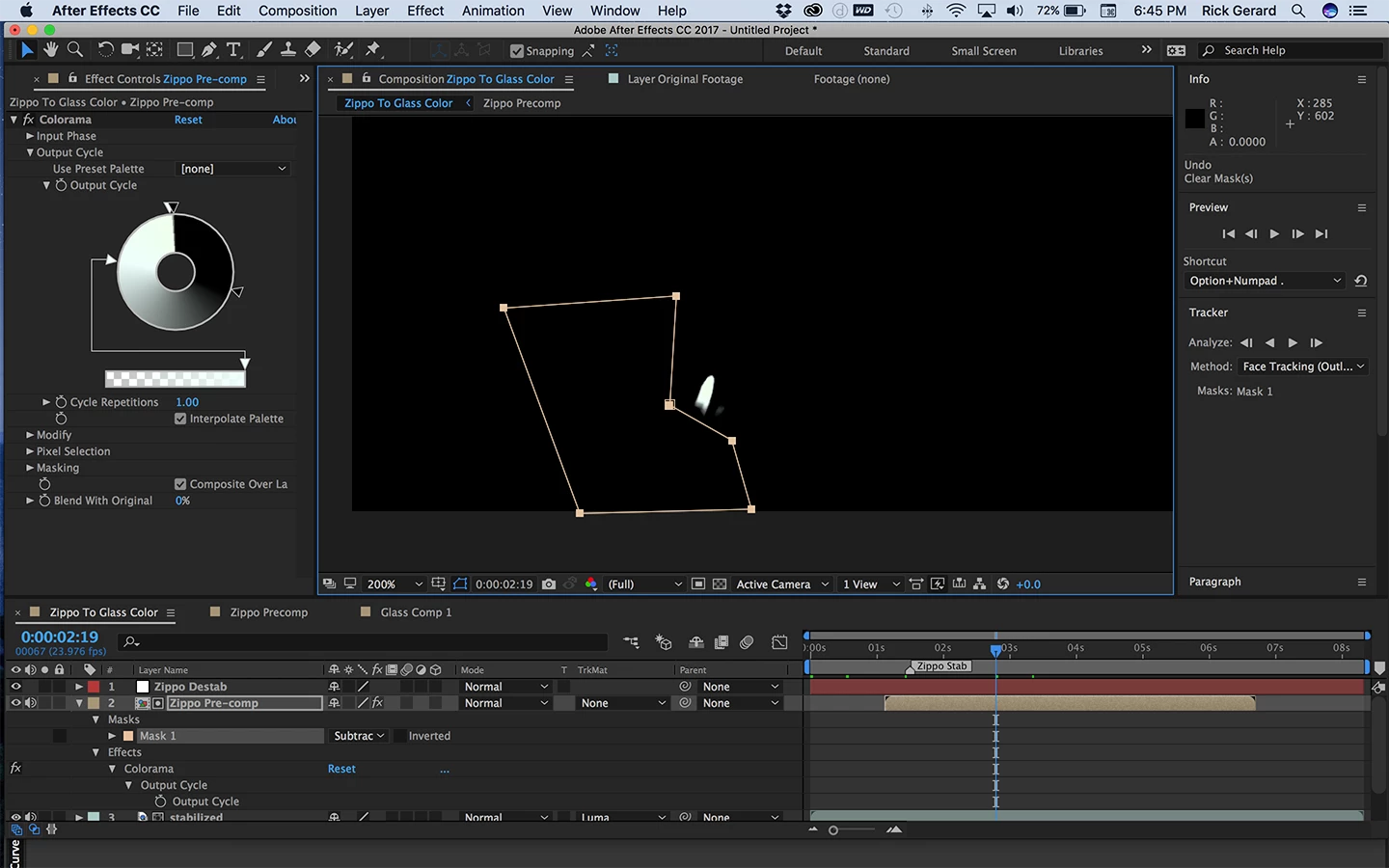
You should be able to generate a black and white matte that works pretty well until the flame passes in front of the light in the background. You'll have to deal with those few frames later. You'll also need to add a mask to the Zippo Pre-comp to clean up the matte like this:
Now comes the first animation preset. We are going to put the motion back in the zippo layer and add the motion to the pre-comp. Start by naming the stabilized zippo layer "stabilized" and apply this animation preset: Dropbox - destabilize Rotation Scale.ffx to the null (layer 1)
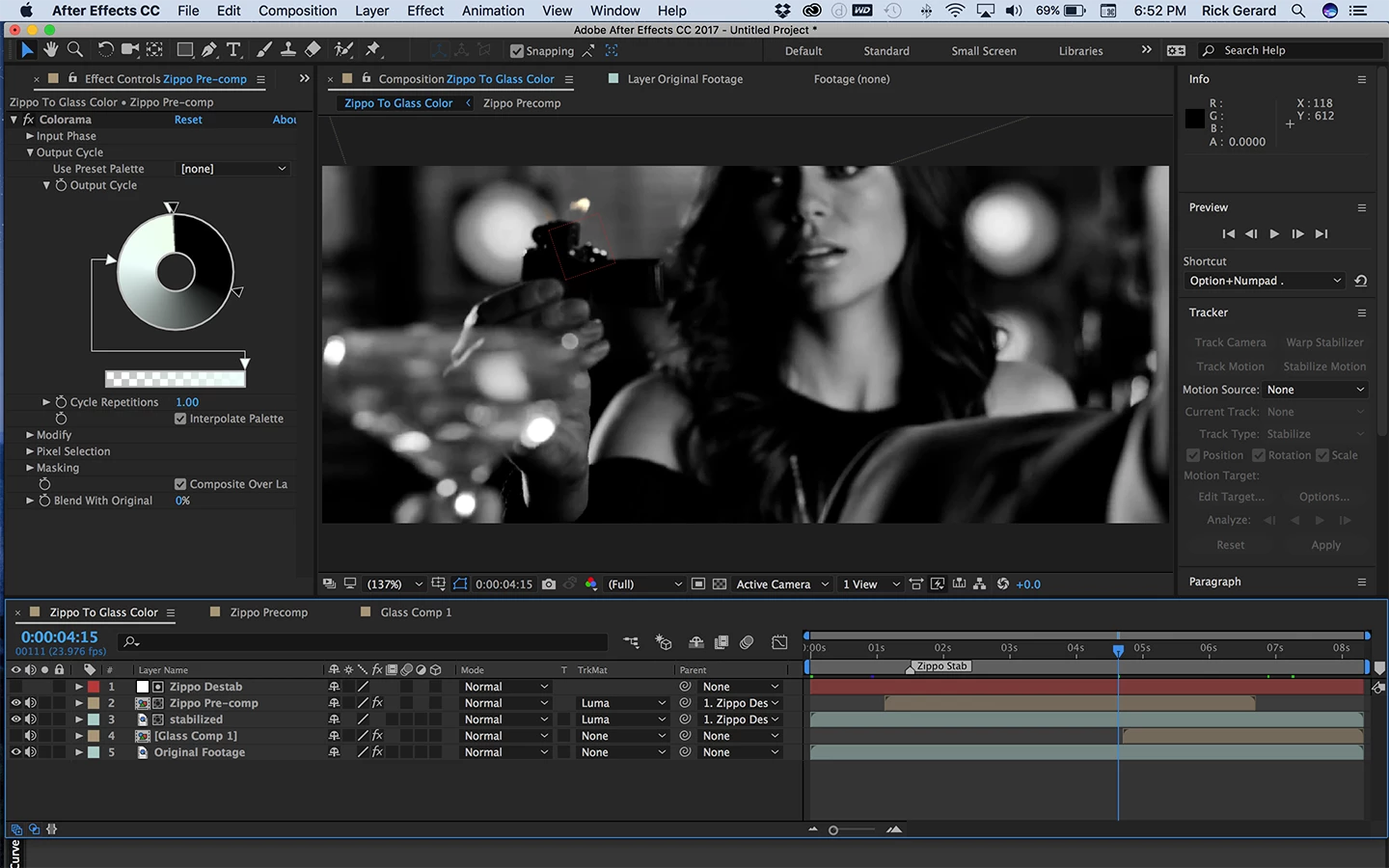
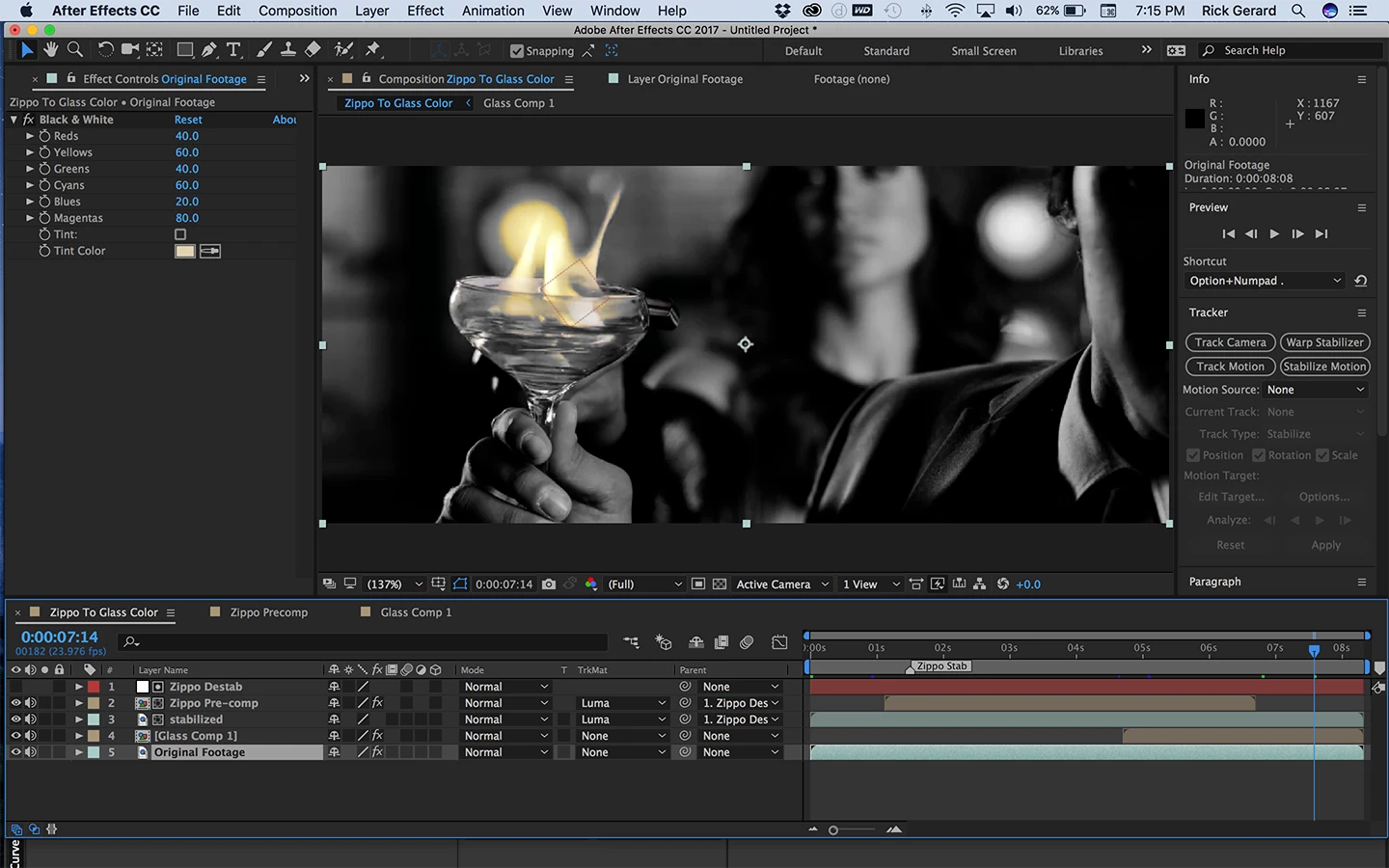
Now you return the CTI to the first frame and parent both the stabilized footage and the Zippo pre-comp to the null. Add Color Correction black and white to the original footage, make sure the zippo pre comp is set to be a track matte for the stabilized layer and you should get something like this:
Kind of hard to see in the screenshot but there is color in the zippo flame only. This part will look great until the flame passes but the lamp. You get this, but you can deal with that part later and it's only a few frames that should be pretty easy to roto.
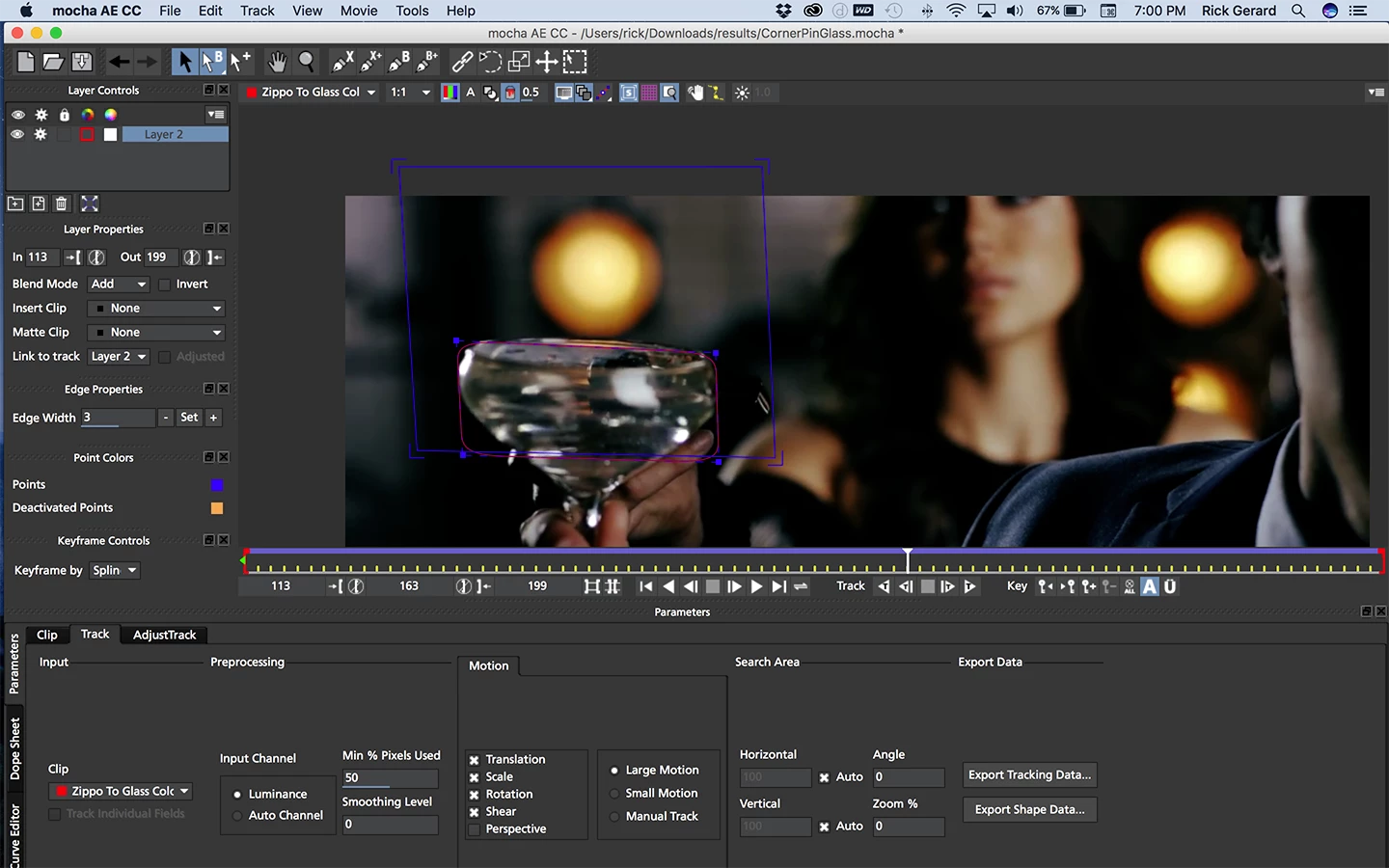
The next step - already done in the screenshot, is to trim the glass layer so that you only are working on the frames that you actually need to work on. We're going to do the same thing, stabilize the motion of the glass so it's easier to work on and create a procedural matte using colorama. The first step is to pre-compose the glass layer and open up the pre-comp. You'll want to make sure trim comp to layer length is selected. Now you open up the pre-comp and select the Glass layer and select Track in Mocha from the Animation Menu.
When Mocha is open you want to trim the work area to the in and out points, create a spline around the glass, make sure perspective is checked and increase the number of pixels and smoothing a bit. The mocha setup looks like this:
The surface has been adjusted so that it always includes the area where the flame will be. You will probably have to do a little adjusting on the track to get things to look right. When the track and the surface look pretty good - they don't have to be perfect, you can then copy corner pin data to the clipboard and return to AE
Back in AE you apply another of my favorite animation presets to the Glass layer. You'll find it here: Stabilized Corner Pin.ffx
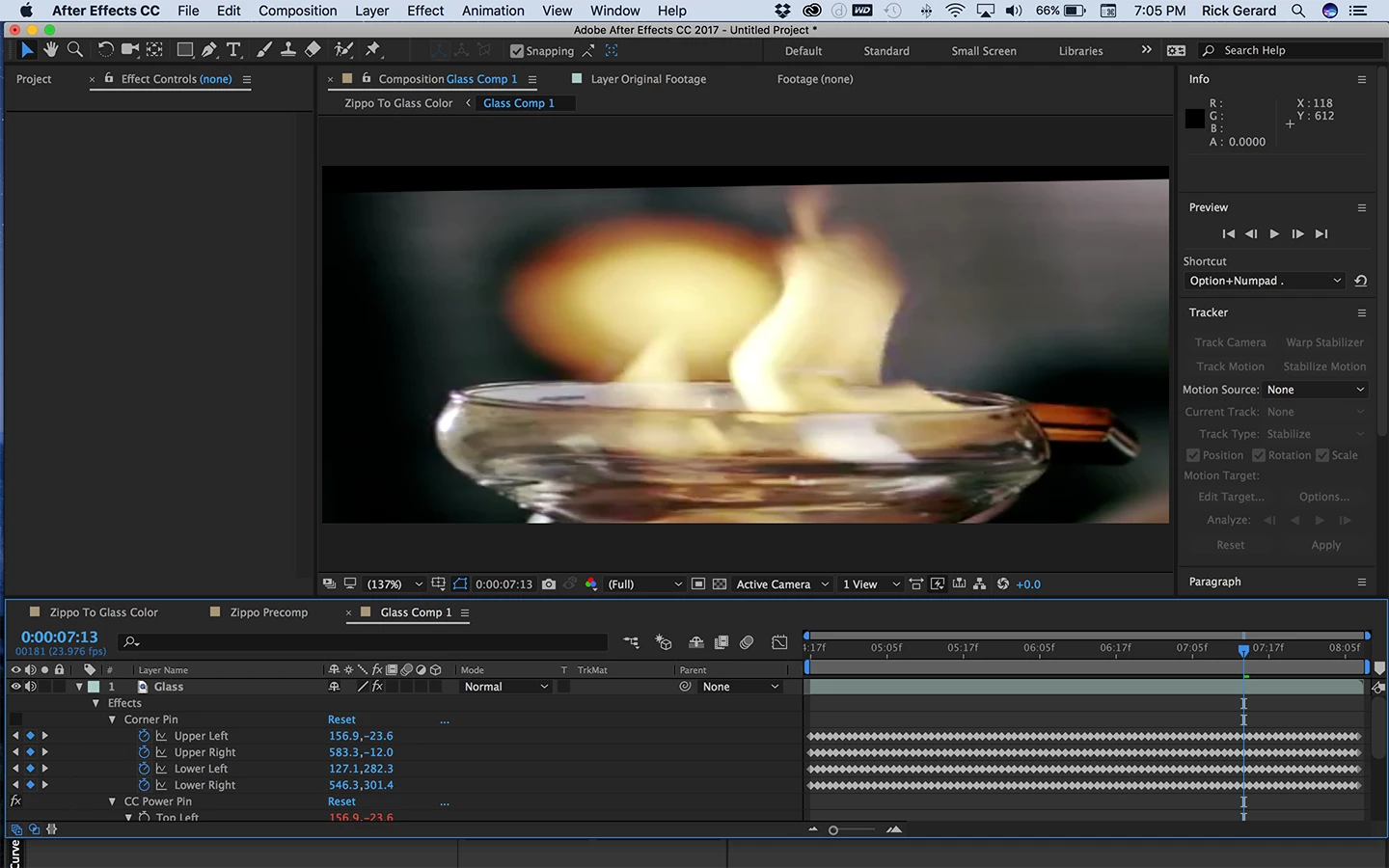
This adds Corner Pin and CC Power Pin to the layer. You move to the first frame of the pre-comp, select Corner Pin in the Effects control panel and paste, then you turn off corner pin and get a comp that looks like this:
I wanted it bigger and not moving so I could do some hand roto on an bigger image.
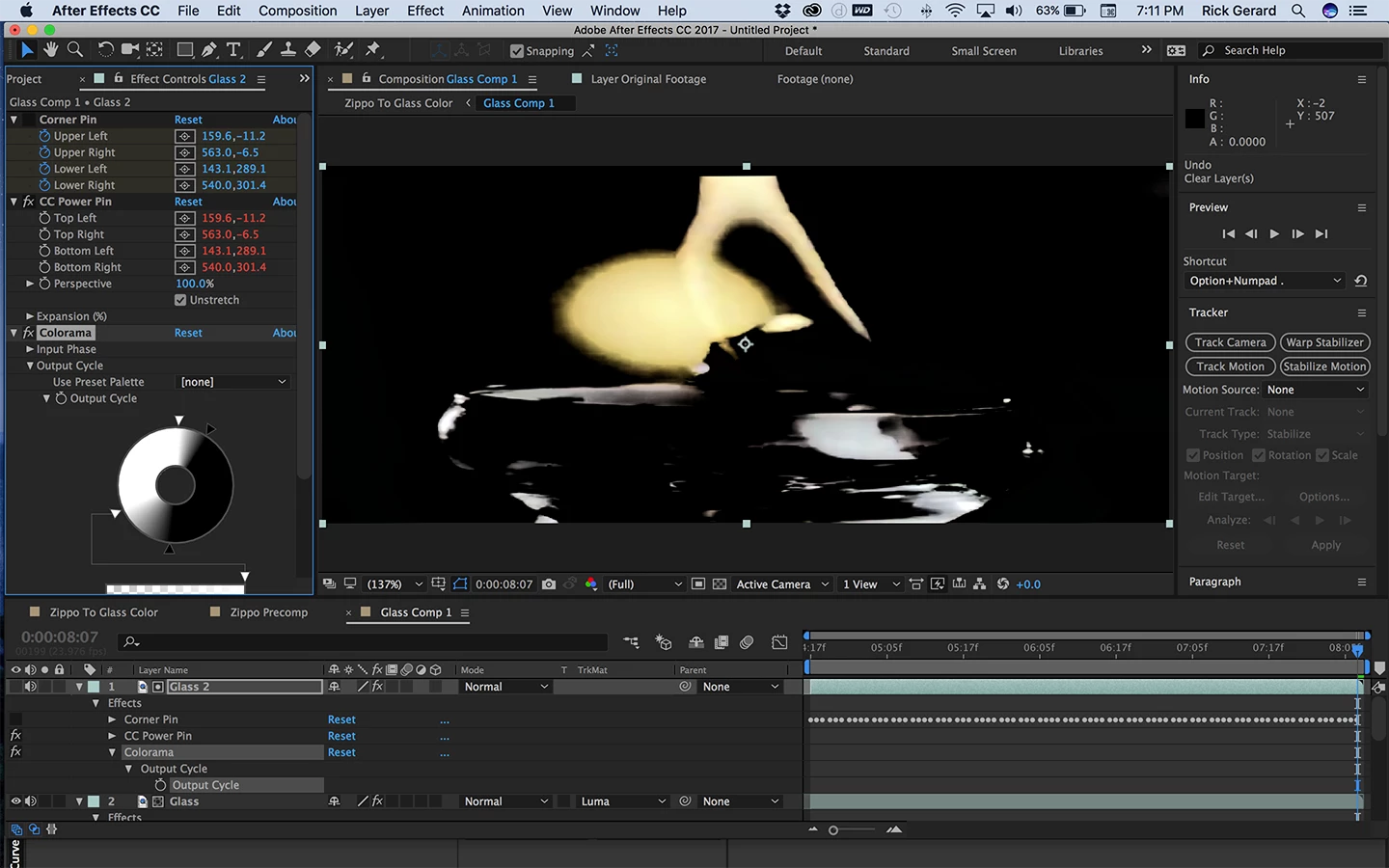
The next step is to duplicate the Glass layer, add Colorama and create another procedural matte. You get something that looks like this:
Set that as a track matte for the glass layer and you should only see color in the flames and in the light in the background.
For the next bit of magic you return to the main comp and move the CTI to the in point of the Glass pre-comp. Now you paste to apply the copied corner pin data from Mocha to the nested comp and everything snaps back into place. You end up with this:
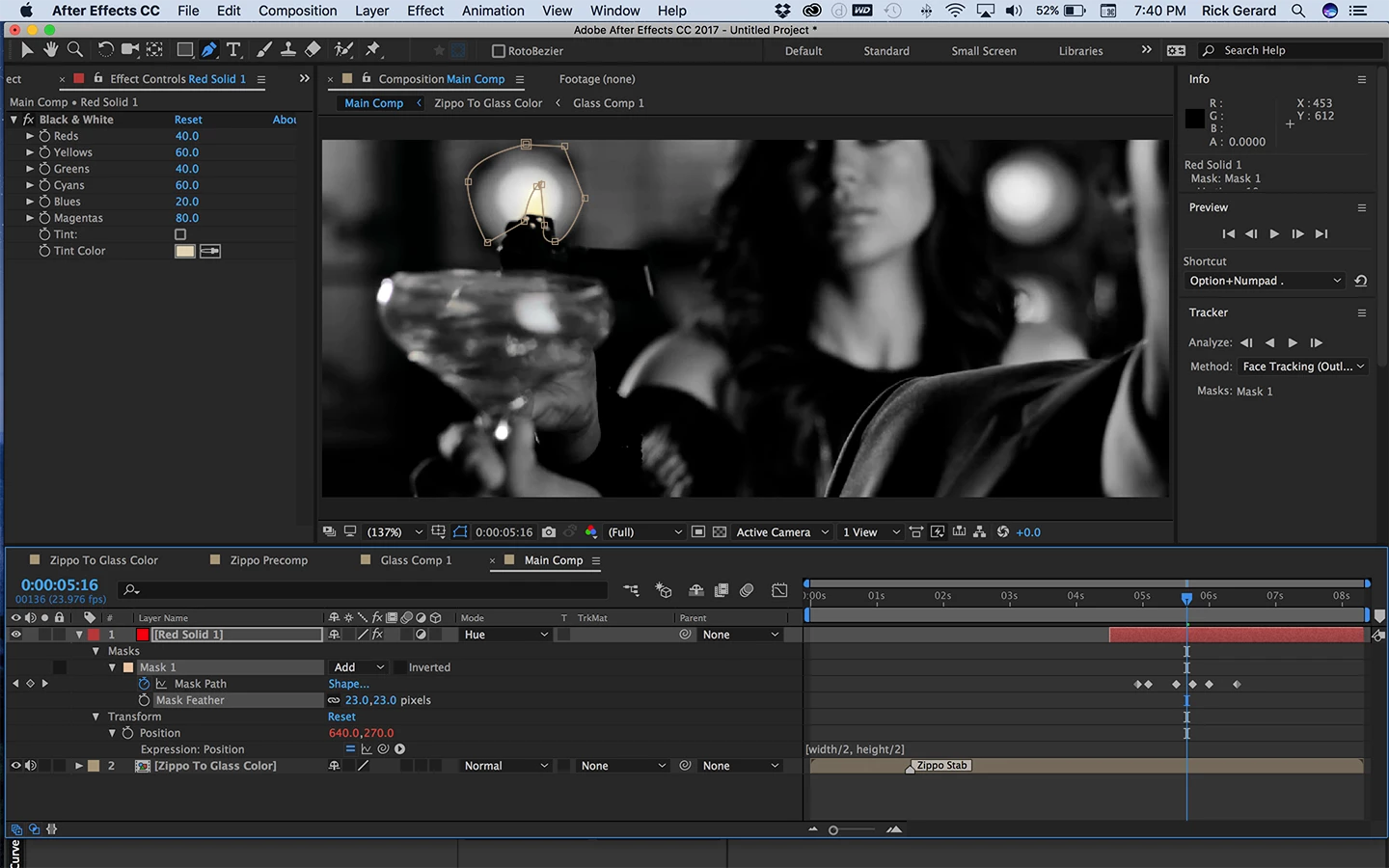
The last step is to place this main comp in a new comp and add a colored solid on top starting at about 4:13. Set the blend mode for this layer to screen so you can see through it and start a mask on the light in the background. You'll be able to see the edges of the light. The goal is to create roto that eliminates everything but the flames, then set the roto layer to and adjustment layer and add Black and White from the Color Correction Effects list with the same settings you have in the main comp's bottom layer. The trick on that roto is that you only need to do a few frames and you can use more than one mask. It should only take a few keyframes and if you feather the masks it will help hide the edges.
I've started the roto and it looks lamenting like this:
You can add additional masks as needed to remove the color from the light behind the flame. It shouldn't take too much effort to get it looking believable.
Next time you do something like this be more careful of the background. It's pretty easy to use Colroama to generate a high procedural matte from the hue values in a shot, if you take a little care.
Here's a tutorial on Advanced corner pin tracking using the technique that I used in this demo.
I chose to stabilize the zippo so it would be easier to create a matte around the flame and I chose the do the Mocha/Corner Pin technique on the glass layer to give me bigger images to work with. There are enough differences between the flames that I couldn't create a good procedural matte for both flames with one copy of the layer. Creating procedural mattes saved about 150 frames of hand roto that would have taken forever. The combination of these techniques should make this project doable with a couple of hours of roto instead of a couple of days.
A better planned shot could have been pulled off in about a half hour.
I downloaded a copy of your footage from YouTube and it came out 1280 X 540 so that is what size my comps are. Here is the project file so you can take a look at it:
Your browser may add a .txt extension when you download. Just remove it and you should be able to open the CC 2017 files.
Your problem gave me a good lesson to prepare for upcoming classes I'll be teaching. I would like your permission to use your footage in the class. Please PM me with a copyright release for the footage.
If it were me I would reshoot the flames against black. If you can post a shot of the actual footage then I can tell you if it is possible to pull a procedural matte. If the shot is anything like the example but all in color then you're out of luck. You should have hired a visual effects supervisor to be on the set. There are a bunch of ways to pull this off but all of them involve getting the right kind of footage before you try and pull off a composite.
So please post a typical frame from your shot. That's the only way to figure out if you don't need to reshoot.



 AdChoices