Participant
November 23, 2024
Answered

Roundness Shape Broken
  • November 23, 2024
  • 1 reply
  • 251 views

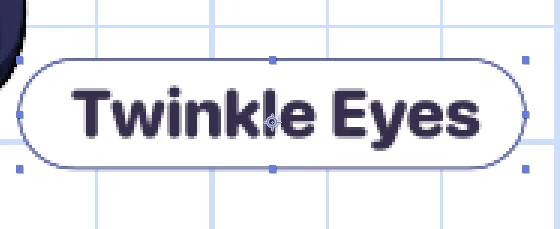
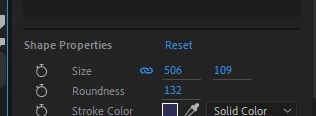
Okay when i adjust the roundness option the resolution of preview will broke, does anyone know how to fix that (im using adobe after effect 2024)

This topic has been closed for replies.
Correct answer TÙNG38106924i4kg

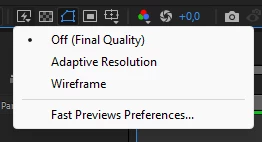
Thank you, by the way i found the solution for this case, this one was "adaptive resolution", i just have to turn it off then everything is okay now!
 

1 reply

Community Expert
November 23, 2024

After Effects is a pixel-based app; you are looking at a Comp Panel preview of around 400%. The vector curve is displayed as pixels. You can only check the look of your final video at 100% scale on a standard display or 200% on an HD display. The text displays the same artifacts, and the grid behind the graphic is not precisely lined up with the pixel grid. That is why the horizontal and vertical lines are slightly wide, and the colors appear to be different. 


When working with thin lines (1 pixel or point) and video, it is very important that you precisely line up the artwork with the pixel grid for all horizontal and vertical lines. Curves and angled lines will change color slightly as the vector path to a pixel path is calculated. A better option is to increase the stroke width to a minimum of 2 pixels. 

TÙNG38106924i4kgAuthorCorrect answer
Participant
December 3, 2024

Thank you, by the way i found the solution for this case, this one was "adaptive resolution", i just have to turn it off then everything is okay now!