S.O.S. Where is "opacity boost" in particular? Also, luma matte and particular road block
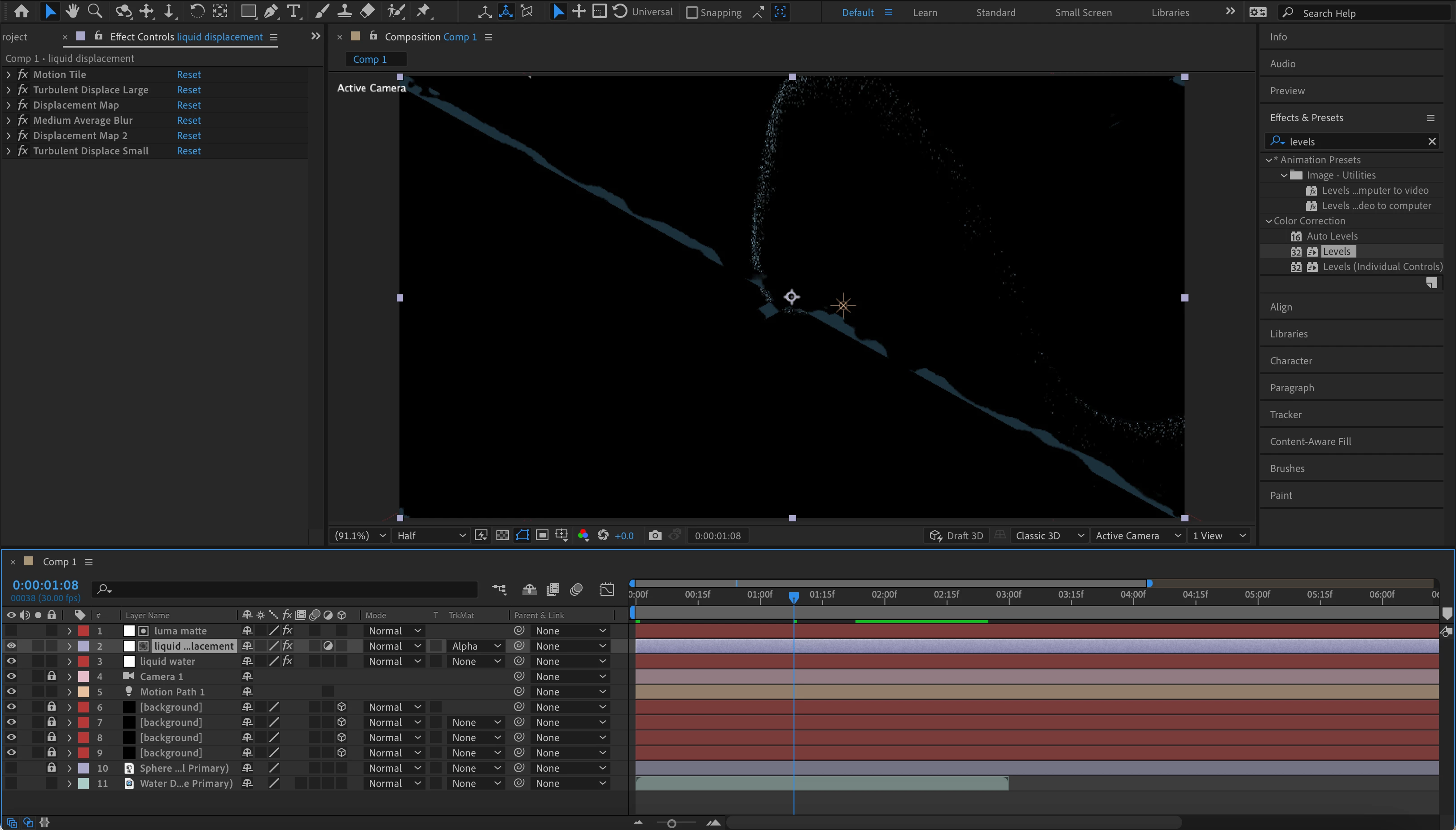
Hello all, I am following this tutorial online on how to make water bending using AE and particular and everything was going great until (the fire nation attacked) I got to this step with a luma matte, a displacement layer, and various distortion effects applied to said layers. At first, nothing appeared to be happening and I realized that the version used in the video that I was using was apparently on an outdated version of AE because there was a tab called "opacity boost" that he adjusted and I have not been able to find it anywhere and no one seems to have made any mention of it getting moved or removed. I then got on today after updating my computer and suddenly an effect had appeared over top of the particles similar to what I need, however, the effect is only displacing the luma matte layer itself and nothing else. The on reason I know it is the luma matte is being effected is because of the sudden appearence of a big "X" on the composition. I apologize for the multi part question and the lengthy explaination but I would appreciate any help if at all possible.
The link to the video reference I am using is: https://www.youtube.com/watch?v=EM47KL-XRTw
(the time stamp is roughly 7:35)
and here is a screenshot of what I am currently looking at
 AdChoices