
Participant
November 6, 2021
Question

Saber Plugin Not Working With Image

  • November 6, 2021
  • 1 reply
  • 884 views

Hello there! For some reason, while adding the saber effect to my profile picture, it messes up, does anyone know how to fix this? It works on the outside of my image, but I only really need it to show up on the inside. When I set it to only show up on the inside, it just blends with the white color of my profile picture. I will provide an image below of what is happening. Thank you in advance!
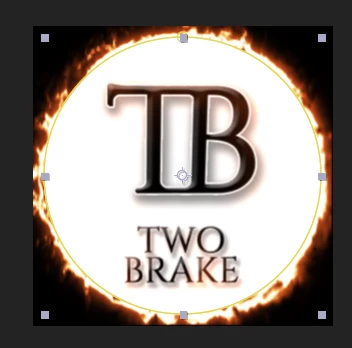
 

This topic has been closed for replies.

1 reply

Mylenium
Legend
November 6, 2021

Nothing wrong. You just seem to be misunderstanding how blending modes work in general and the situation is likely exacerbated by working in 32 bpc. It's the old rule from classic painting: Without shadows there can be no light and overlaying an effect in screen mode basically adds more light on top of already existing light (hence the name). For your flames to actually show up you hence cannot apply them directly. You have to create them on a separate layer and use a different blending mode on the layer like Overlay or color, but even that may not at all look fancy without some extra shadow or dark glow beneath. That and of course you may need to tweak it further by creating it in a pre-comp with multiple layers and unmultiplying the result e.g. with a Shift Channels effect set to Luminance. Again, you have to put in much more work or completely rethink your design to be based on darker colors.


Mylenium