


Participating Frequently
May 26, 2026
Question

Same footage, same color space, different colors in AE 2025 and AE 2026

  • May 26, 2026
  • 1 reply
  • 15 views

I’ve just switched from AE2025 to AE2026 but I have a problem with Aces colors interpretation.

I have a tiff sequence RGB+A (premultiplied alpha) with sRGB color space.


The Project is set as follows in both AE25 and AE26 (AcesCCT):
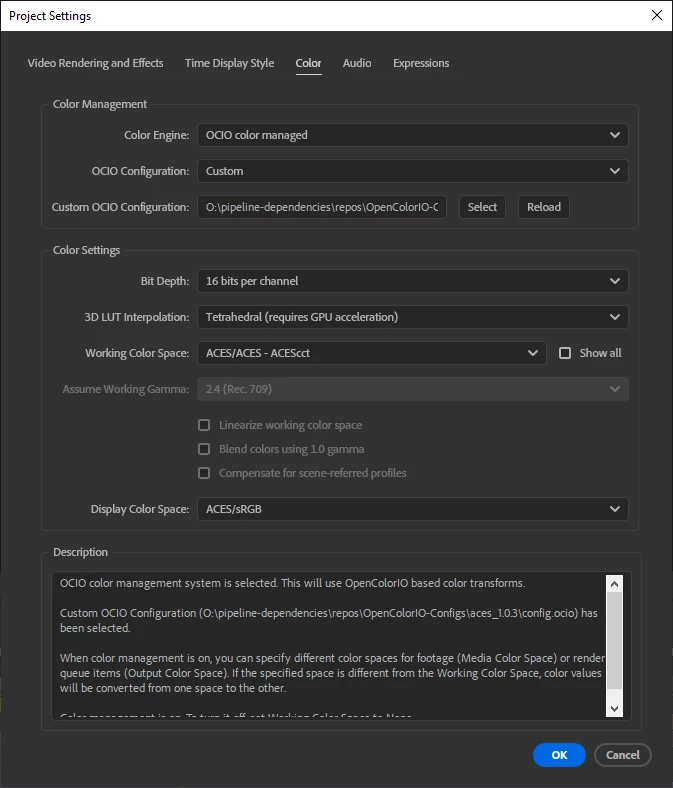


The footage’s colors are interpreted as follows:
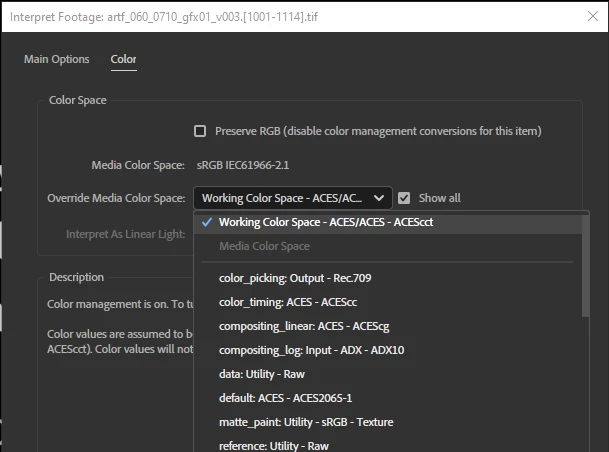
This is my workflow and I’ve never had problems with colors until I’ve worked with AE25.

In AE2026, when using AcesCCT I see washed-out colors; with AcesCC, the colors are ok. 

This is the only difference between the settings:
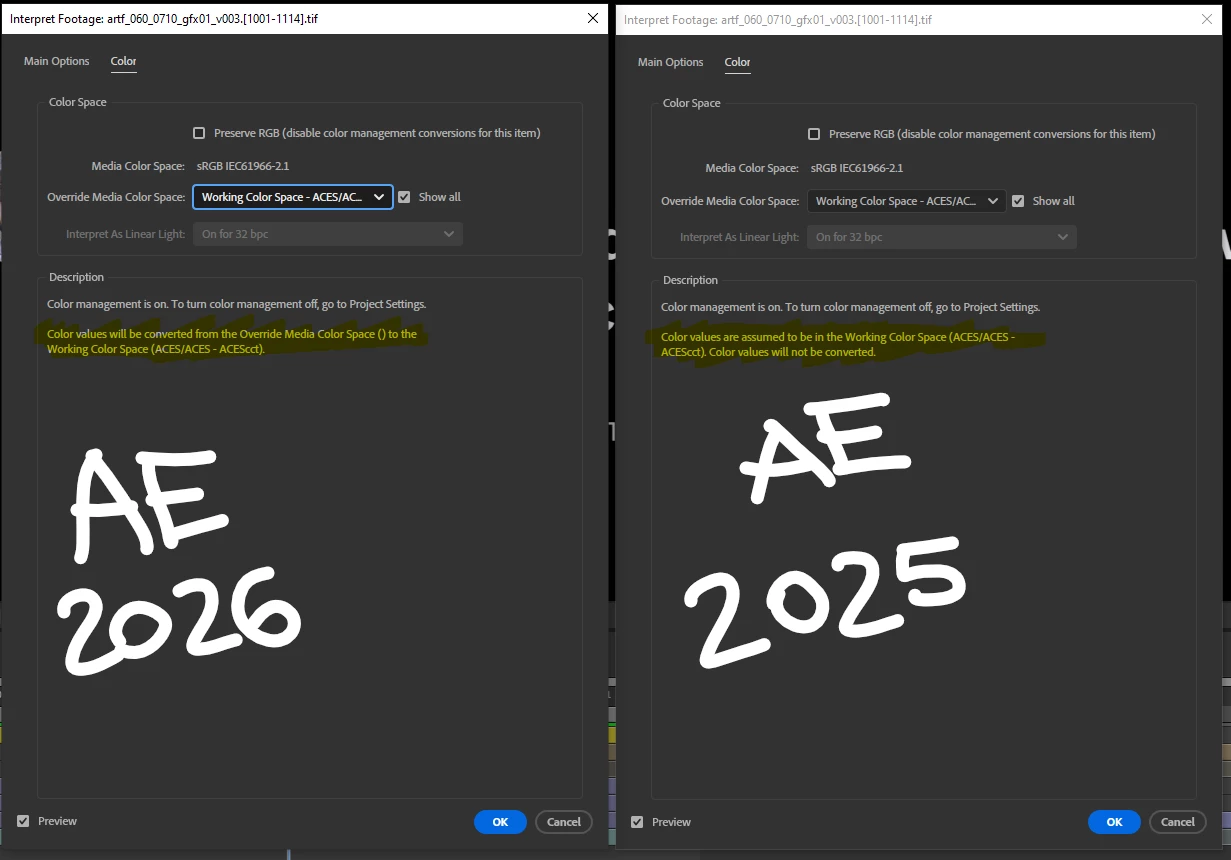
Same machine, same footage, same color settings, different version of AE = different colors. 

Any ideas?

I’ve searched in AE Preferences but they look very similar and they seem to have same settings.

1 reply

Nishu Kushwaha
Community Manager
Community Manager
May 26, 2026

Hi there,


Thanks for reaching out. I tried testing it on my end. I can't see any difference. I wonder if it is connected to your custom OCIO configuration file. To help me replicate the issue on my end, do you mind sharing the sample media, project file, and the custom OCIO configuration file? Feel free to share them via DM if you prefer not to share publicly. Also, do you see the color difference in Preview, in export, or in both?

Looking forward to your response.


Thanks,

Nishu

Participating Frequently
May 26, 2026

Hello Nishu

due to copyright policies I cannot share frames nor config files :-/ pls, tell me if there’s something I could do by myself