


Inspiring
February 2, 2023
Answered

Save As Photoshop Layers doesn't work

  • February 2, 2023
  • 6 replies
  • 2020 views

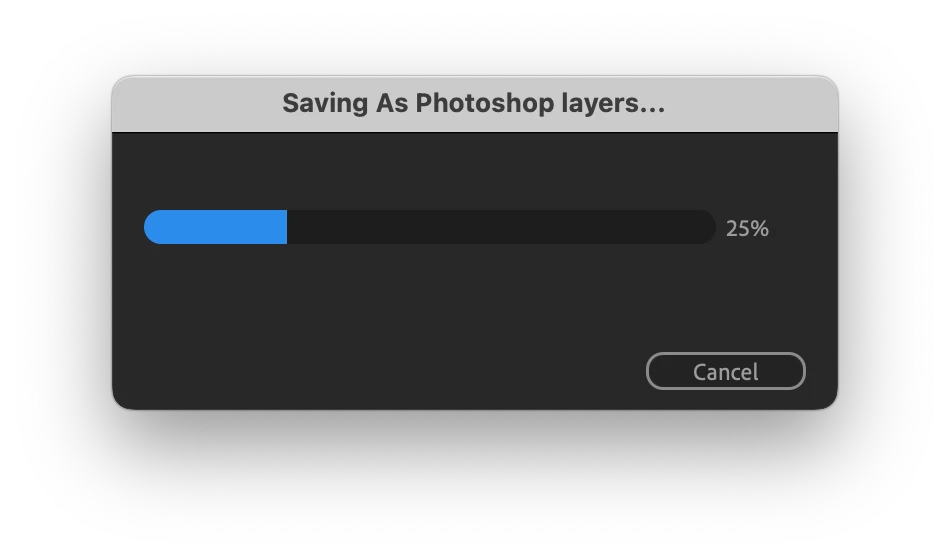
Save Frame As -> Photoshop Layers doesn't work for me, the AE just freezes on 25%.

I have a pretty simple compoistion with a couple nested others, and just a couple effects. The only special thing is a C4D as a layer in one of the compositions
This topic has been closed for replies.
Correct answer Artem_

UPDATE: I gave it another chance, and it turns out that the AE just becomes unresponsive, but it does try to save my PSD under the hood. So if you wait long enough, you may be rewarded with saved PSD. In my case, when I reported the problem above, the AE was unresponsive for around 2 minutes, while saving a composition that takes a second to render in Media Encoder.

So the problem is rather that there should be a better indication that the saving process is actually happening, otherwise the AE really behaves and stuck, and requiring force quit. 

6 replies

Legend
November 12, 2023

Shortening the work area also worked for me.

Legend
November 12, 2023

Also having this issue... and it's sudden. I was Saving Frame As Photoshop Layers like a fiend the last few days... and when I finally get time to work today and sit down... Ae becomes unresponsive and won't finish. Task Manager shows that Ae is using up 96% ish of CPU memory and it's stuck. I've tried resetting preferences, emptying caches, rebooting machine. Windows 10, Ae 24.0.2

Participant
October 2, 2023

When I try to use the Save As PhotoShop Layers (latest AE version in October 2023) I will experience extreme wait times, upwards of 10 minutes. The footage is 6K, and generally over 10 seconds long. I experience this on a Mac Pro and a PC, both robust and well resourced machines. The workaround I have found is to set the Timeline Work Area to just be the region I am trying to save a frame from. This will make the save operation take a second or two, as desired.

jackthegiantkiller
April 9, 2023

Same thing here, just tried to export a logo with only 6 layers as a PSD and it completely choked After Effects on my maxed out M1 Macbook Pro, had to force quit. Looks like the team hasn't tested this function out in a while.

Artem_AuthorCorrect answer
Inspiring
February 2, 2023

UPDATE: I gave it another chance, and it turns out that the AE just becomes unresponsive, but it does try to save my PSD under the hood. So if you wait long enough, you may be rewarded with saved PSD. In my case, when I reported the problem above, the AE was unresponsive for around 2 minutes, while saving a composition that takes a second to render in Media Encoder.

So the problem is rather that there should be a better indication that the saving process is actually happening, otherwise the AE really behaves and stuck, and requiring force quit. 

Artem_Author
Inspiring
February 2, 2023

Seems like the problem is exactly in C4D as a layer — without it, AE did save my comp as PSD. But once I enable the C4D layer, the AE again freezes on export.