Participant
September 5, 2024
Question

Saving transparent Video After Effects

  • September 5, 2024
  • 2 replies
  • 795 views

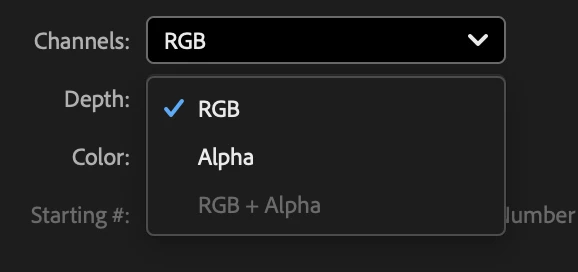
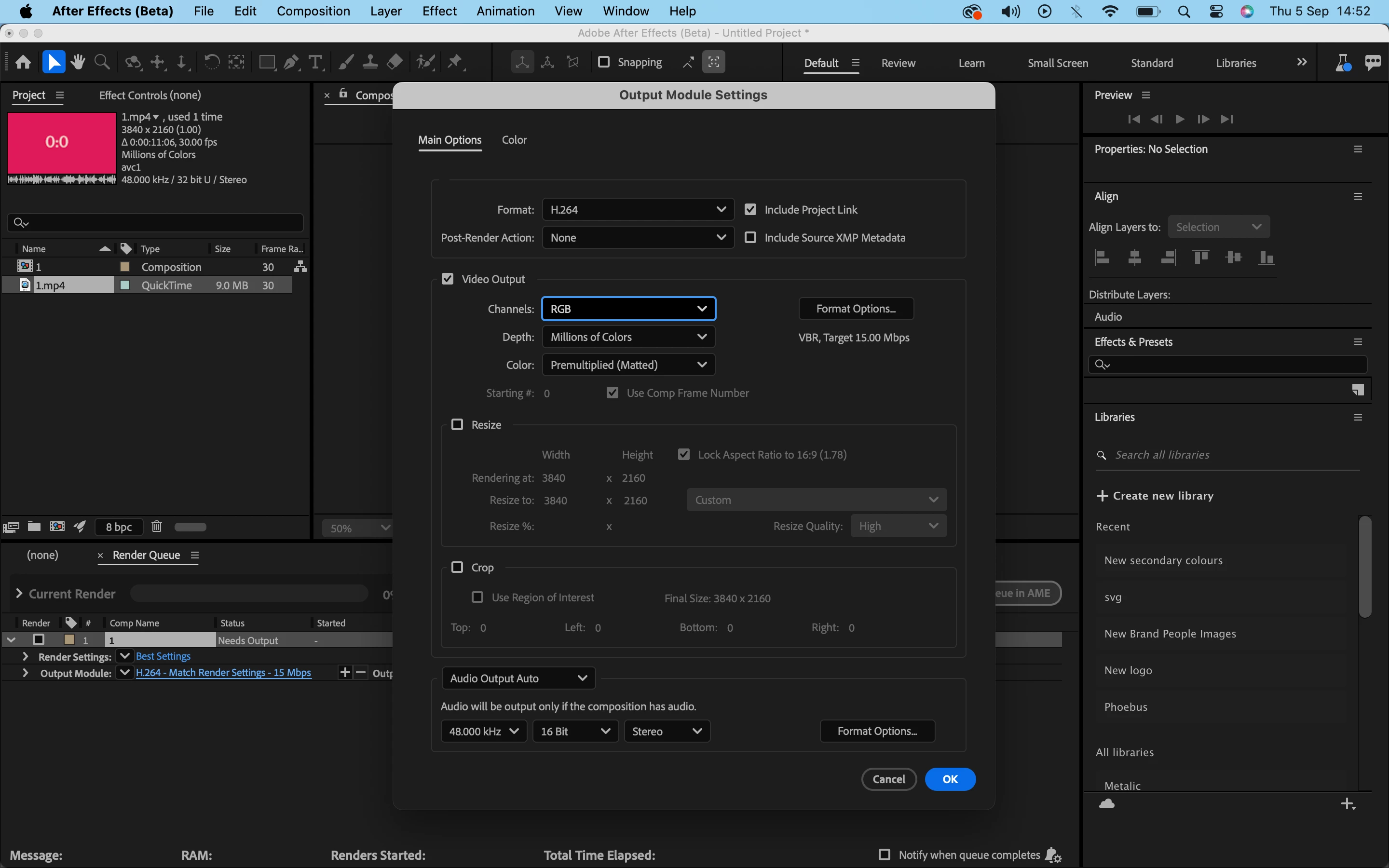
Hello 🙂 I am struggling to export my After Effects video. I need it to export with a transparent background. When I go to save Alpha+RGB is grey and I am unable to choose this as an option. Does anyone know why and how I can fix this?


Thank you :).
 

This topic has been closed for replies.

2 replies

thepixelsmith
Community Expert
Community Expert
September 6, 2024

1. File > Export > Add to Render Queue

2. In the Render Queue choose High Quality with Alpha from the Output Module section

Rick suggested Lossless with Alpha which is an older preset but either preset should work.

Community Expert
September 5, 2024

H.264 does not support an alpha channel. Use the Output Module preset Lossless with Alpha, or you will have to export an RGB copy of the video and an Alpha Only copy in H. 264 and use the Alpha Only copy as a track matte for the original footage. 


Unless you have a good understanding of video format standards and compression, it is always a good idea to use the presets available in the Output Module via the dropdown menu in the Render Queue or in the Adobe Media Encoder.