
scratch marks when use 3D Solid
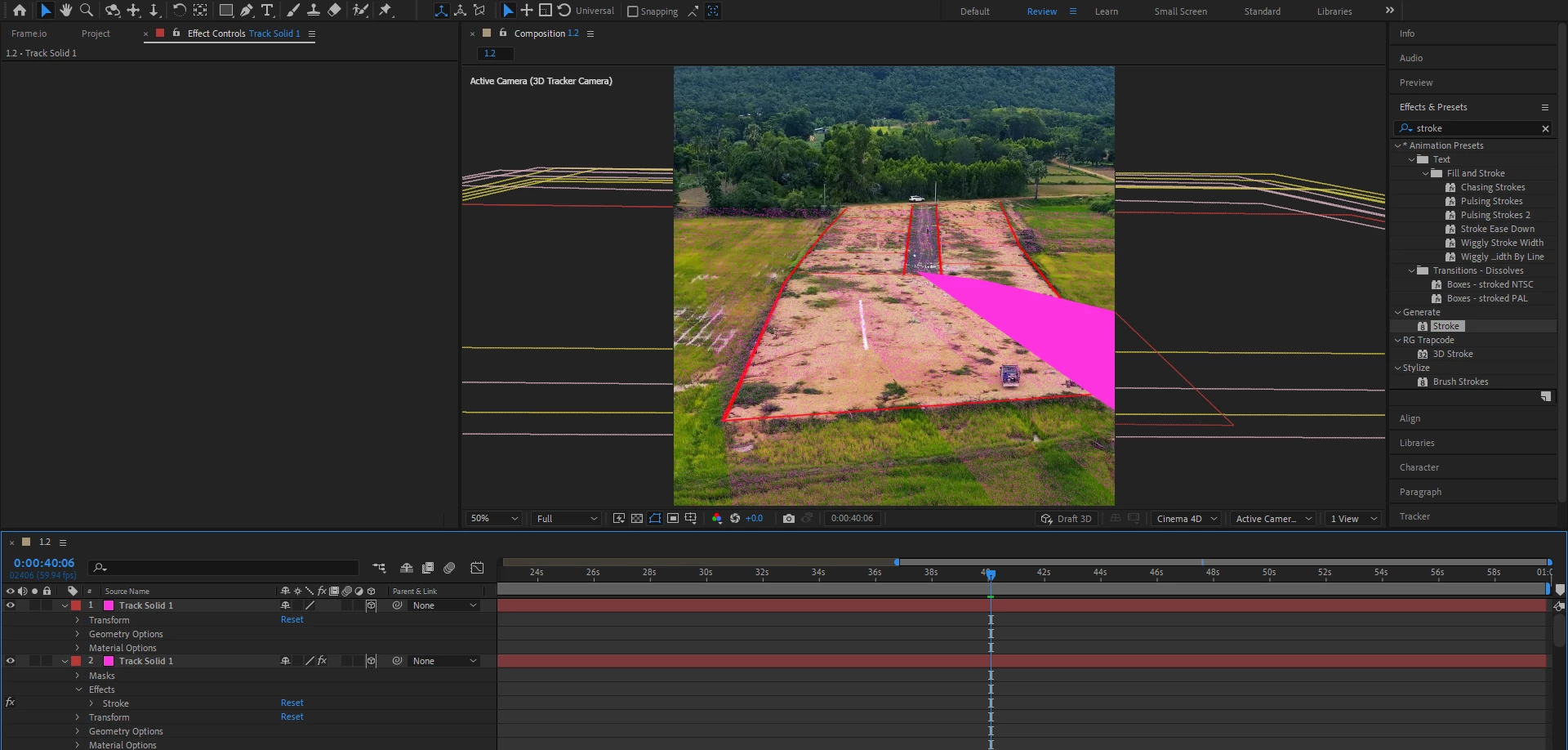
1.First I go to 3D Track in Video.
2.Then I add Solid in 3D.
3. I copy and past layer 3D.
4. I add Stroke in 1 Layer 3D.
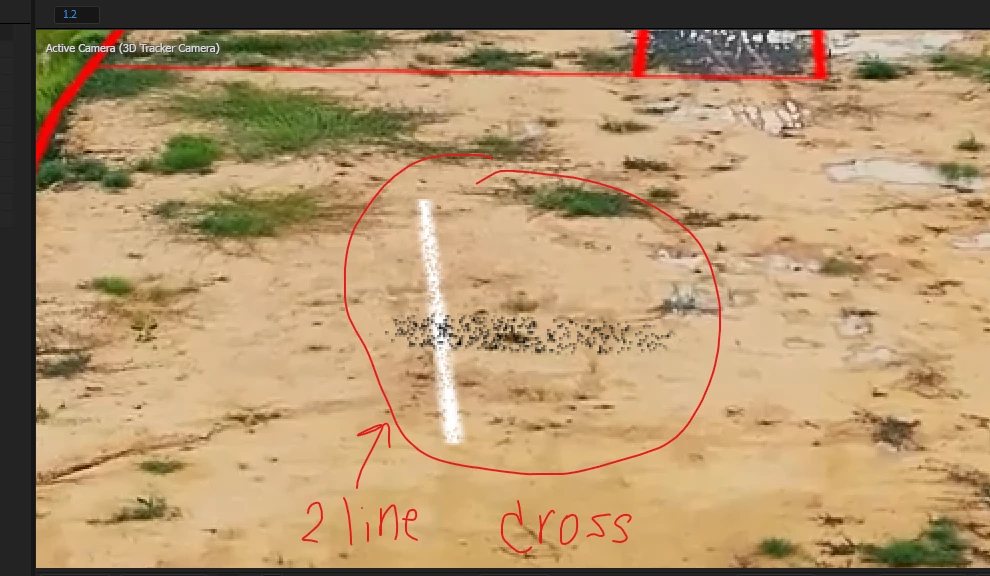
5. Then happen like striped, marking , scratch marks , a lot of little pixel .
6. All of that annoy me and when I move it I want to make a 2 Line in 1 Layer solid but the Line is scratch marks.
7. So I go to do a loop with add Solid in 3D everytime and when I render It take so long Time.
8. In 1 minute video I add 3D Solid about 40 Layer the Time render Export is 2 Hour .
*** at the first when i use After Effect like 5 mount ago I can Copy and paste Layer of solid and doesn't have scratch marks and I use only 1 solid 3D layer and copy paste is very easy and the render Export of time is shorter than this time . #Adobe #scratchmarksinAE
I have no Idea what to do next I hop people come to see my Topic Thankyou.


 AdChoices