
Participant
July 23, 2022
Question

Sections of green rendering with Prores 422 and 422 HQ

  • July 23, 2022
  • 5 replies
  • 332 views

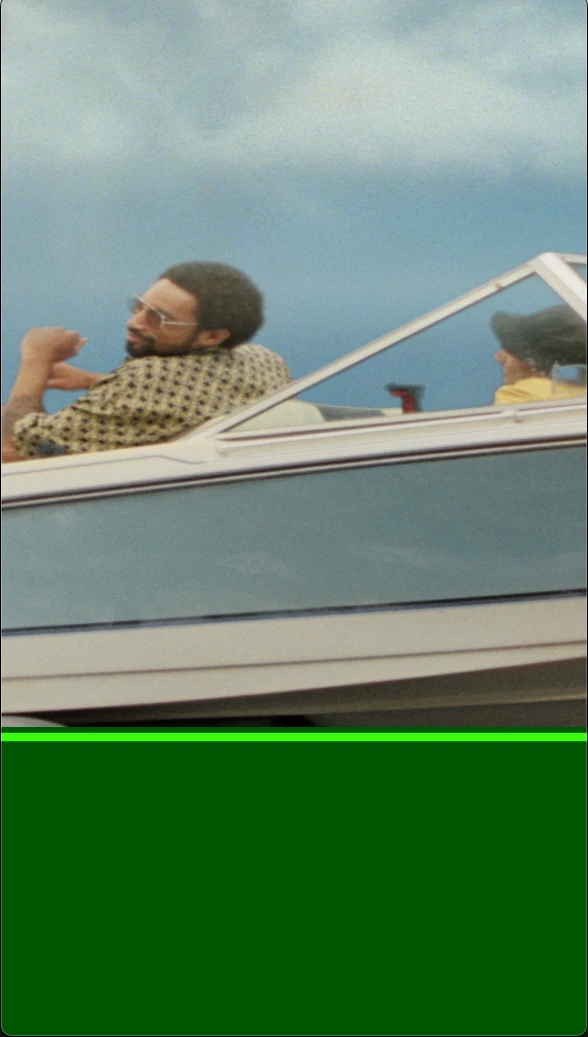
I'm getting large sections of green when I rendering social (non standard) sizes using ProRes 422 and 422 HQ (see attached).  Has anyone else been seeing this or getting these results?  Does anyone have a solution? Thank You! 


This topic has been closed for replies.

5 replies

Participant
August 1, 2022

Hi All!  First thank you for taking the time to reply to my post.  Sadly, even with everyone's expertise, I'm still getting variations of the same problem - even converting the file through Media Encoder etc.  What I eneded up doing was rendering the file cycling through the various ProRes encoding[s] (422, 422 HQ, LT 444 etc.) and one of them would end up giving me a proper image.  Sort of pain, but with deadlines looming I would've settled for anything that worked.  Once again, thank you all for taking the time the help - I really appreciate it. 

ShiveringCactus
Community Expert
Community Expert
July 24, 2022

If Jose's solution doesn't work, try converting the file in either Media Encoder or VLC or similar.

Jose Panadero
Community Expert
Community Expert
July 23, 2022

Try to deactivate hardware acceleration decoding for video files into After Effects Preferences. Go to Edit > Preferences > Import. Then, go to Edit > Purge > All memory and Disk cache. Restart After Effects and try again.

Community Expert
July 23, 2022

There is a good chance that one or more of your source footage files is a highly compressed MPEG file, and AE is having trouble decoding it. If that is the case, try transcoding the file to a frame-based production format. 

Participant
July 23, 2022

Super quick... this is off of After Effects 22.5.0