
Known Participant
December 4, 2019
Answered

Select a transparent fill for shape.

  • December 4, 2019
  • 3 replies
  • 18739 views

Hello, I am following a tutorial where the author has an interface allowing him to select a shape fill of no-fill. Working in After Effects.
I don't seem to have that option.
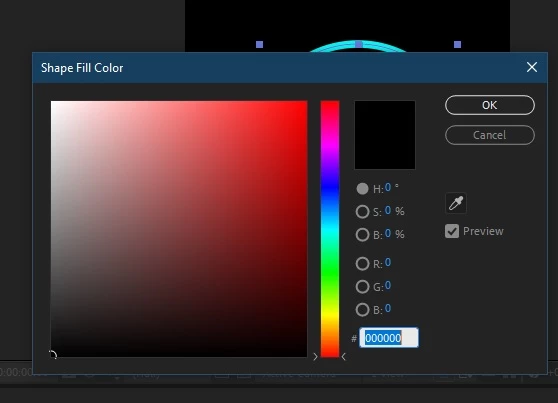
This is what his UI looks like
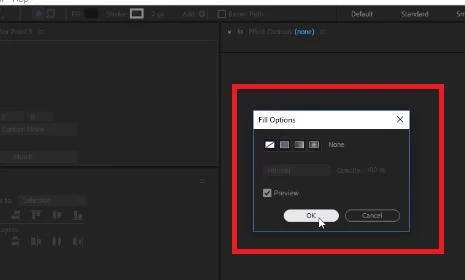
Thank you

This topic has been closed for replies.
Correct answer Mike_Abbott

...and if you hold Alt / Optn when you click on the color swatch it will cycle through those four options 😉

3 replies

Community Expert
December 4, 2019

What tutorial? Sounds like you are new to AE. Try spending some time with Adobe's excellent user guide and tutorials. There are links in the Learn section of the After Effects Home screen, the product page and even in this forum that will take you here: Learn AE. You can also get help inside AE by using the Search Help field in the top right corner of the AE. 

dxlmxAuthor
Known Participant
December 4, 2019

Yes I'm new to it and going through the tutorials, but looked at a specific one for creating an HUD effect.


Community Expert
December 4, 2019

Which tutorial? There are so many tutorials on the web now that are prepared by enthusiasts that don't really have good workflow habits or decent skills at explaining things that most of the new ones that I am seeing cause more problems than they solve.


The best place to start is with the Adobe resources you can find on this website, the AE product page or the Home Screen in AE. This is where those links take you: Learn AE


If you can show me the tutorial maybe I can figure out where the explanation is either wrong or confusing.

Jose Panadero
Community Expert
Community Expert
December 4, 2019

It depends where you click. If you click over the word "Fill", AE will show you the options for selecting the type of fill of your shape layers. But if you click over the color, AE gives you the options for the fill color


Mike_Abbott
Mike_AbbottCorrect answer
Legend
December 4, 2019

...and if you hold Alt / Optn when you click on the color swatch it will cycle through those four options 😉

dxlmxAuthor
Known Participant
December 4, 2019

Thank you, Mike_Abbott! Will try that.

Mylenium
Legend
December 4, 2019

That is some custom script panel. You have to check the info provided with the tutorial or inquire with the author.


Mylenium