fairy_ley
Known Participant
May 6, 2021
Answered

Select only some keyframes in the same timestamp of all layers in a comp

  • May 6, 2021
  • 4 replies
  • 1109 views

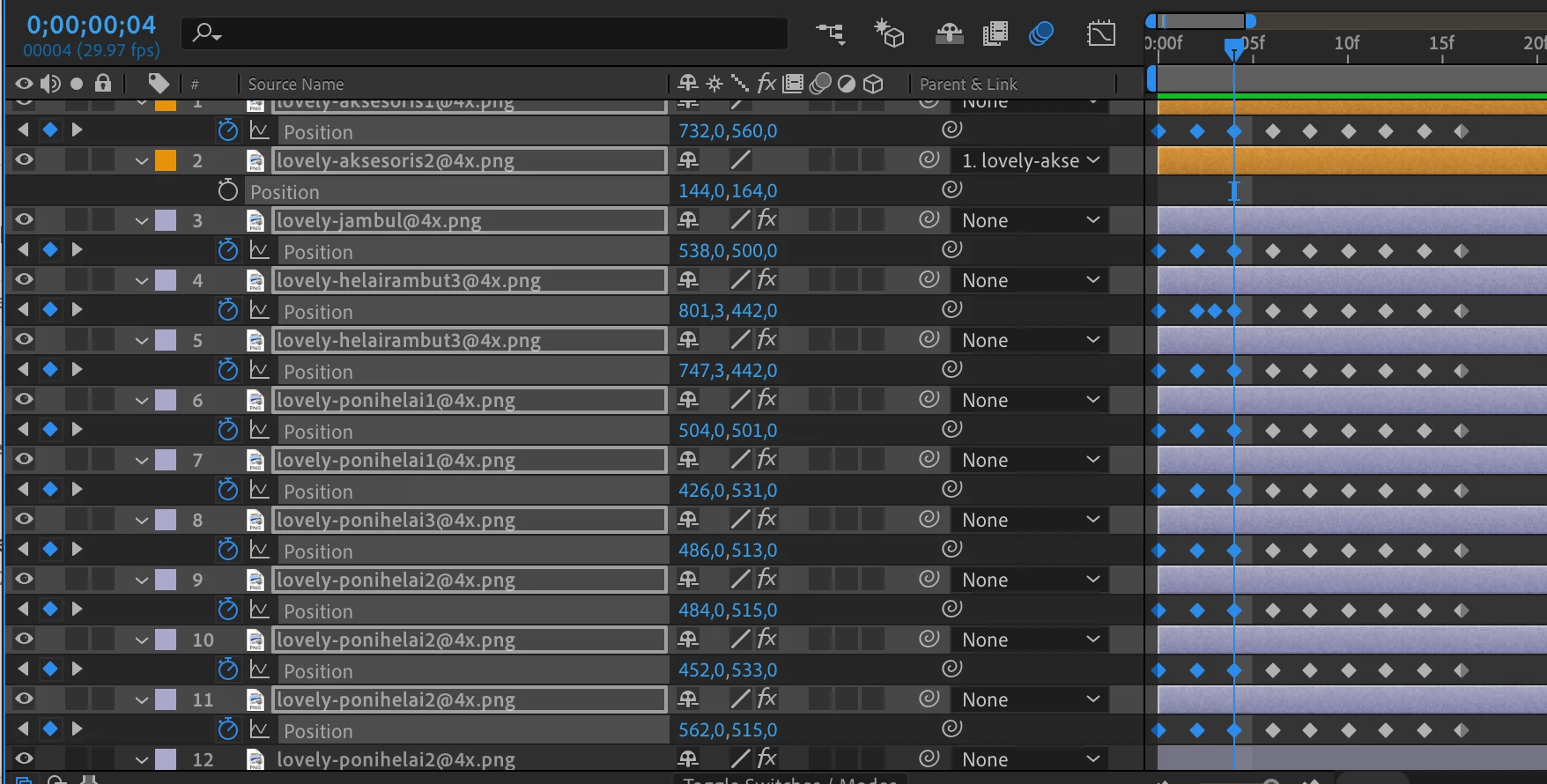
Hi, I want to ask how to select only some keyframes in all layers to remove them without selecting the layers.. I'm so frustated to deselect the layer one by one to only select the keyframes I want to remove so I'll not delete the layers..
This topic has been closed for replies.
Correct answer Rick Gerard

If you have a bunch of layers and properties selected using Shift or Ctrl/Cmnd + select, and they all have keyframes, you can delete them all by just clicking the little diamond in the center of the Keys column in the timeline. You can also drag a selection around keyframes in the timeline and just press Delete. The search field in the timeline can help you isolate properties to make this easier. 

4 replies

Rick GerardCommunity ExpertCorrect answer
Community Expert
May 7, 2021

If you have a bunch of layers and properties selected using Shift or Ctrl/Cmnd + select, and they all have keyframes, you can delete them all by just clicking the little diamond in the center of the Keys column in the timeline. You can also drag a selection around keyframes in the timeline and just press Delete. The search field in the timeline can help you isolate properties to make this easier. 

fairy_ley
fairy_leyAuthor
Known Participant
May 30, 2021

thankyou so much! I forgot about that diamond..

MotionPejapes
Participant
May 6, 2021

By the way. You don't have selected layers. This might be helpful

-Not selected - it explains itself

-"Highlighted" - something inside the layers is selected ( like a keyframe for example )

-Selected - You selected the layer. Congratulations 🙂

fairy_ley
fairy_leyAuthor
Known Participant
May 30, 2021

thankyou for your information

MotionPejapes
Participant
May 6, 2021

Hello just select in the black space between keyframes and drag. Just pressing the the LeftMouseClick.

fairy_ley
fairy_leyAuthor
Known Participant
May 30, 2021

thankyou so much! 

Mylenium
Legend
May 6, 2021

Why not simply click directly on the keyframes using the Ctrl key modifier?


Mylenium

fairy_ley
fairy_leyAuthor
Known Participant
May 6, 2021

do you mean to click the keyframe one by one with ctrl with so many layers in a comp?? I need the faster way 😞