


Answered
Selecting a specific layer property key
Hi all!!!
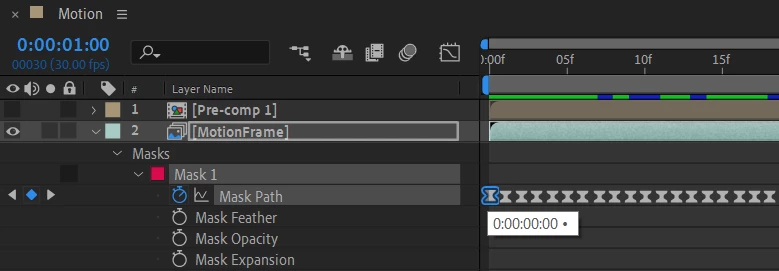
The mask "Mask 1" in the Mask Path property has several keys. How to use a script to select the first key of a mask? Make it active...
var compMotion = f_findCompItemByName("Motion")

var layerMotionFrame = compMotion.layer("MotionFrame")
var carentMask = layerMotionFrame.mask(1)
carentMask.selected = true
var propMaskPath = carentMask.maskPath
propMaskPath.keySelected(1) ???

 AdChoices