
Setting first vertex for trim paths with offset paths on top in order.
- January 24, 2025
- 1 reply
- 288 views
Hi,
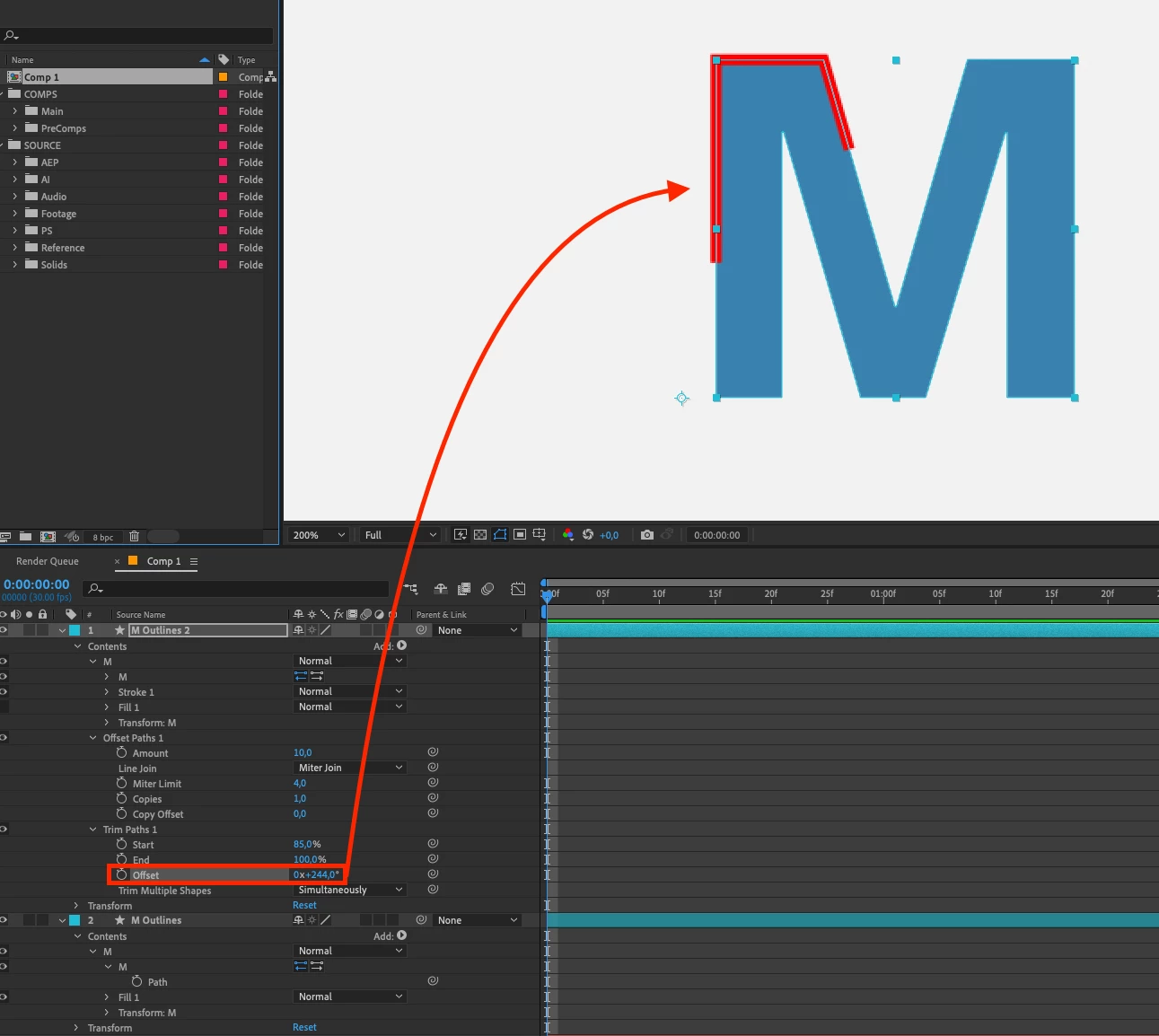
I'm having trouble figuring out an 'easy' work around for a problem I'm having. I need a stroke outline to animate before a 'M' letter fills in. This stroke outline needs to be offset, so the 'M' shape/letter doesn't look bigger when complete (stroke animation and M letter fill in will happen simultaneously). Easy enough.
When offset paths is on top of trim paths in order, this offset is fine and looks correct. However, this means I cannot change the first vertex point for trim paths to start and end from.
When I put trim paths above offset paths to fix this first vertex point problem, the offset paths breaks and produces double lines that are no longer where i need them to be, 'inside' M letter shape.
Is there something I'm doing wrong or is there more steps I need to take, to be able to control stroke offset and where trim paths starts from. I need to do this for a bunch of layers for a logo design so was hoping there was a fix for my issue going forward.
Thanks,
G


 AdChoices