
Participating Frequently
April 18, 2023
Answered

setting resolutionFactor in script

  • April 18, 2023
  • 1 reply
  • 683 views

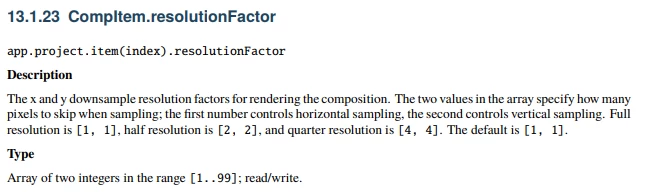
So I have a question with some seemingly conflicting information on the resolutionFactor property of a comp.

I can read the resolution factor without issue but I can't seem to set it even though the Scripting Guide seems to say it's a read/write property.


I've tried where this where, selection[i] is an app.project.selection and checked that the type is a comp:


selection[i].resolutionFactor = [1,1]
// and
selection[i].resolutionFactor[0] = 1
selection[i].resolutionFactor[1] = 1


This topic has been closed for replies.
Correct answer Dan Ebberts

This worked for me:

app.project.selection[0].resolutionFactor = [1,1];

1 reply

Dan Ebberts
Community Expert
Dan EbbertsCommunity ExpertCorrect answer
Community Expert
April 19, 2023

This worked for me:

app.project.selection[0].resolutionFactor = [1,1];
Participating Frequently
April 19, 2023

Thanks so much for confirming. It looks like it was totally my fault. I walked away for the evening and came at it with fresh eyes this morning and it works as it should.


I think it might have had something to do with a conflict between the installed script and ExtendScript in VSCode. I noticed I had two differing files and perhaps I was editing the wrong one🤦‍♂. Once that was cleaned up it works as I thought it should.


Thanks again.


Log.add("Before: " + selection[i].resolutionFactor.toString()); //Before: 4,4
selection[i].resolutionFactor = [1,1];
Log.add("After: " + selection[i].resolutionFactor.toString()); //After: 1,1