

Question
Shadow catcher layer is not working right (3D GLB file)
Been trying to add a shadow to my tracked 3d object with no success. The 3d file format is GLB and is animated.
Here is are the views of my compositions:
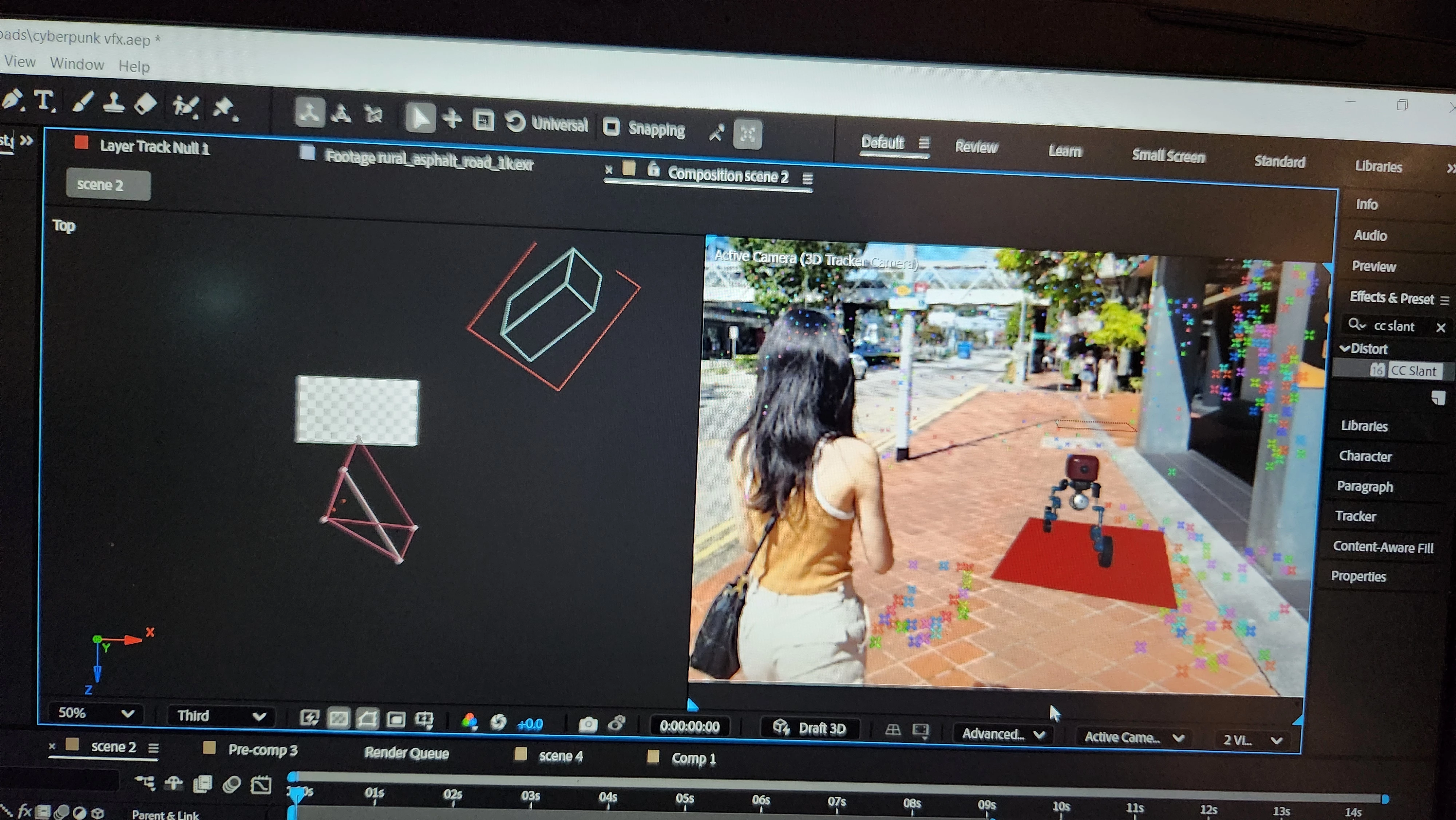
(I realised an odd thing is that the shadow does finally appear only when the model & solid is within the confines of the "white" box on the left composition view as seen above.) I tried to restart my scene from scratch, however no matter what i do i can't get it within the confines.
I've attached images of my layer order and settings(top to down), please tell me if there are any issues:
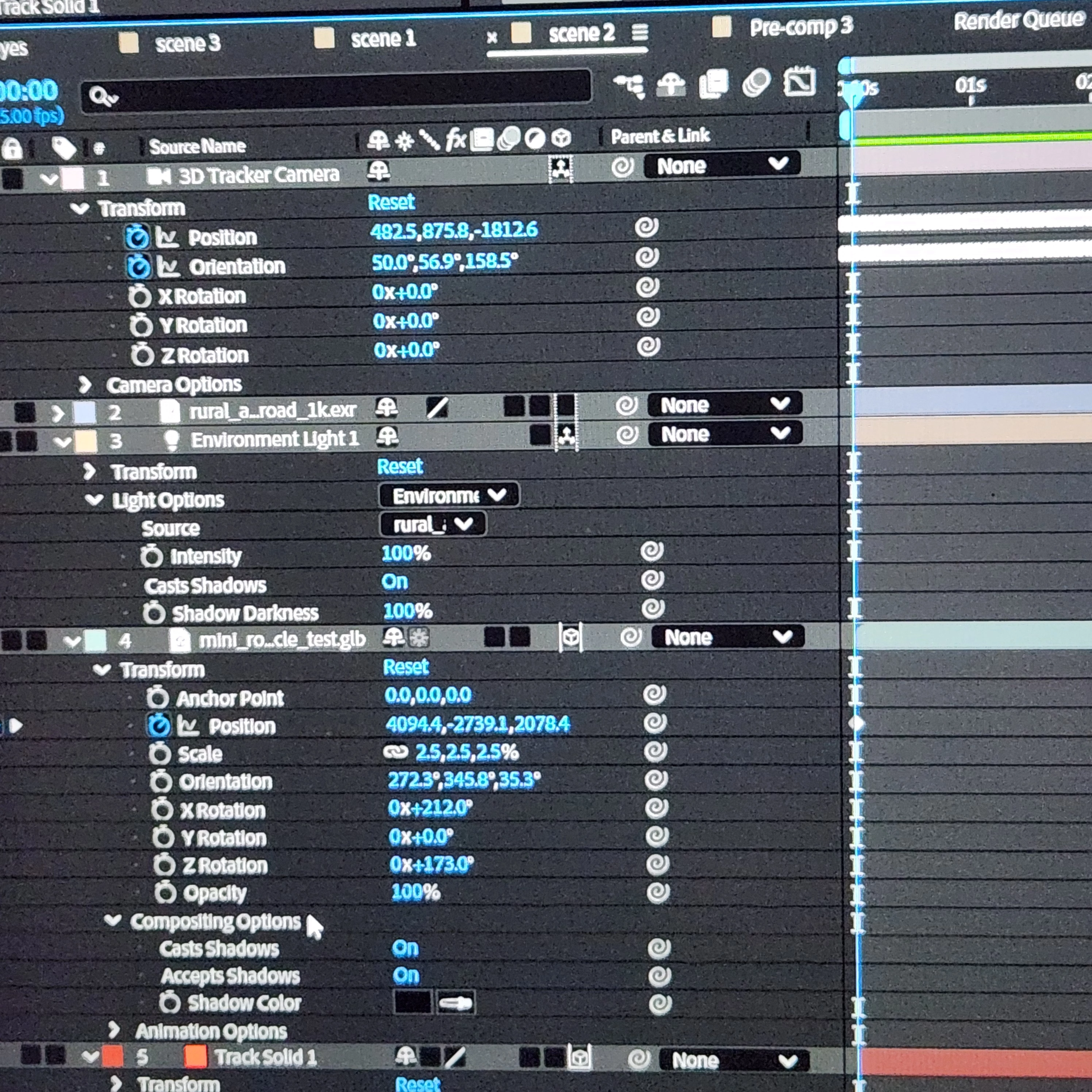
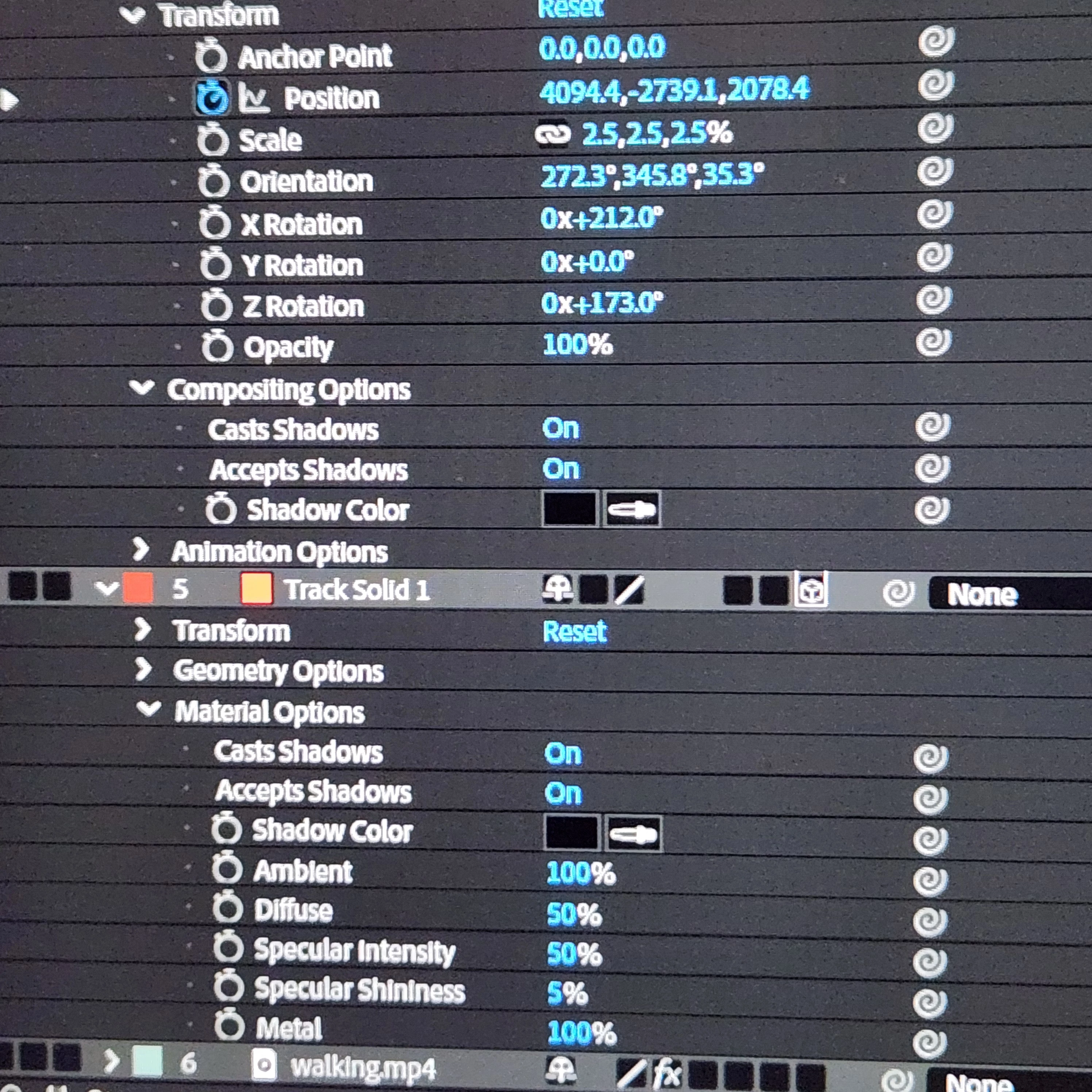
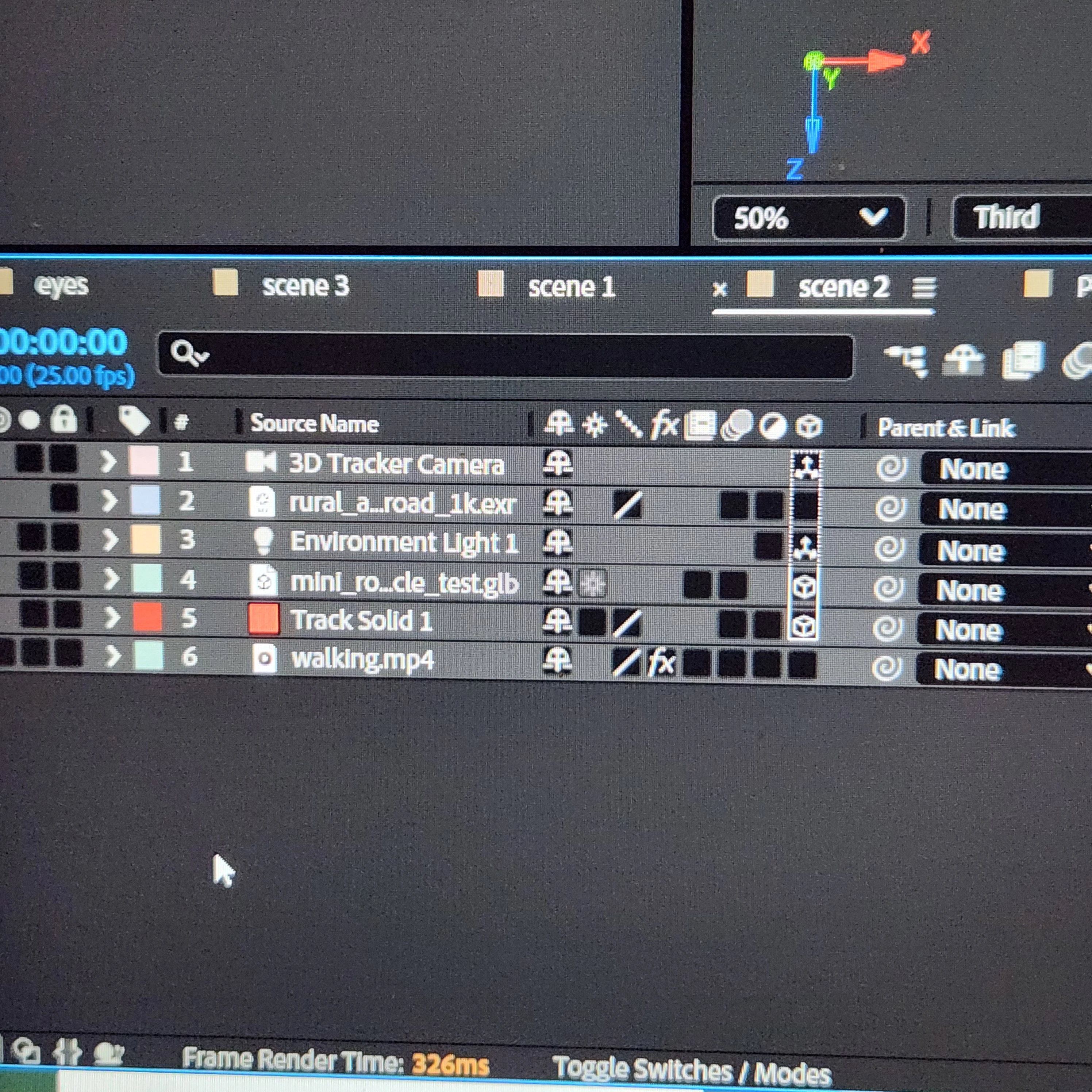
Overall, I don't know if it's a bug problem or something but all I know is that I'll truly appreciate any support to help fix this problem! Thank you🙏


 AdChoices