

Shape disappears when moved
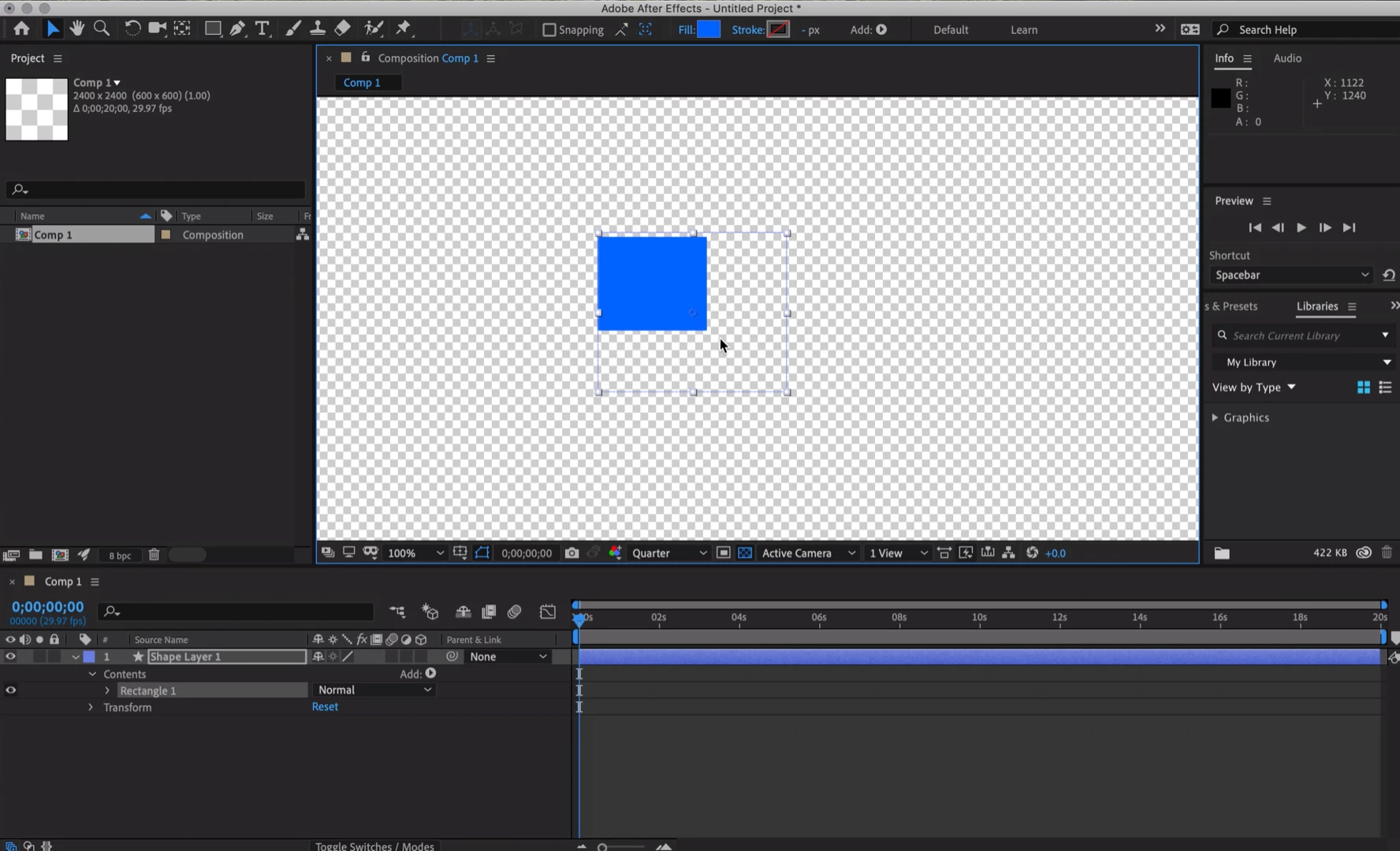
I just started having this issue within the past week or so: the preview isn't rendering shapes (or paths or .ai files or images... from what I can tell) correctly - when I move the item around on the screen in the preview pane, it disappears like it's got a mask on the original position. It reappears if I zoom in/out. It also does the same disappearing act if it's animated and moving around. It renders fine, visible throughout the rendered video. But it's impossible to work this way if I can't see what I'm animating! This happens with any new file or object I create (strangely it doesn't seem to affect old objects/files, only new things I create in any file).
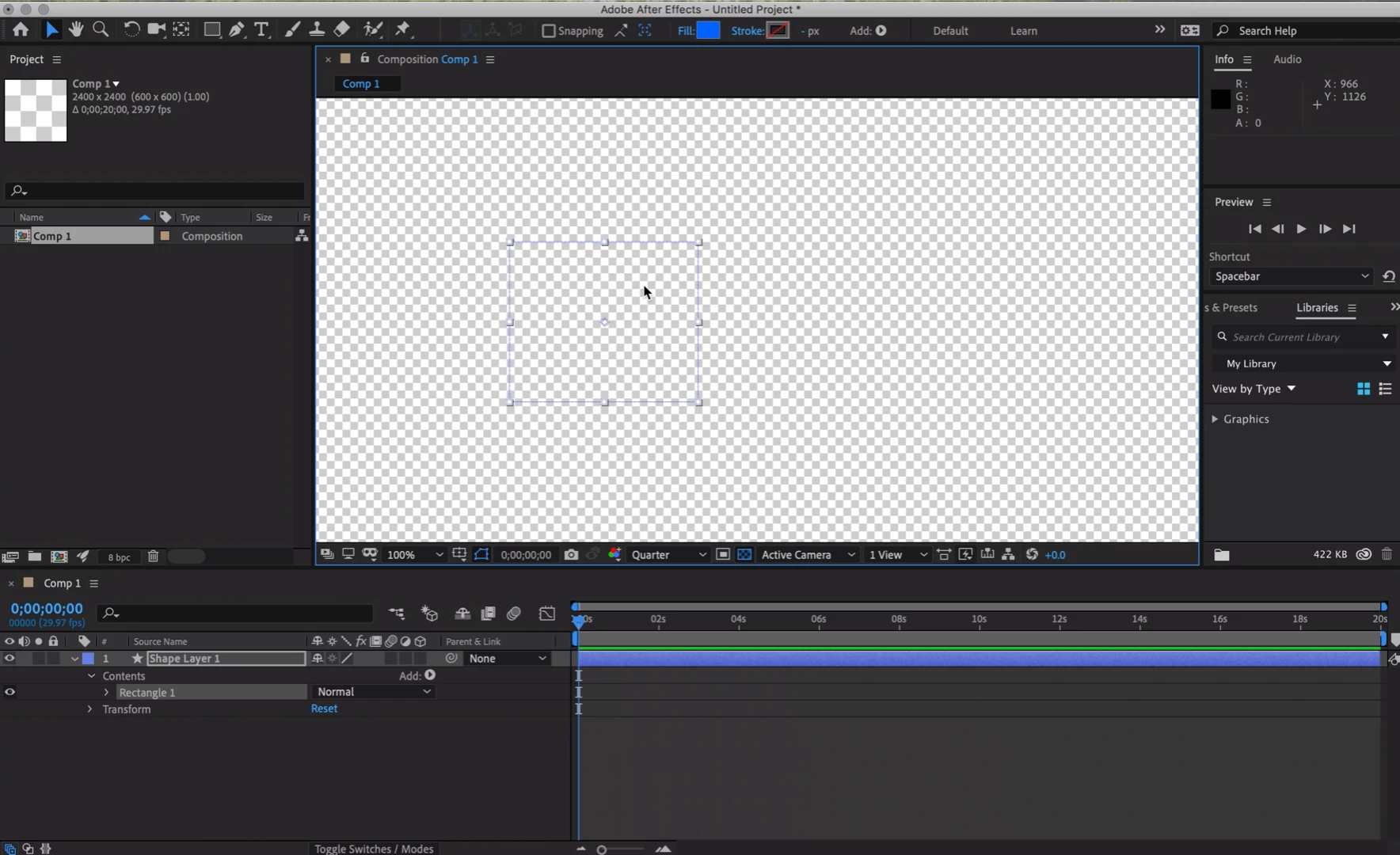
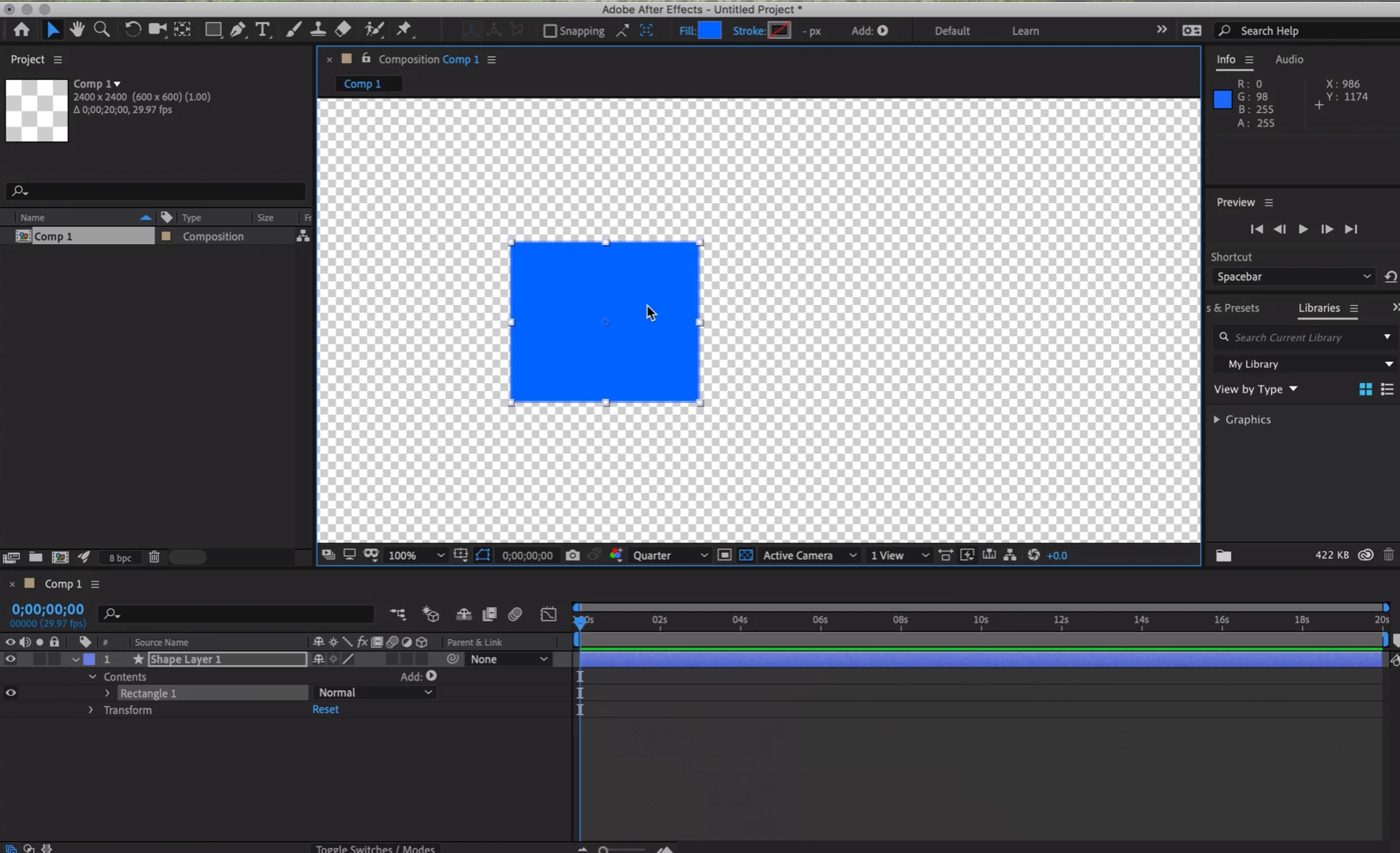
I've attached screenshots of the flow of issue, when trying to move the shape - shown in a fresh file. 1-draw the rectangle (notice you can't even see the blue fill color here). 2-zoom in/out and now you can see the color. 3-move the rectangle and you can see the strange hidden behavior. There are no masks, I just drew a rectangle on a new shape layer. You can see the bounding box is where i'm moving the blue rectangle, and the rectangle color is "stuck" in its original spot. (I wish I could upload a video, but it seems I can't do that here).
I'm working on a tiny 13" MacBook pro, 8gb RAM and 60gb free disk space - these are all the same specs I've been working with before this problem started happening. I recently updated my OS to the latest, as well as the latest AE CC. I've tried turning off the Fast Previews, as well as purging the memory & cache. I've tried restarting my computer and AE. I can't find any other issue like this online (partially because it's hard to describe and search for).
Hoping someone out there knows what's up! I'd love to get back to work.
 AdChoices