
Participating Frequently
November 12, 2018
Répondu

Shape following right-justified text

Hi everyone!

I have this expression which works great. It's made for a shape (in this example a dot) to follow the end of a text.

My problem now is, that i dont know how to make it work, when the text is right-justified instead. Because right now it only works on left-justified text.

In this picture you can see how it works right now. It follows the end of the text:
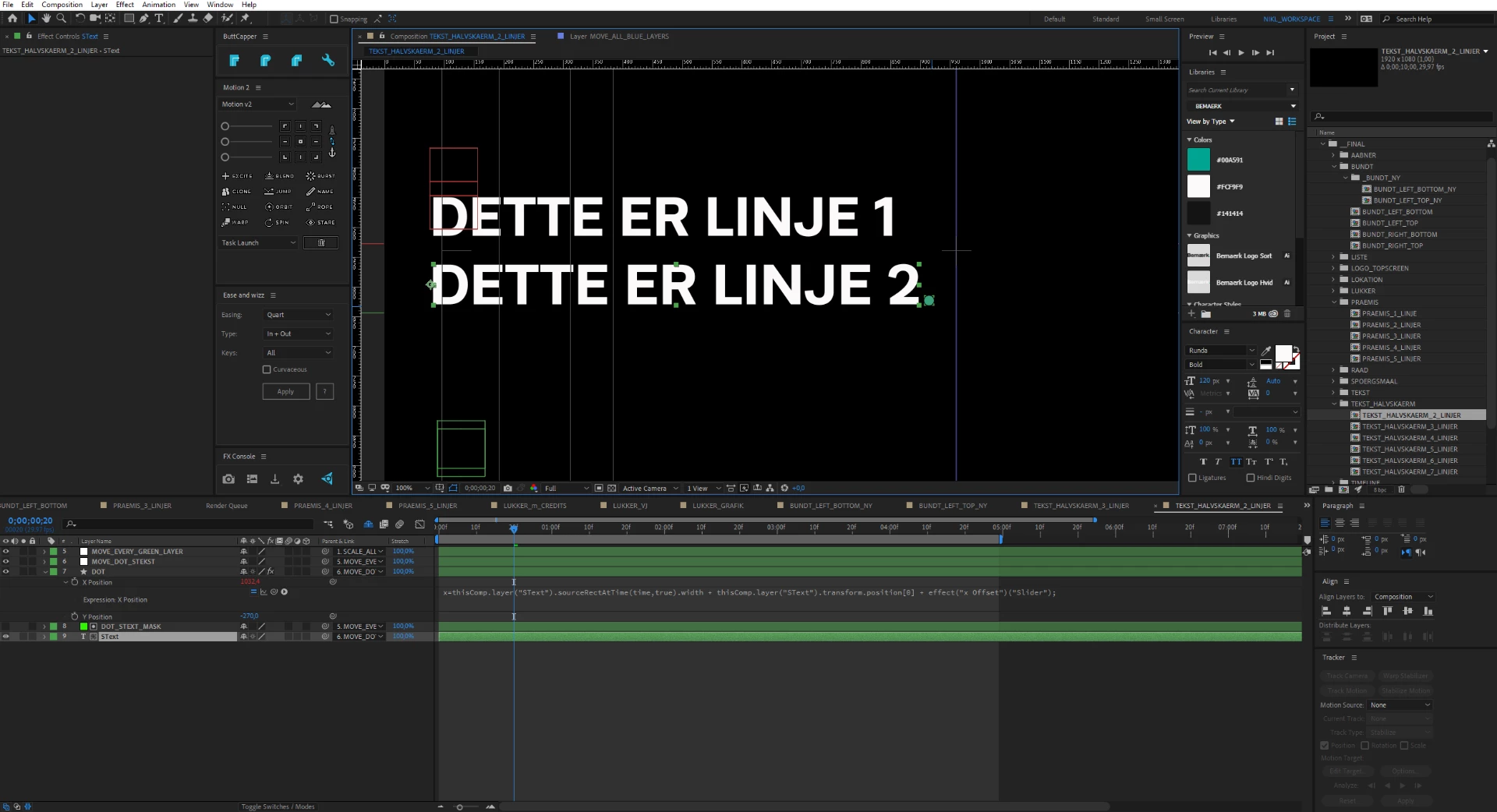
This is the expression used:

x=thisComp.layer("SText").sourceRectAtTime(time,true).width + thisComp.layer("SText").transform.position[0] + effect("x Offset")("Slider");

Now i want to right-justify the text and make the dot follow the other end of the text, so it ends up looking like this everytime i type a new text:
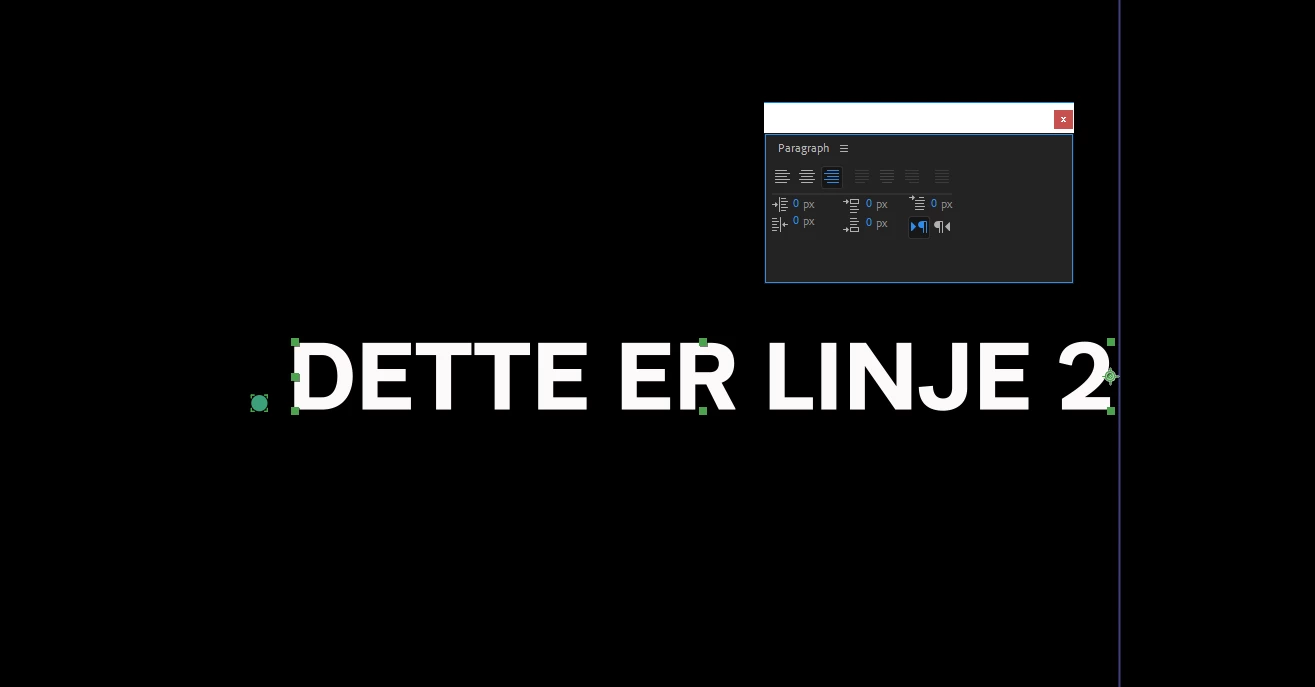
Hope someone can help!
Thanks in advance 🙂

Best regards,

Niklas

Ce sujet a été fermé aux réponses.
Meilleure réponse par Kyle Hamrick

The way you've written it, you'd want:
thisComp.layer("SText").transform.position[0] - thisComp.layer("SText").sourceRectAtTime(time,true).width - effect("x Offset")("Slider");

I'd recommend using variables when your expressions start having more than 1 or 2 things in them - it makes it much easier to read/troubleshoot. The use of "var" is technically unnecessary, but again makes it easier to read, IMO.

For example, this is the same expression:

var textPos = thisComp.layer("SText").transform.position[0];
var textWidth = thisComp.layer("SText").sourceRectAtTime(time,true).width;
var offset = effect("x Offset")("Slider");

textPos - textWidth - offset

2 commentaires

Community Expert
September 22, 2022

Kyle's approach is basic. I approach text graphcs a little differently.


If you use soruceRectAtTime() and combine height, top, width, and left, you can compensate for paragraph justification and baseline shift and tie everything to the position of the text layer so that your graphic or background is always where you want it. Throw in a few if/else statements and a check box or pull-down menu, and you can create an animation preset that can be applied to any blank shape layer below any text layer, and everything will follow. You can even compensate for the shape layer or graphic layer scale, text layer scale, and add padding.


If the text layer is above the shape or graphic, the Anchor Point for the graphic is at the center, and the text layer/s Anchor Point is at the default 0, 0; this expression makes the graphic follow the text layer anywhere you move it or any way you justify the paragraph.

// Controls
pad = effect("H Pad")("Slider");
vertOffset = effect("V Offset")("Slider")/10;
stLeft = effect("Set Left")("Checkbox");
// reference Layer
ref = thisComp.layer(index - 1);
refPos = ref.position;
refScale = ref.scale * .01;
refSize = ref.sourceRectAtTime();
yOfst = refSize.height / 2 + refSize.top;
//This layer defineProperties
lx = width / 2 * scale[0] * .01;
// Graphic alignment 
if (stLeft == 0){
	xOfst = refSize.width + refSize.left;
	lx = lx;
	pad = pad;
}
else {
	xOfst = refSize.width - refSize.width + refSize.left;
	lx = -lx;
	pad = - pad;
}
// Scale Compensation
x = xOfst * refScale[0];
y = yOfst * refScale[1] + vertOffset;

refPos + [x + lx + pad, y]

Add the appropriate Expression Controls to the shape or graphic layer, and you're all set.


I have a similar animation preset for shape-layer backgrounds.


MaxAppian
Inspiring
September 22, 2022

Thank you thank you thank you thank you thank you...!!!

Mylenium
Legend
November 12, 2018

You need to substract the values from the position instead of adding them. It's basically just reversed (pseudo-code):

positionX-width-offset

Mylenium

Participating Frequently
November 12, 2018

Hi Mylenium.

Thank you for the fast response.

Im pretty new at coding, but I tried to write the expression like this instead? (I made the changes bold):

x=thisComp.layer("SText").sourceRectAtTime(time,true).width - thisComp.layer("SText").transform.position[0] - effect("x Offset")("Slider");

But that didn't work. So do you mean, that I should write it like this?:

x=thisComp.layer("SText").sourceRectAtTime(time,true).-width + thisComp.layer("SText").transform.-position[0] + effect("x Offset")("Slider");

Or how would you write it? I don't think I understand it 100%

Best regards,

Niklas

Kyle Hamrick
Community Expert
Kyle HamrickCommunity ExpertRéponse
Community Expert
November 12, 2018

The way you've written it, you'd want:
thisComp.layer("SText").transform.position[0] - thisComp.layer("SText").sourceRectAtTime(time,true).width - effect("x Offset")("Slider");

I'd recommend using variables when your expressions start having more than 1 or 2 things in them - it makes it much easier to read/troubleshoot. The use of "var" is technically unnecessary, but again makes it easier to read, IMO.

For example, this is the same expression:

var textPos = thisComp.layer("SText").transform.position[0];
var textWidth = thisComp.layer("SText").sourceRectAtTime(time,true).width;
var offset = effect("x Offset")("Slider");

textPos - textWidth - offset