
Cobra
Inspiring
June 16, 2022
Answered

Shape layer disappears when I make it as a 3D Layer

  • June 16, 2022
  • 2 replies
  • 8506 views

I cannot find a solution for this

I am trying to make an animated map and add a camera and make objects 3D. But when I hit the 3D button the SHAPE LAYER dissapears and seems to go on the bottom of all layers even though its on the top. Even the drop shadow dissapeared.
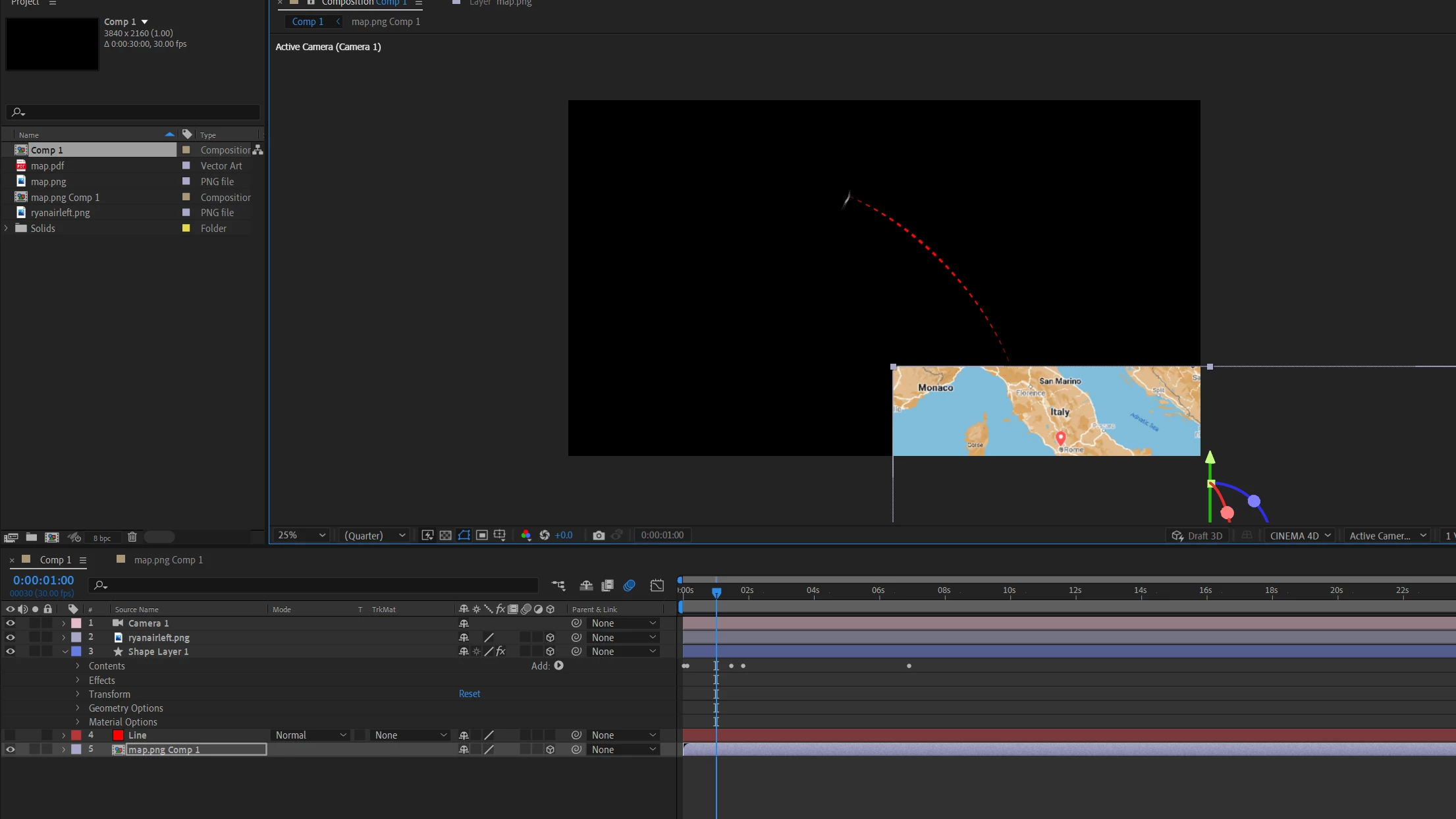


Any solutions for that?
Correct answer Cobra

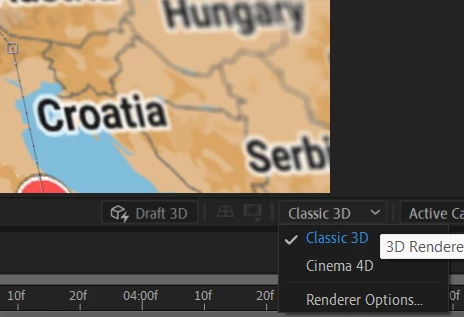
I mananged to fixed it. It was caused by Cinema 4D. I changed it to CLASSIC 3D and it worked.


2 replies

Cobra
CobraAuthorCorrect answer
Inspiring
June 17, 2022

I mananged to fixed it. It was caused by Cinema 4D. I changed it to CLASSIC 3D and it worked.


Jqke
Legend
June 17, 2022

Oh yeah that would do it!

~Jake
Jqke
Legend
June 16, 2022

Try pressing "P" on your keyboard and setting the digits all to 0 (0.0,0.0,0.0)

~Jake