benoitmasse
Participant
March 13, 2018
Answered

Shape Layer : Repeater : Same distance Scale

  • March 13, 2018
  • 4 replies
  • 12938 views

Hi!

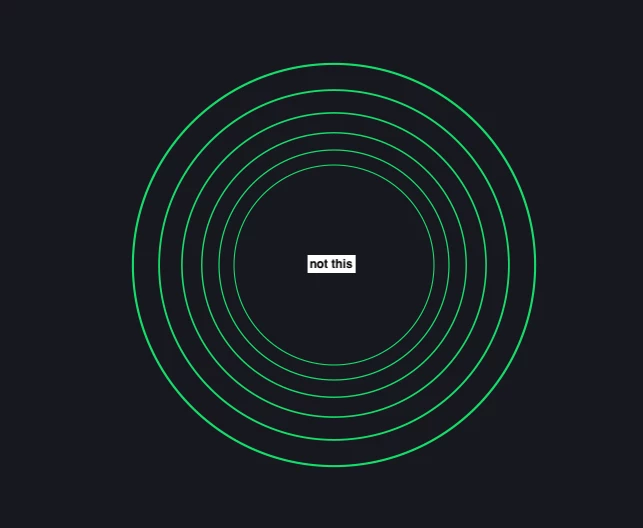
I can't seem to find how to create a repeater that scales the copies while keeping the same distance between them.
    Correct answer Rick Gerard

    What is it about Repeaters that is critical to the effect? Additionally, you do not have to duplicate the entire Shape Layer - you can/should duplicate the Group/Content>Path instead, if you want to lessen the number of layers in the Timeline stack.


    You are barking up the wrong tree. Scale affects size and stroke. a 10% increase in size for each copy does not produce a linear increase in size, it produces exponential growth. That is simple mathematics. If you want linear growth you have to decrease the amount of scale for each copy and the repeater is not designed to do that.

    You can, however, add the same value to the radius by using an expression and you can add a slider that allows you to increase that number so that you can have the concentric circles increase or decrease in size over time and keep the same distance between each. This would just require a little bit of coding on your part and adding Effect>Expression Controls>Slider to the layer.

    4 replies

    Participant
    August 17, 2021

    It's been a while, but for people looking for the answer for this and stumble upon this forum post, use offset path instead of repeater. 

    dshoog
    Participant
    January 17, 2024

    Best answer right here.

    Participant
    July 24, 2020

    Rick what would you sugest if I wanted to repeat a png 10 times with no space inbetween. I can do this with a repeater but what I really want to do is this...

    I am working with 42 brands of shampoo and have 42 differnt product pngs that I have sized via a photoshop action to all have the same height of 1000px and a Variable width based on the type of bottle (so some are 400 px while others are 100 px width). I have writin code that will swap out the png file and redner the same animation for each 42 shamppoos the issue I am running into is that bc of the variable width some have space between them and others do not and I would like them all to have no spaces between them. Do you have a sugestion script or expression that could set the offset of the repeater to match the width of the png?

    Community Expert
    July 24, 2020

    I am having difficulty visualizing your comp. It might be a good idea to start another thread. 

    You can grab the layer.width and use that as a position multiplier, but I'd have to see the comp with the modified properties of at least a couple of the layers you are trying to arrange revealed to offer much more assistance.

    Mylenium
    Legend
    March 13, 2018

    I can't seem to find how to create a repeater that scales the copies while keeping the same distance between them.
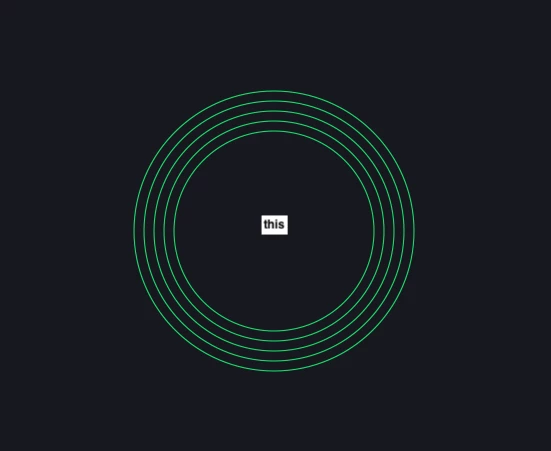
    That's not possible. By its nature scaling is not a linear transformation. As the others suggested already, construct the shapes manually. Depending on what you actually want to animate, you may also consider the Radio WAves effect to produce your concentric circles with controllable spacing. If you tweak the settings for wave decay and speed just right, this could totally do the trick and as one of the few vector-based effects, it should just be as sharp as using shape layers.

    Mylenium

    Roland Kahlenberg
    Legend
    March 13, 2018

    Start with a single parametric Shape. Then duplicate and offset its size - repeat the process and ensure the size reduction is consistent across all duplicates. I doubt you'll get the Repeater to provide symmetry across its Copies, in the manner you want.

    Very Advanced After Effects Training | Adaptive & Responsive Toolkits | Intelligent Design Assets (IDAs) | MoGraph Design System DEV
    benoitmasse
    Participant
    March 13, 2018

    Thanks Roland, but the idea is to animate it after using the repeater properties. So duplicating shape layer doesn't give me the same control...

    Roland Kahlenberg
    Legend
    March 13, 2018

    What is it about Repeaters that is critical to the effect? Additionally, you do not have to duplicate the entire Shape Layer - you can/should duplicate the Group/Content>Path instead, if you want to lessen the number of layers in the Timeline stack.

    Very Advanced After Effects Training | Adaptive & Responsive Toolkits | Intelligent Design Assets (IDAs) | MoGraph Design System DEV
