


Participant
June 10, 2020
Question

Shapes and images not displaying correctly

  • June 10, 2020
  • 2 replies
  • 960 views

I'm having an issue where shapes and images are not displaying correctly when they're sitting above a solid white base layer. The outline of the shape/image goes black and fuzzy. I've attached an image as it's hard to describe.
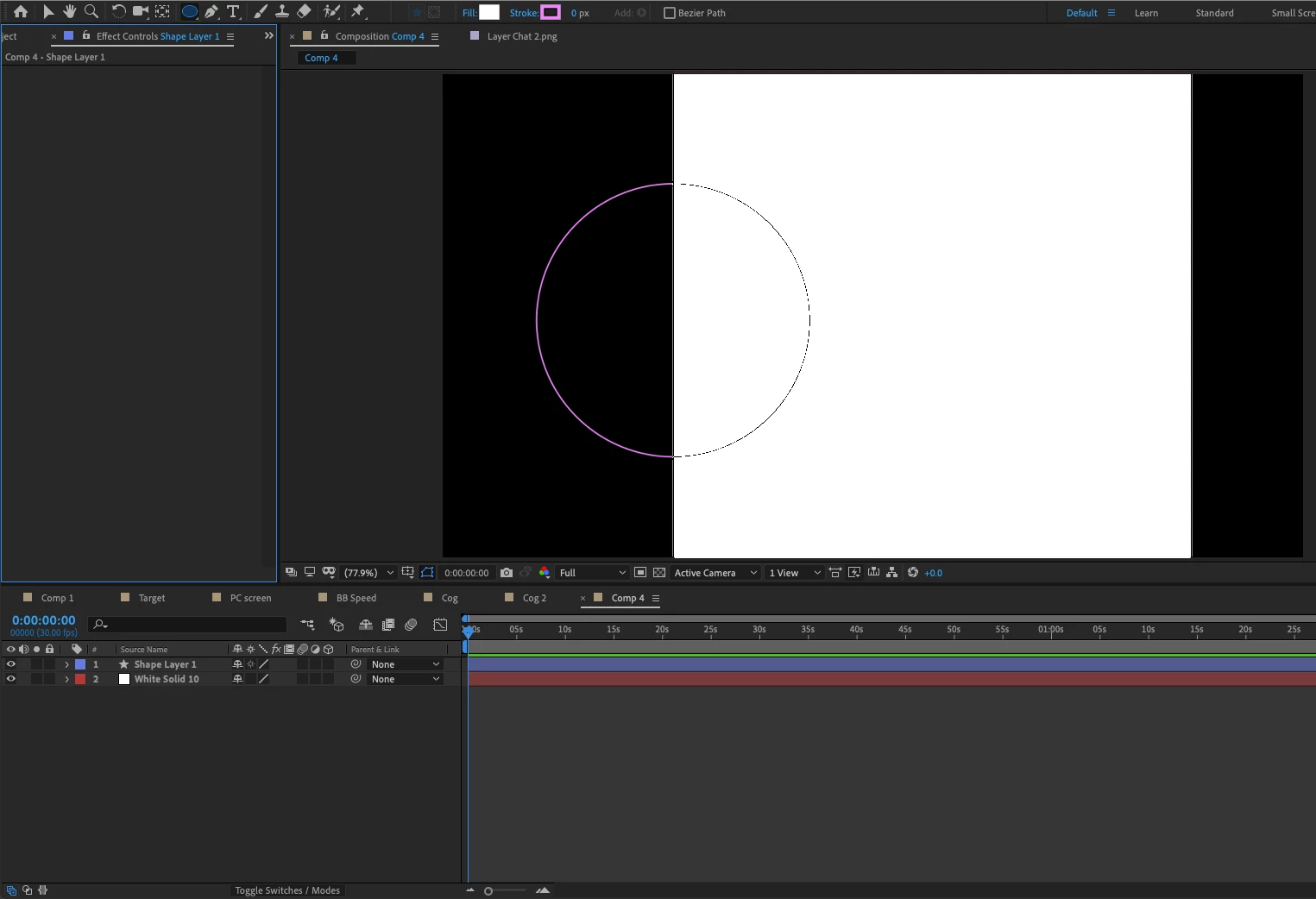
If I remove the solid layer and replace it with a PNG of a white rectangle, it displays OK. 


Have I clicked something and changed a setting or is this a problem with my AE?


Thanks for your help.

This topic has been closed for replies.

2 replies

Community Expert
June 10, 2020

Try this. 

  • Select both layers and press the U key twice to show all modified properties in both layers
  • Make sure that both the switches and modes columns are visible by checking the first two icons at the bottom of the timeline panel are blue (the stacked squares with a dot turns on the Switches column, the overlapping circle and square shows the Blend Modes column)
  • Check the Project/Video Rendering and Effects settings by opening the Project settings (Shift + Alt/Option + Ctrl/Cmnd + k)
  • Press Alt/Option + Ctrl/Cmnd + ; to check the Previews, Display, and Video Preview Preferences
  • Check the Fast Previews options in the Composition panel

If you can't figure out what the problem, post a screenshot showing us the modified properties of all layers and tell us what settings you have tried. Your screenshot does not tell us anything at all about anything that could be causing the display problem.

Martin_Ritter
Legend
June 10, 2020

Click the "Toggle Switches/Modes" button at the bottom of the comp-panel and check for layer styles and track mattes.

Also, if you don't want a stroke, you can switch it off by clicking "stroke" and selecting the corresponding option. This is better practice as having a stroke with 0px.


*Martin

Participant
June 10, 2020

Thanks for replying Martin. I've checked those settings and everything appears to be set to Normal as far as I can tell.


Do you have any other ideas?


Adrian

Martin_Ritter
Legend
June 10, 2020

Than check for fast draw options and similar settings. It's in the viewer-panel at the bottom the 2nd next to "1 view" to the right (little rectange with a lightning in it).


*Martin