
Havharo
Participant
September 10, 2018
Answered

Shapes not visible

  • September 10, 2018
  • 2 replies
  • 5701 views

Hi,

I'm trying to go through one of the tutorials about animation.

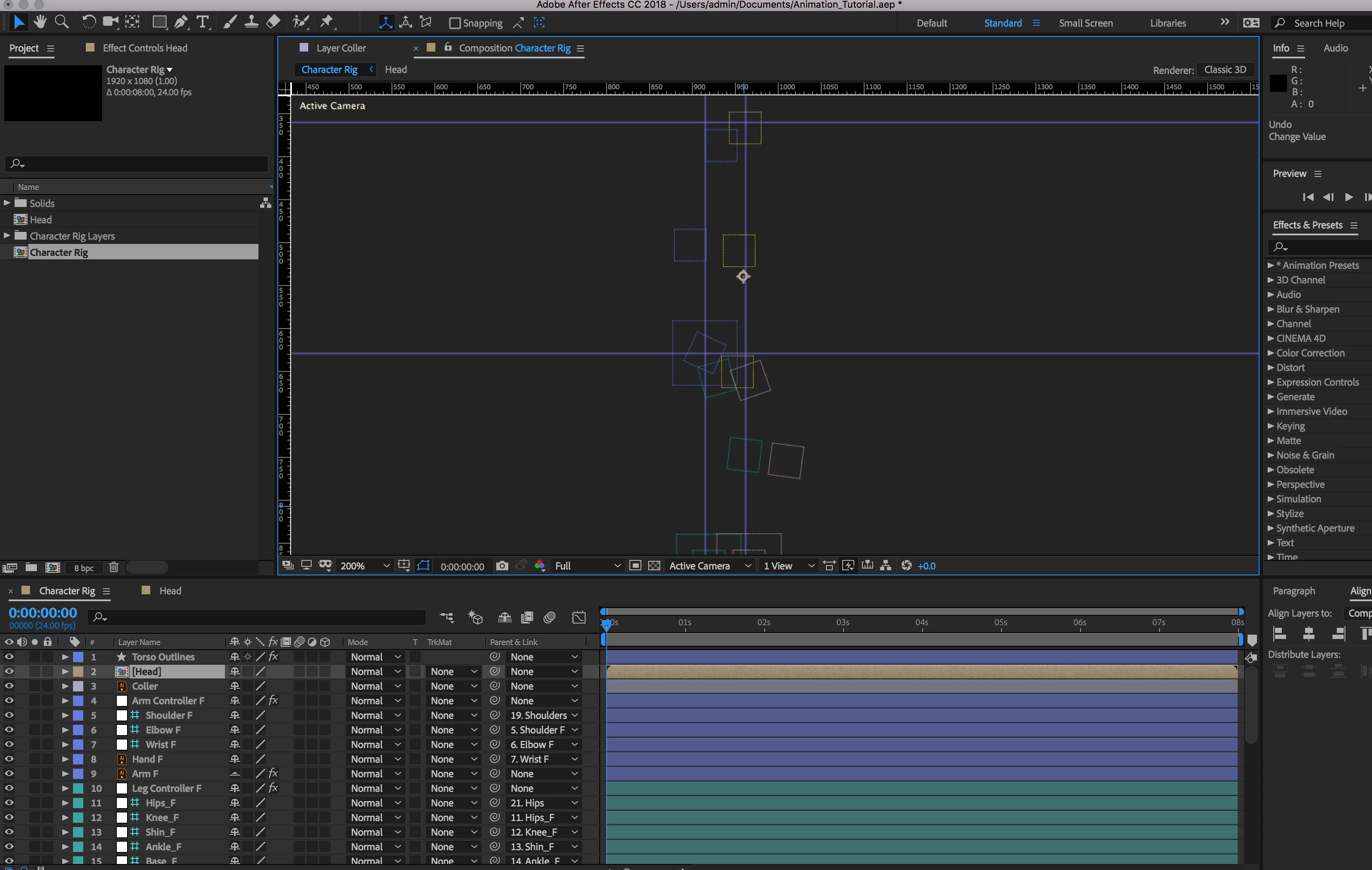
I think I've clicked something and vector graphics disappear. Please see attached photo of what I can see now:
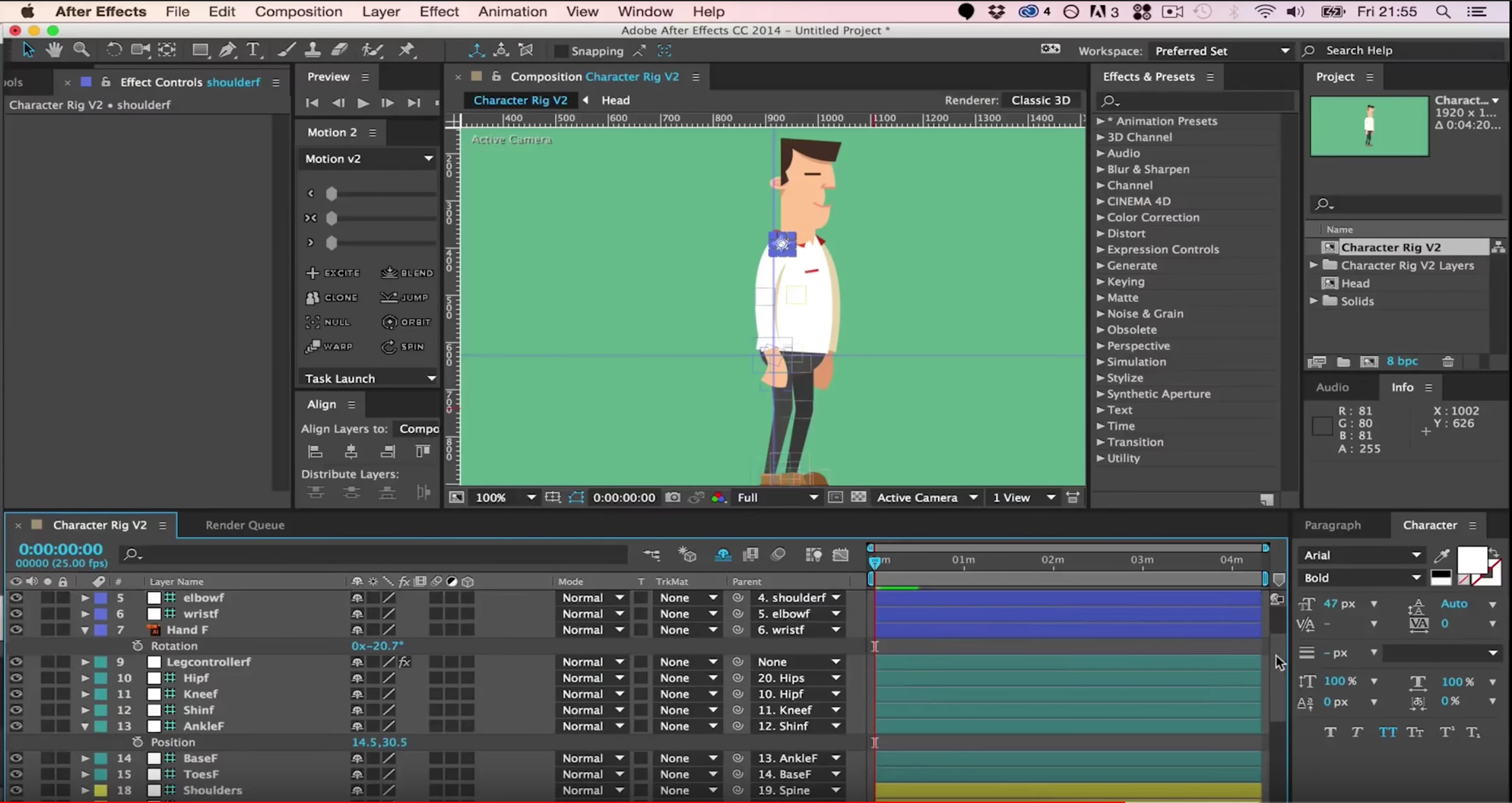
I should see something like that:
I'm a newbie to After Effects, so if possible please direct me what I have clicked and where I can undo what I did. Still learning the interface.

Thank you for your help!

This topic has been closed for replies.
Correct answer Rick Gerard

First, where is the 3D layer? I see Classic 3D in the top right corner of the Composition Panel but I don't see any 3D layers.

Second, set the magnification factor to Fit instead of 200% and see if anything shows up. It doesn't look to me like the comp is centered in the viewer. You can also use the keyboard shortcut Alt/Option + /

Third, If all else fails, start a new comp and drop one of your footage elements into that comp. If you see something, drag the problem comp into the new comp and see if anything shows up.

The only other thing I would suggest is to select all the layers in the timeline (Ctrl/Cmnd + a) then press the U key twice to reveal all modified properties and start turning things off or soloing layers until you see something.

2 replies

Havharo
HavharoAuthor
Participant
September 11, 2018

Thank you Rick,

Seems like the first layer was a problem. I've used another layer to create shapes out of vector images. I turned it off and on, and now everything is displaying properly.

I've also created by accident a few 3d layers as well, maybe this was a cause of the issue as well.

Many thanks

P.M.B
Legend
September 11, 2018

Havharo  wrote

I turned it off and on, and now everything is displaying properly.

Is your cache full?  Sometimes when you don;t empty your cache for awhile weird things start happening

~Gutterfish
Havharo
HavharoAuthor
Participant
September 11, 2018

Hey Gutterfish,

I've just checked it and it wasn't full. Thank you for pointing that out though, a good tip for the future.

Rick GerardCommunity ExpertCorrect answer
Community Expert
September 10, 2018

First, where is the 3D layer? I see Classic 3D in the top right corner of the Composition Panel but I don't see any 3D layers.

Second, set the magnification factor to Fit instead of 200% and see if anything shows up. It doesn't look to me like the comp is centered in the viewer. You can also use the keyboard shortcut Alt/Option + /

Third, If all else fails, start a new comp and drop one of your footage elements into that comp. If you see something, drag the problem comp into the new comp and see if anything shows up.

The only other thing I would suggest is to select all the layers in the timeline (Ctrl/Cmnd + a) then press the U key twice to reveal all modified properties and start turning things off or soloing layers until you see something.