Inspiring
January 8, 2017
Answered

Shatter Effect Not Working

  • January 8, 2017
  • 2 replies
  • 12682 views

Hello guys,

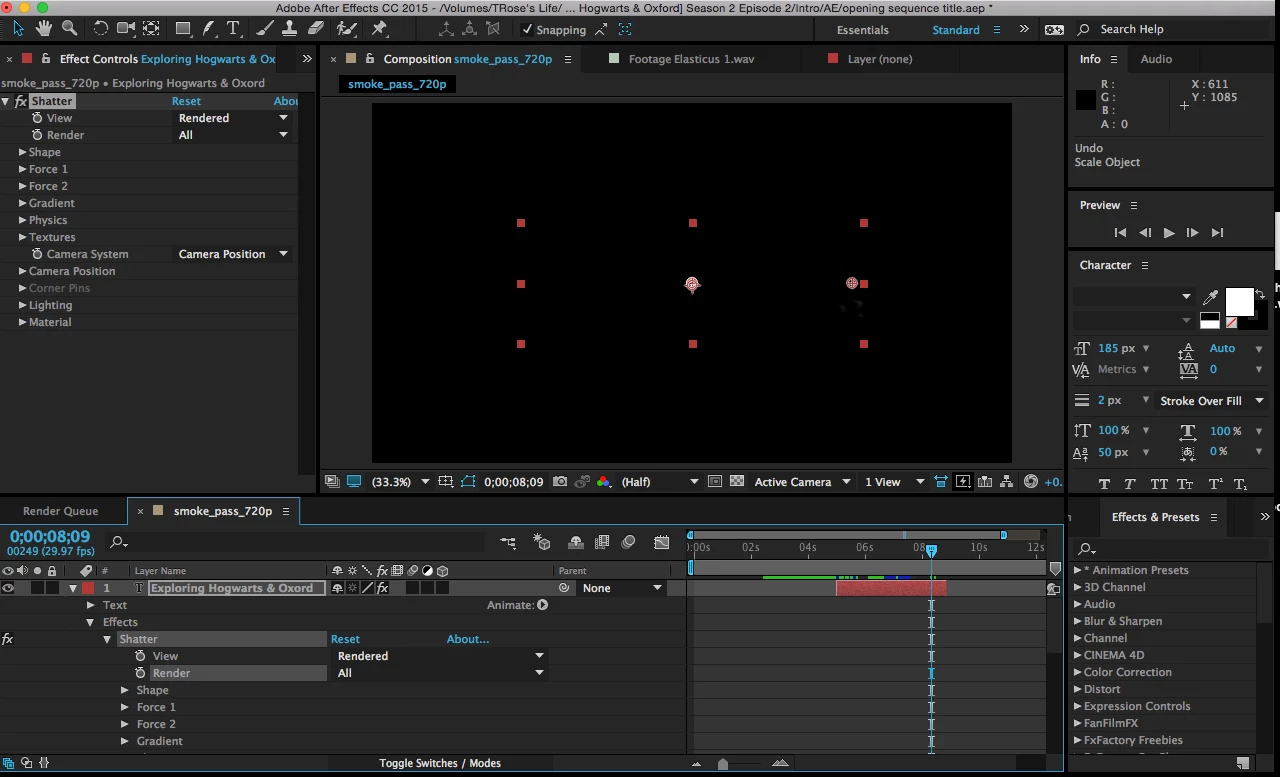
I have the view on render and all yet nothing shows on the display monitor. I'm sure it is an easy fix but very confused how I get the effect to show?

This topic has been closed for replies.
Correct answer Roei Tzoref

here's a comprehensive page on shatter effect where will find professional tutorials from respected authors: http://www.provideocoalition.com/shatter-glass-in-after-effects/

here's the adobe help files about shatter:

https://helpx.adobe.com/after-effects/using/simulation-effects.html#shatter_effect

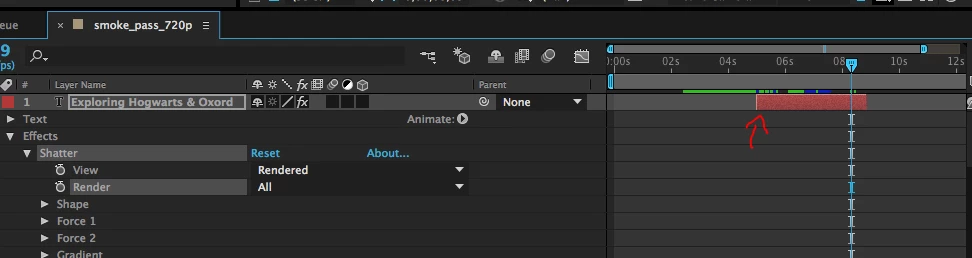
as for your setup - it appears you have trimmed your text layer

as M said, shatter will start at the beginning of each layer so you should trim it back to the beginning. just drag the beginning edge of the layer to the start of your timeline. or you can always start over and create a new text layer only this time don't trim it at a further point in time.

2 replies

Participant
February 8, 2024

i am trying to open the shatter effect in After effect but I can't see this in effects preset panel can you suggest to me what I can do for the situation for the open shatter effect?

Mylenium
Legend
January 8, 2017

It's working correctly. Shatter simulations always start at the beginning and at the place where you parked your current time indicator the pieces already have fallen off the canvas. You need to animate the strengts of the forces to get a different timing or work with split layers.

Mylenium

Inspiring
January 9, 2017

it doesn't show at all throughout? where and what do I need to change? where is it on the canvas because ive scrolled throughout and it doesn't show?

Roei Tzoref
Roei TzorefCorrect answer
Legend
January 9, 2017

here's a comprehensive page on shatter effect where will find professional tutorials from respected authors: http://www.provideocoalition.com/shatter-glass-in-after-effects/

here's the adobe help files about shatter:

https://helpx.adobe.com/after-effects/using/simulation-effects.html#shatter_effect

as for your setup - it appears you have trimmed your text layer

as M said, shatter will start at the beginning of each layer so you should trim it back to the beginning. just drag the beginning edge of the layer to the start of your timeline. or you can always start over and create a new text layer only this time don't trim it at a further point in time.