Participant
January 29, 2019
Question

Simple Wire Removal with Motion Tracking?

  • January 29, 2019
  • 4 replies
  • 4337 views

Hello!

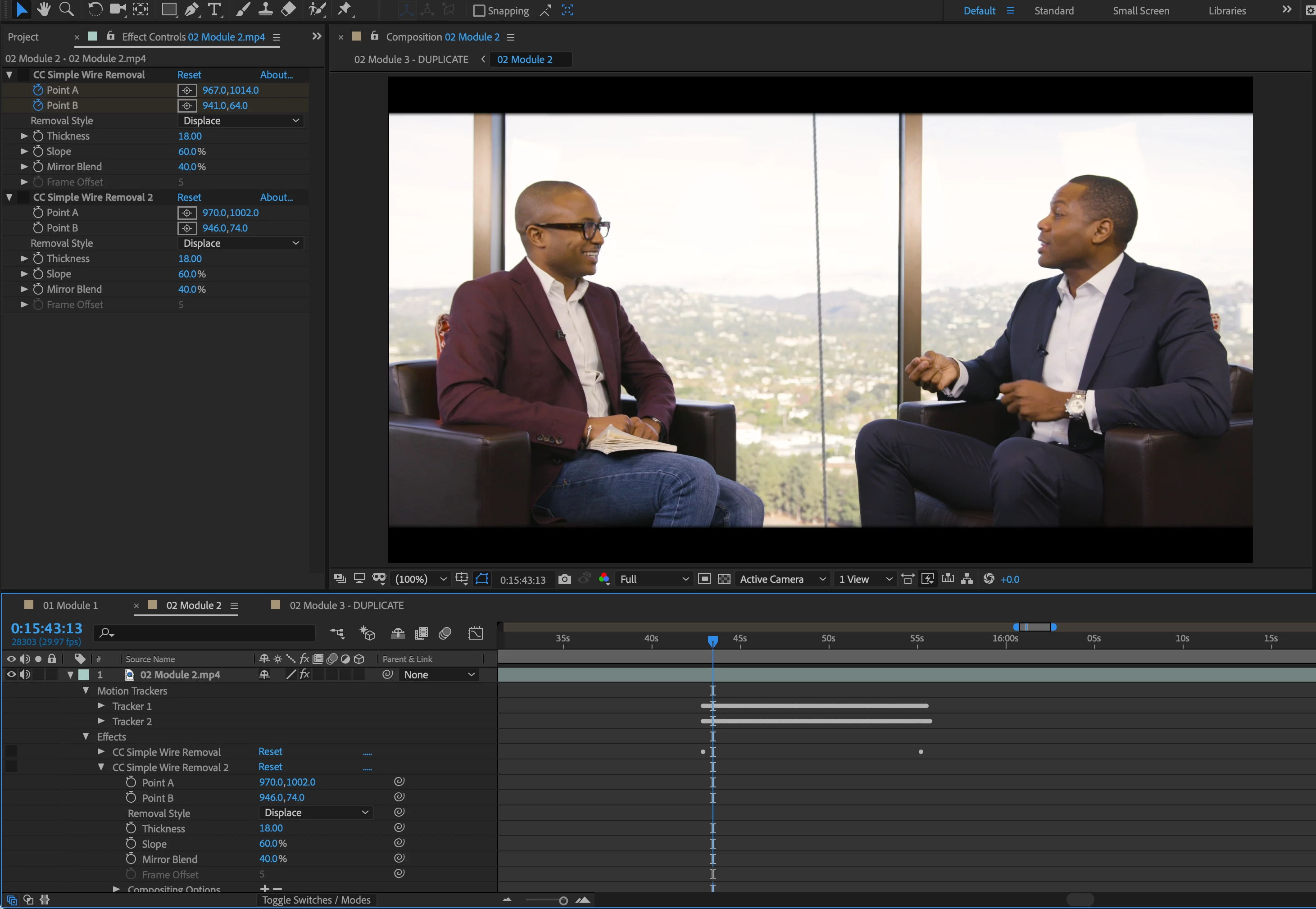
I have a window cleaner's safety rope swaying in the background of a video that needs to be removed. The videos are fairly long, so manually key framing the wire removal tool is not preferred.

I have set motion tracking points on either end of the rope and tried using the property whip to use the tracking data for my A and B points on the line removal, but the connection doesn't seem to be made. Neither the "Feature Center" or "Attach Point" data seem to have any effect on the ends of the line removal.

New to AE, is this possible? Any alternatives if not? Thanks in advance.
This topic has been closed for replies.

4 replies

Participant
January 31, 2019

Unfortunately the length of the video means subtle changes in cloud cover and lighting occur throughout, so overlaying a static image wasn't an option.

@Mike_Abbott I set the expression backwards- pick whipping the property from tracker to wire removal. Thank you so much for helping me here.

Mike_Abbott
Legend
January 30, 2019

As a follow up...

Your original approach of connecting the wire removal point A / point B effect points to the two trackers should also work fine. Are you sure you're setting up the expression correctly?

Alt click on Wire removal 'Point A' stopwatch, then pickwhip the attach point of the relevant tracker. You should end up with an expression on the 'point A' that reads: "motionTracker("Tracker 1")("Track Point 1").attachPoint"  or similar.

This pickwhip:

Mike_Abbott
Legend
January 29, 2019

1. Is the camera fully locked down during the shot ?

2. How far does the rope sway - ie what are the left and right limits of it's swing?

Participant
January 30, 2019

@Mike_Abbott

1 - Camera is locked off

2 - It sways in a range of about 20 px, (along the x axis 959 left max, 978 right max) for the clip I'm on currently, thought it can rather erratically jump further.

Thank you guys again for the help.

Mike_Abbott
Legend
January 30, 2019

I was just thinking that if that was the case, and if there is zero action outside the window - which looks likely in this scene, whether you could get away with a manually cloned out 'static patch' for 90% of it between the two chairs. Then at least you could focus your efforts on the remaining parts.

Jose Panadero
Community Expert
Community Expert
January 29, 2019

Probably the workflow for this kind of shot is to use the Warp Stabilizer first, before the CC Wire Removal effect. Use the Reversible Stabilization options in the Advanced categroy of the Warp Stabilizer effect, then apply the CC Wire Removal and place the A and B points to remove tthe rope. Then, duplicate the Warp Stabilizer and set to Reverse Stabilization, so this way the CC Wire Removal effect will be match moved with your background. The effect should be like this:

1.- Warp Stabilizer set in Reversible mode

2.- CC Wire Removal

3.- Warp Stabilizer set in Reverse mode to recover the original movement of your footage.

Participating Frequently
December 29, 2020

Hello Jose. One question, what is the layers order ? As I am still having problems with all of this and not sure if the Wrap Stabilizer should be at the very bottom of my effects and the Wire Removal at the top or this does not matter. Not sure what it is yet but it is not working for me.


I need to remove some spots in a shot that as well I need to stabilize, so.


Thanks.