
Inspiring
November 16, 2016
Answered

sine curve in graph editor using beziers

  • November 16, 2016
  • 1 reply
  • 3649 views

hi geometry geniuses

I need to animate the position of a layer such that it oscillates along the x axis following a sine wave.

It's fairly trivial to do by creating a key frame on every frame (or using an expression) but this seems like massive overkill when i can use only a handful of keyframes. However I've read that it is actually impossible to perfectly describe a sine curve using Beziers. From trial and error I can get pretty darn close using an incoming/outgoing velocity for the keyframes of of 35.4748% but I would love to know it there some magic number/formula that will get as close as mathematically possible to describing a true sine curve ???

any ideas ?
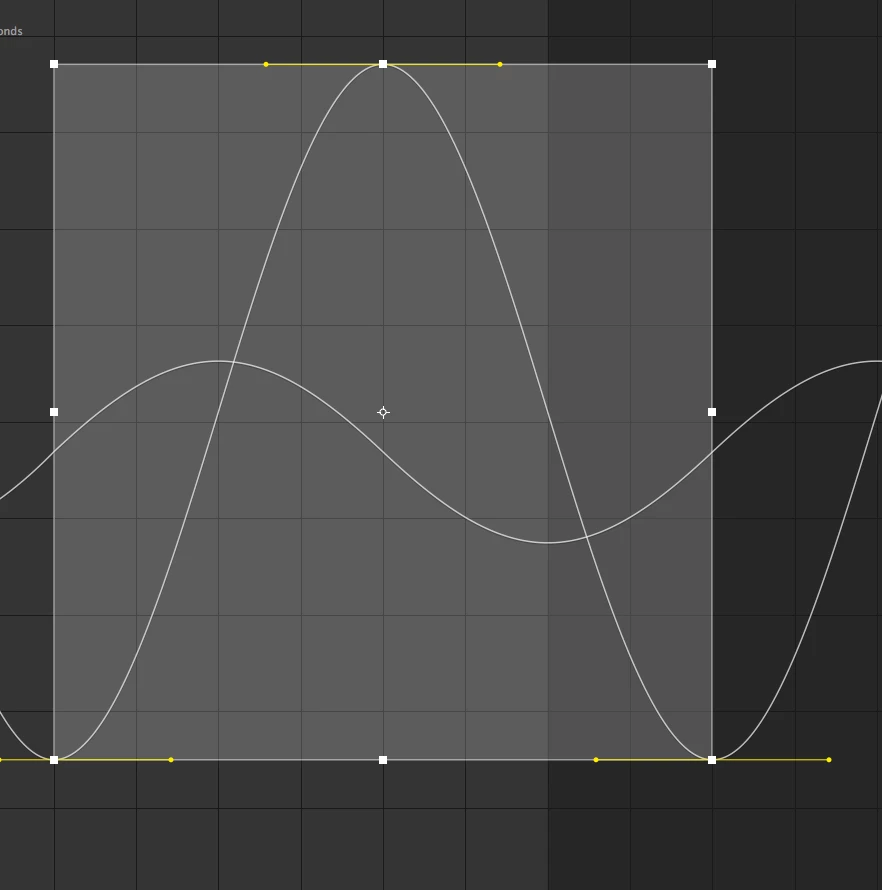
This topic has been closed for replies.
Correct answer AdamStanislav

Hello, I am the creator of the web site you mentioned. To emulate a sine curve, keep the X-coordinate a straight line, and use the kappa in the Y-coordinate. So, for example, to draw the first quarter of a sine curve 1 unit tall and 1 unit wide, you would use [0 1/3 2/3 1] for the X points (which is the proper way to draw a straight line with a cubic Bézier curve) and [0 kappa 1 1] for the Y points. Mirror as needed for the other four quadrants.

Please remember that the circle is defined in the parametric mode as

x = r cos(u)

y = r sin(u)

so kappa is the same for circles and sines/cosines.

I have just uploaded an SVG file to Clipart - Sine Curve so you can see a sine curve created using the kappa.

I have also expanded the information from my web site and made it available as a free e-book downloadable from Smashwords – Bézier Circles and other shapes – a book by G. Adam Stanislav and other places.

Adam

1 reply

Inspiring
November 16, 2016

on further investigation (still trial and error but with a higher degree of magnification) it would seem the magic constant is more like 36.4%.

this appears to be very very very close to the original sine wave but that number doesn't really ring any bells. I was hoping to have some way of determining exactly what the constant should be...

I thought this page might help - http://www.whizkidtech.redprince.net/bezier/circle/

but I can't see how the value mentioned kappa = 0.5522847498 has any relationship to after effects' bezier influence values.

any insight greatly appreciated.

AdamStanislav
AdamStanislavCorrect answer
Participant
May 26, 2017

Hello, I am the creator of the web site you mentioned. To emulate a sine curve, keep the X-coordinate a straight line, and use the kappa in the Y-coordinate. So, for example, to draw the first quarter of a sine curve 1 unit tall and 1 unit wide, you would use [0 1/3 2/3 1] for the X points (which is the proper way to draw a straight line with a cubic Bézier curve) and [0 kappa 1 1] for the Y points. Mirror as needed for the other four quadrants.

Please remember that the circle is defined in the parametric mode as

x = r cos(u)

y = r sin(u)

so kappa is the same for circles and sines/cosines.

I have just uploaded an SVG file to Clipart - Sine Curve so you can see a sine curve created using the kappa.

I have also expanded the information from my web site and made it available as a free e-book downloadable from Smashwords – Bézier Circles and other shapes – a book by G. Adam Stanislav and other places.

Adam

Inspiring
June 17, 2017

hey Adam

Thanks heaps for the input. I ended up getting close enough (for all practical purposes) with my trial and error version but it's great to have the real numbers.

cheers.