Path shape exported as .eps file, and converted back into path in AE. Of course I can just as well create a path shape directly in AE with the pen tool, it’s just more user friendly in AD.
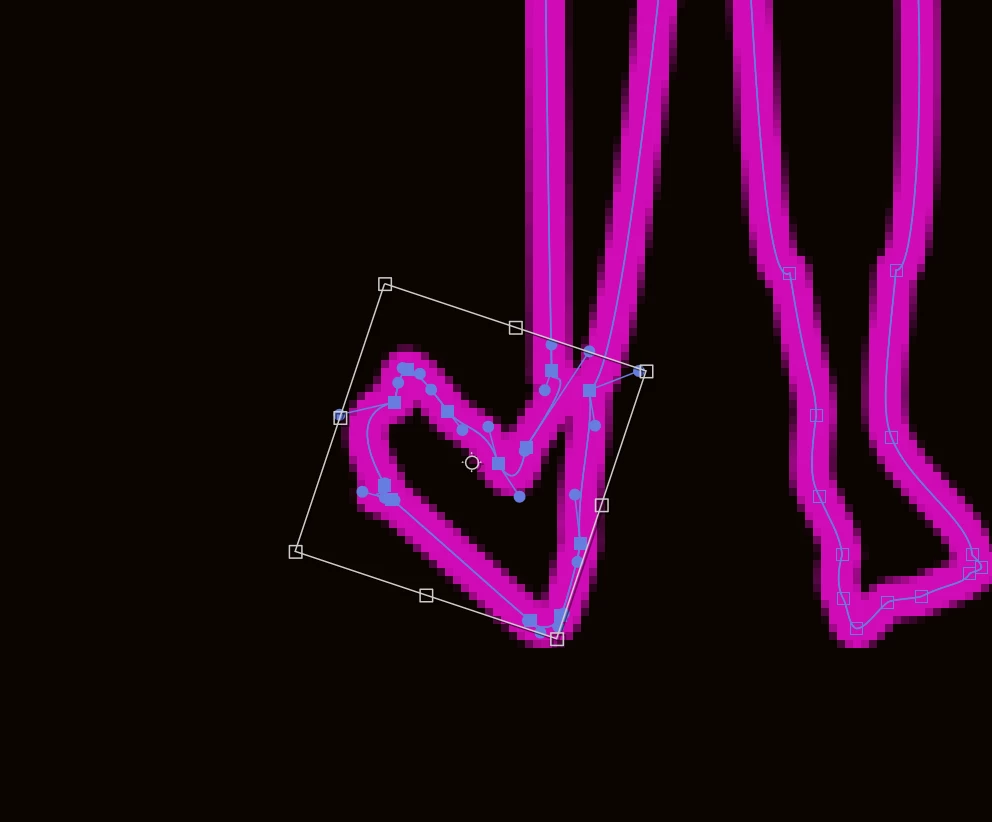
Either way, I’m in Free Transform mode as specified, so obviously just transforming these nodes within the bounding box.
It may be worth taking a look at Overlord for After Effects. It instantly transfers shapes to Illustrator and back. You could adjust Skew or Sheer there and then transfer the shape back. Overlord is $75. Although, since you’re using Affinity instead of Illustrator, I’m not sure this suggestion will be of any use.
You could try coping and pasting between Ae and Affinity. That works between Ae and Illustrator, but is not nearly as elegant as Overlord. Battleaxe (the publisher of Overlord) mentions an interest in supporting Affinity, but there’s no developer API available.
Thanks for the post. I’m not totally sure what kind of object/path this is from the screenshot. Can you give us a little more info about what you’re working with here?
For example:
is this a shape layer, mask, or something else?
was the path created with the Pen tool?
are you transforming the layer itself or just the path?
That’ll help narrow down whether Free Transform supports what you’re trying to do in this specific context.
@Rick Gerard @Warren Heaton — do either of you know whether AE supports skew/shear directly in this particular Free Transform context?




 AdChoices