Participant
April 6, 2018
Answered

Slight color desaturation problem on export

  • April 6, 2018
  • 3 replies
  • 39995 views

Hey,

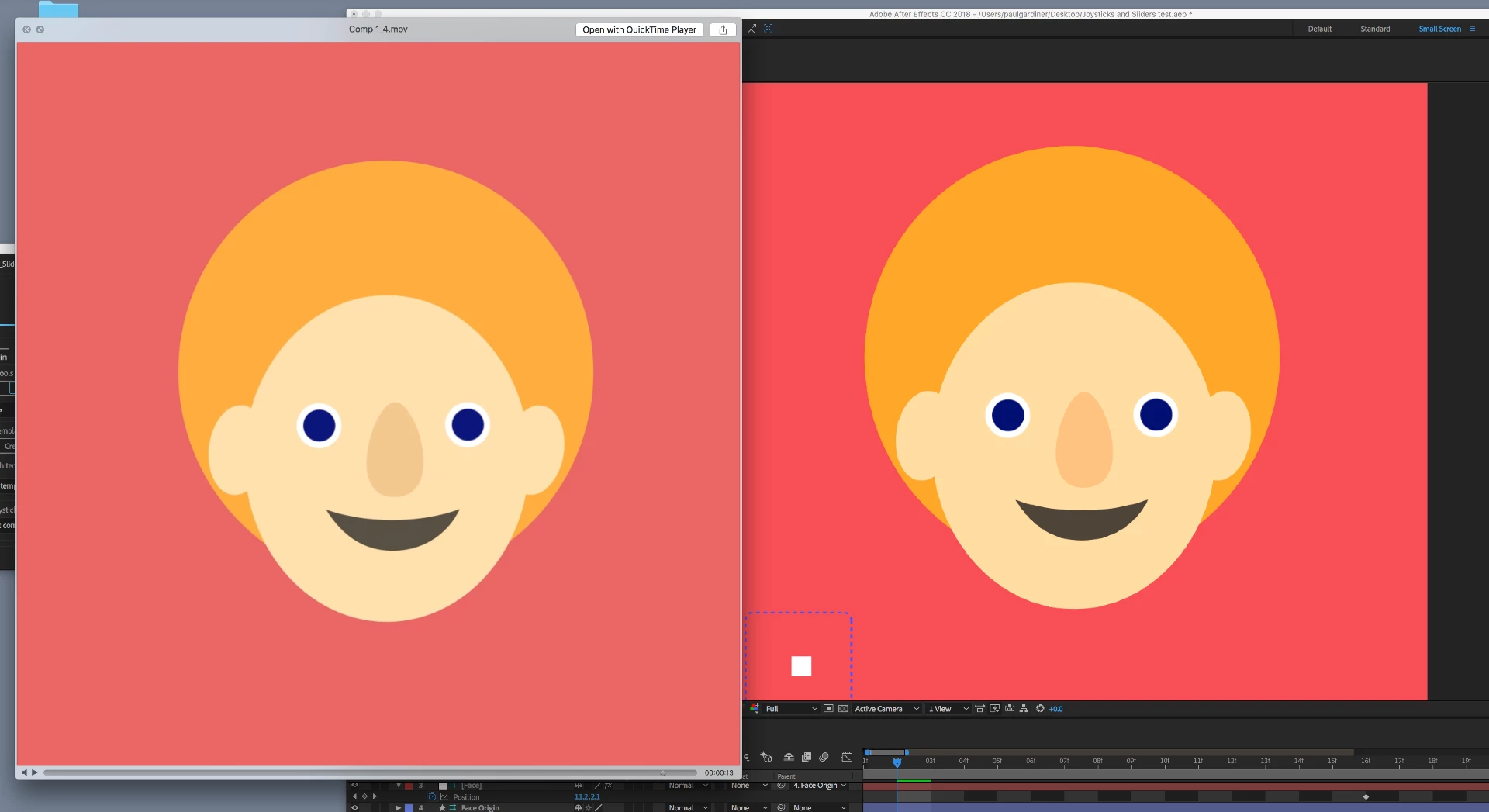
Hoping that I can get some help with a problem in AE when exporting. I'm experiencing quite a large colour shift on export, in that my exported file tends to loose some of their saturation and brightness. Everything appears to be a little washed out.

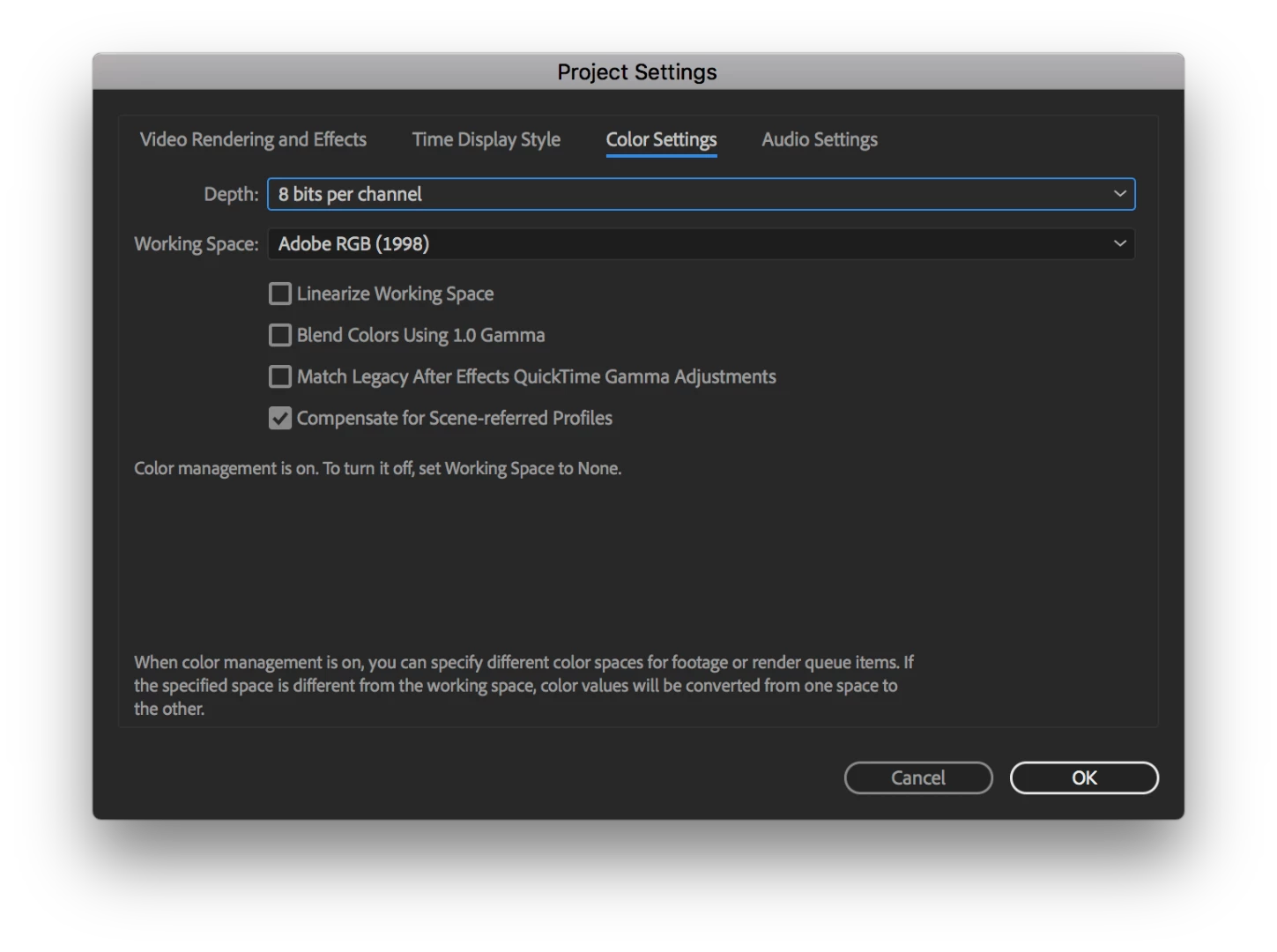
I'm experiencing this problem regardless of what colour space I choose for the project setting or within the export setting. I was initially trying to export as a H.264 file, and thinking it was this, have exported it as a lossless file and then convert in quicktime. This still gives the same issue though.

Also occurs if I turn off colour management on export completely.

Would appreciate any assistance anyone can provide - it's driving me mad!

Cheers,

Paul
This topic has been closed for replies.
Correct answer paulg35204633

Hi Mylenium,

After further investigation and another thread it would appear it's an issue with Quicktime. It appears the correct saturation level when played back through VLC.

Not sure where this leads me though - whether I can update Quicktime in some way?

Cheers for the response though.

3 replies

Participating Frequently
July 3, 2021

So, I'm trying to intigrate a video into a WP website. The video's colors were showing to bright, compared to the background color of the website. When changing the color space to sRGB, the colors were still to bright.


After trying the LUT solution suggested below,  My problem was fixed. On MacOS that is. 

When displaying the same website with the embeded video on any browser on Windows, the video now appears to dark.


I am out of ideas. Did anyone experience such behavior with the LUT applied on the output?


Tiago Rio
Participant
July 10, 2023

Hi, I found an easier way to fix, just by configuring the Color Profiles in Project Settings:

Participant
December 1, 2023

thanks a lot man

lizs10642229
Participating Frequently
January 23, 2020

Figured out a solution based on this issue as it was addressed by Adobe in Premiere:

  • Download the QT Gamma Compensation LUT at this link: http://go.whoismatt.com/washedoutcolorlut/
    • This LUT download was originally provided by Adobe to solve this issue in Premiere, but the original link to download it is broken, so this link is more useful.. despite the required email subscription
    • For more context on the issue and proof of OG LUT dl link, here's is Adobe's article addressing the topic in reference to Premiere exports: https://forums.adobe.com/docs/DOC-9952
  • Export your comp through AME with the LUT applied in the "Effects" tab in the export settings.
    • If the LUT dropdown still says "None" after you've chosen the QT Gamma Compensation.cube LUT, don't worry - it's still applied, it's just a weird bug 🐞
  • (Optional) Save as a preset for future work
  • Export 👍
Hopa studio
Participant
April 7, 2020

thank you!!!!

Mylenium
Legend
April 6, 2018

No simple answers here. You have to read up on

a) color management in teh generic sense

b) how for a) it is actualyl necessary to calibrate your monitor

c) how AE's working space colro options actualyl work and

d) how specific CoDecs/ file formats may further impair color rendition due to limiting gamut, undersampling chroma components or whacking out Gamma.

that said, the obvious answer to your initial issue is that you mistweaked your monitor and colors will always be off in a color profile aware environment (AE) vs. the uncalibrated rest (outside AE), so start there.

Mylenium

paulg35204633AuthorCorrect answer
Participant
April 6, 2018

Hi Mylenium,

After further investigation and another thread it would appear it's an issue with Quicktime. It appears the correct saturation level when played back through VLC.

Not sure where this leads me though - whether I can update Quicktime in some way?

Cheers for the response though.

Dave_LaRonde
Inspiring
April 6, 2018

The same video file will look different when played in different media players.  It's just a fact of life.