

Participant
May 24, 2022
Answered

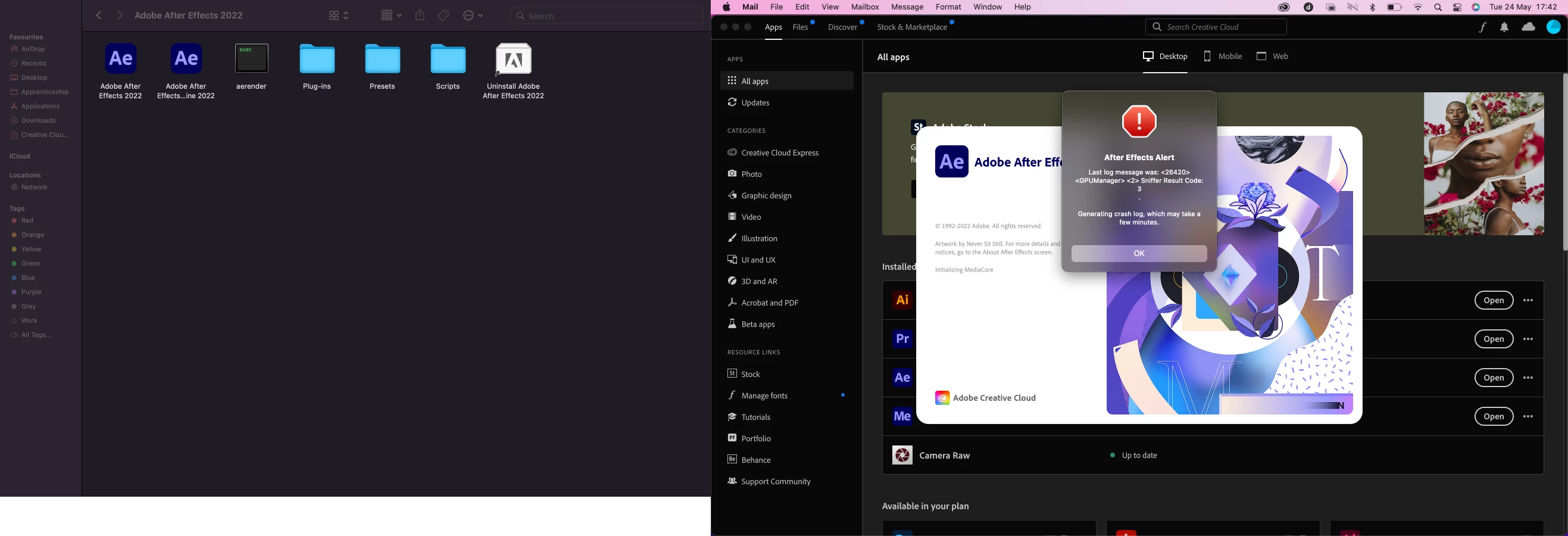
Sniffer Result Code: 3 . Generating crash log, which may take a few minutes.

  • May 24, 2022
  • 2 replies
  • 2275 views


Just updated my macbook pro to Monterey, I have deleted "AE Juice" Plug-ins but unfortunatley still doesnt work, any idea what i should do? 
 

Correct answer nishu_kush

Hi George & trubizvee,


Sorry for the crash.

After Effects crashing with the Initializing MediaCore on the splash screen indicated that there could be a third-party plug-in that could cause the crash. Go to HD/Library/Application Support/Adobe/Common/Plugins/7.0/MediaCore and remove all the files and folders (except dummy.txt) temporarily.

Let us know if it helps.


Thanks,

Nishu

2 replies

nishu_kush
Community Manager
nishu_kushCommunity ManagerCorrect answer
Community Manager
May 25, 2022

Hi George & trubizvee,


Sorry for the crash.

After Effects crashing with the Initializing MediaCore on the splash screen indicated that there could be a third-party plug-in that could cause the crash. Go to HD/Library/Application Support/Adobe/Common/Plugins/7.0/MediaCore and remove all the files and folders (except dummy.txt) temporarily.

Let us know if it helps.


Thanks,

Nishu

Participant
May 25, 2022

Ah, I had to go to the main file, i am only learning how to use mac now, i was n finder trying to locate these files, i needed to go to preference and enable more locations. Thank you for your help.

trubizvee
Participant
May 24, 2022

I am having this same issue as well.

