MahaB82A
August 4, 2022
Answered

Soft angle Vs Hard angle

  • August 4, 2022
  • 1 reply
  • 479 views

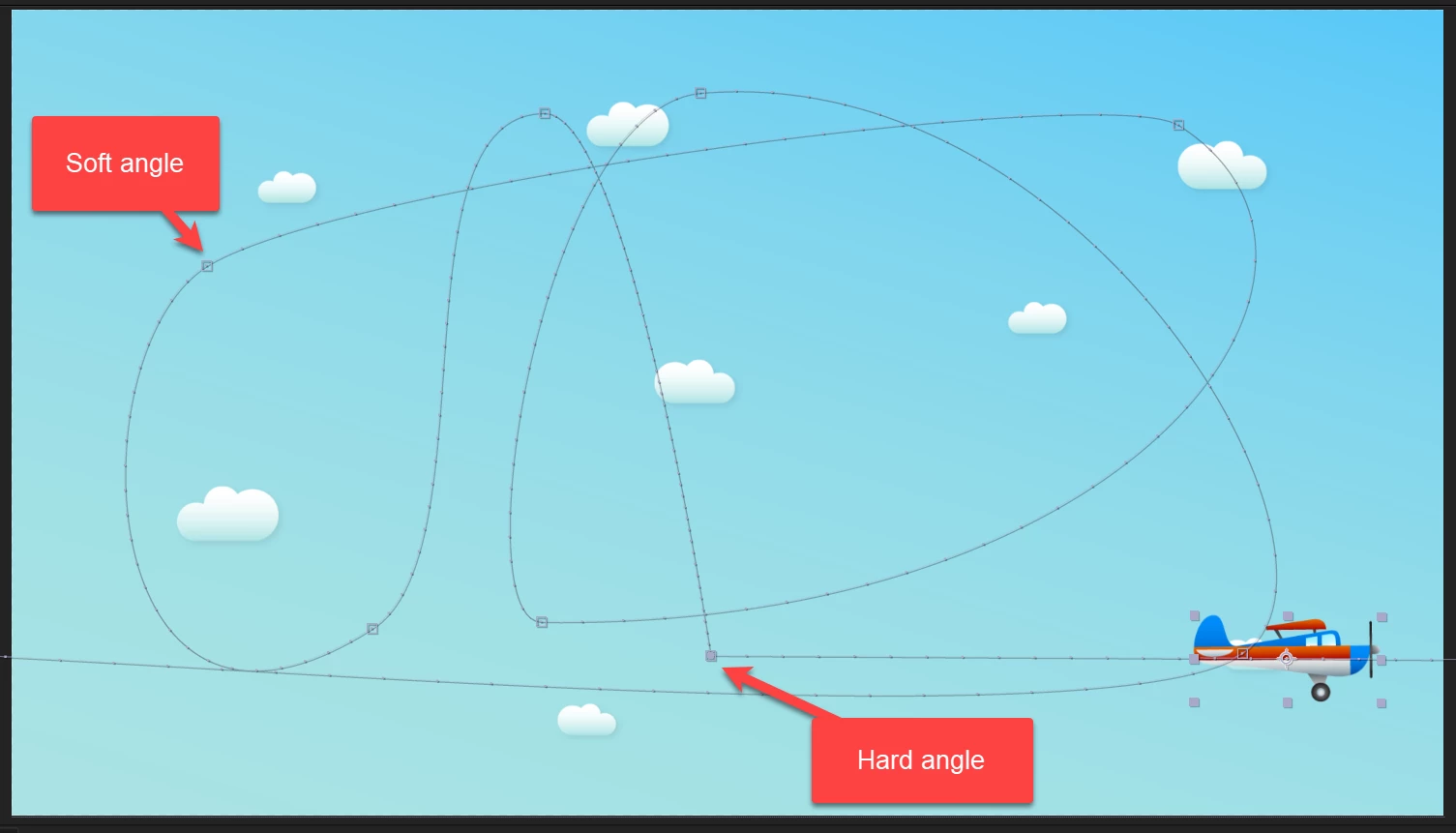
What is reason this path gets hard angle after certain point?
 

This topic has been closed for replies.
Correct answer Rick Gerard

Motion paths have Bezier handles. You can select the hard angle with the selection tool, press the "g" key, hold down the Alt/Option key, and drag out the handles to change the curve. 


This tutorial may help you understand how to create and edit motion paths.


My After Effects Quick Tips Tutorials

1 reply

Rick GerardCommunity ExpertCorrect answer
Community Expert
August 4, 2022

Motion paths have Bezier handles. You can select the hard angle with the selection tool, press the "g" key, hold down the Alt/Option key, and drag out the handles to change the curve. 


This tutorial may help you understand how to create and edit motion paths.


My After Effects Quick Tips Tutorials

MahaB82A
MahaB82AAuthor
August 4, 2022

Thanks for the tutorial.


I wish to know why path gets hard angle after certain point?

Community Expert
August 4, 2022

It depends on how you create the path or modify the keyframe. If you select a motion path keyframe, right-click and open Keyframe Interpolation, and set Spatial Interpolation to Linear, you will collapse the bezier handles and get a sharp corner (hard angle). 


You can also change the Spatial Interpolation default in After Effects preferences by changing the options in the fourth line of the General section.


You can also break an Auto Bezier handle by copying a keyframe, then pasting it a little farther down the timeline. It's all about workflow and understanding the tools.