Question
Solid color fill change with layer underneath over time
Hi everyone, I am very new to expressions in AE.
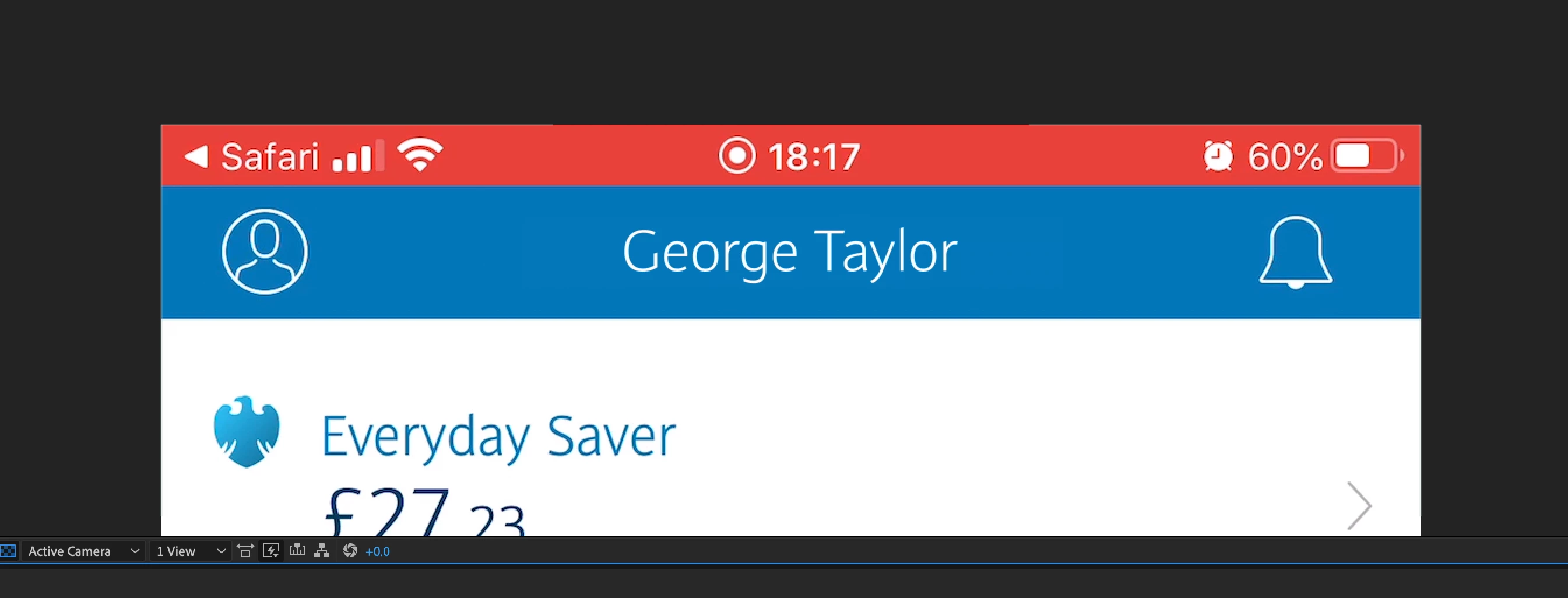
Would anyone be able to help me figure out how to change a solid color filled shape that sits above a video clip that is meant to mask a portion of the clip below it with a color just below it? Basically, I want to hide a red colored status bar on a video clip someone took of their phone with the color of the navigation bar below it using a solid color shape. The problem is that the navigation bar which is blue, shifts to different shades over time. Hoping there is a way to use an expression to sample the shifting blue colors below the red status bar?
Any help would be greatly appreciated! Thanks!
x-posted in creativecow.net forums
 AdChoices