

Solid Colors Appear Slightly Off
As I've been using AE more frequently for creative branding work I have noticed an annoying color issue I can't seem to correct.
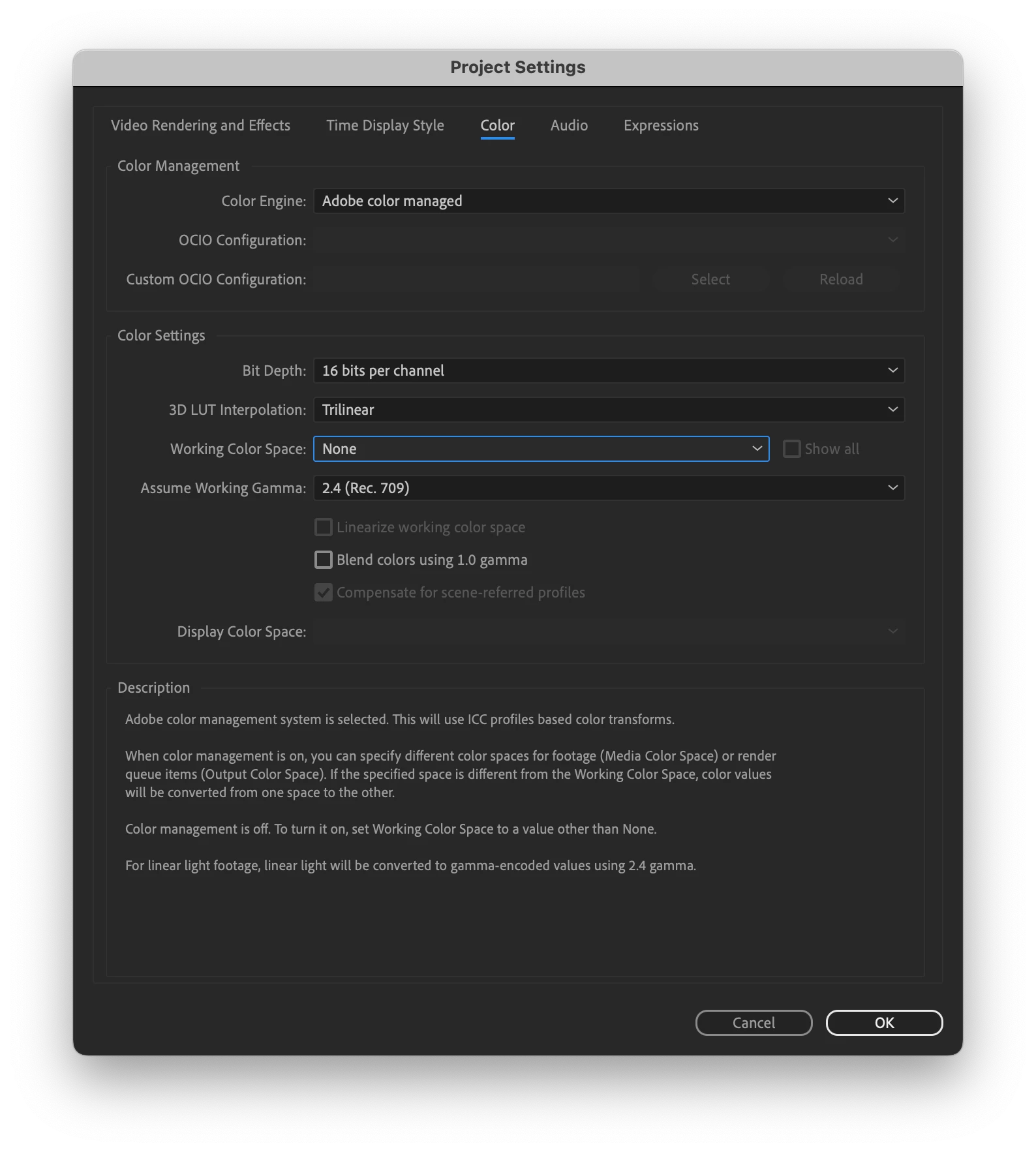
It's very subtle but I can't get solid colors, like backgrounds, to appear correct on final renders. They appear correct in my working files. I have my 'Working Color Space' set to NONE which has helped, but the slight color shift is still present.
Here is an example: <– This is an example of my rendered mp4 (with a light blue background) sitting above a background layer with the same light blue RGB value as the video. The background layer is slightly brighter while the video background is a bit duller looking.
Hoping to get some clarity on what settings I need to be aware of to correct this color issue.
Here's a grab of my Project Settings if that is helpful:
Thank you!!


 AdChoices