



alim.nasim
Participating Frequently
Oct 12, 2020 10:15 AM UTC
Answered

[SOLVED] After Effects Error 86::1 After Effects 2015-2020 in Windows 8-10

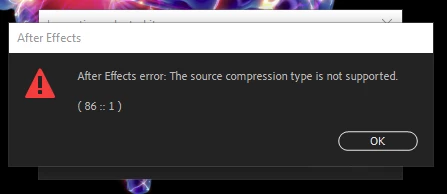
Today I faced same problem. Can't attach the MOV file into composition. After Effects Error 86::1 The source compression type is not supported.


[[SOLUTION]]

Just change the extension of the file .mov to .avi 

same, change any extension to another.


MAGIC!!
Enjoy!

 

This topic is closed to new replies. Start a new post to keep the conversation going.
Rameez_Khan
Rameez_KhanCorrect answer
Legend
Oct 21, 2020 6:01 PM UTC

[[SOLUTION]]

Just change the extension of the file .mov to .avi

same, change any extension to another.


Thanks for sharing the solution.

-Rameez

8 replies

Inspiring
Apr 3, 2024 2:17 PM UTC

I'm having the same problem, but I try to change extension .mov to .avi and it doesn't work.


Translate
Alba27699334tz3u
Known Participant
Aug 8, 2023 8:37 PM UTC

What can we do when we have the same problem but with a .SWF File?

Translate
Participant
Sep 8, 2023 6:24 PM UTC

I have the same issue. I tried renaming the files to .avi but it just breaks them. For context I'm trying to transfer my project from adobe animate to after effects but I can't even copy paste to bring the layers over so idk what to do.

Translate
Rameez_Khan
Rameez_KhanCorrect answer
Legend
Oct 21, 2020 6:01 PM UTC

[[SOLUTION]]

Just change the extension of the file .mov to .avi

same, change any extension to another.


Thanks for sharing the solution.

-Rameez

Translate
Participating Frequently
Nov 14, 2021 8:01 PM UTC

I seriously does not see this as a solution when you have multiple files to rename that previous worked fine.

Translate
Participant
Apr 20, 2022 2:25 PM UTC

I totally agree, none of my AE files will open without this error and they contain dosens of files... Does anyone know of a solution??? I cant work on my clients projects!

Translate