
Adam24585301qycn
Inspiring
May 26, 2022
Question

source text limitation

  • May 26, 2022
  • 1 reply
  • 383 views

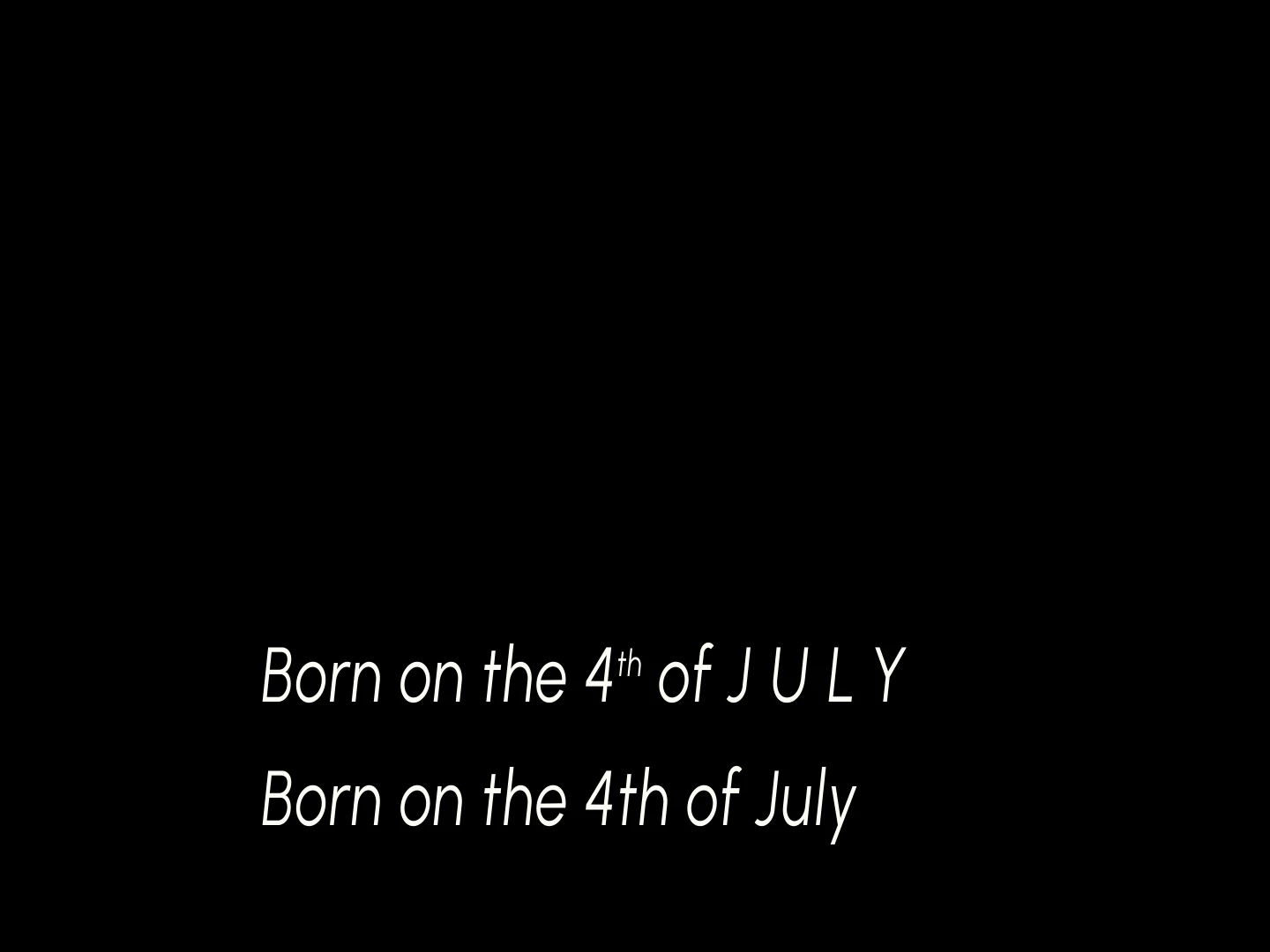
Hi everyone, I have some motion designer projects that needs to be reworked into templates. many designers use source text to link their texts that appear in different compositions, but as you all know this is not a great idea, it ignores all the control from the character palette. Is there a way to link the text in a way that would keep individual character tracking, or size and position of certain characters, even capitals for some characters ? please see enclosed pic.
This topic has been closed for replies.

1 reply

Roland Kahlenberg
Legend
May 26, 2022

Sounds like you're new into this area. This is the official Webpages on Text Styling with Expressions in AE - 
https://helpx.adobe.com/after-effects/using/expressions-text-properties.html

and this is useful too - 
https://ae-expressions.docsforadobe.dev/text-style.html

You will also want to search this forum for related Qs/Content. One critical fact to note is a single AE Text Layer can only support one Text Style and the sourceRectAtTime() Expression Method is a critical underlying know-how to get things to work between Text and Shape Layers (if you're looking at using panels/boxes for your text). HTH 

Very Advanced After Effects Training | Adaptive & Responsive Toolkits | Intelligent Design Assets (IDAs) | MoGraph Design System DEV
Adam24585301qycn
Inspiring
May 26, 2022

thanks Roland, yes I am aware about the font limitation. I am also aware of the sourcerectattime, but Im looking for a way to link text that can do what I illustrated in the photo but that it will follow exactly. It may not be possible, but thats why Im asking. And I did check the search before I posted. Sometimes I use a master precomp for text when all else fails, but that too is not an ideal solution for a couple of reasons.

Roland Kahlenberg
Legend
May 26, 2022

Everything's possible if you break up each word into it's own Text Layer and allow for selecting superscript as an option. But as you can imagine, it can get unwieldly. To simplify matters, for a template, you may include a template which already has a superscript in the original text - user then selects this if they require a superscript and selects the 'normal' template if they only require standard text characters. Tracking etc are usually set to Auto in AE but you can allow for adjustments in your template. HTH

This example uses a text layer for each word. The sentence is Expressions driven; read from a JSON file which was exported from a spreadsheet as a TSV and then concerted into a JSON.


Very Advanced After Effects Training | Adaptive & Responsive Toolkits | Intelligent Design Assets (IDAs) | MoGraph Design System DEV